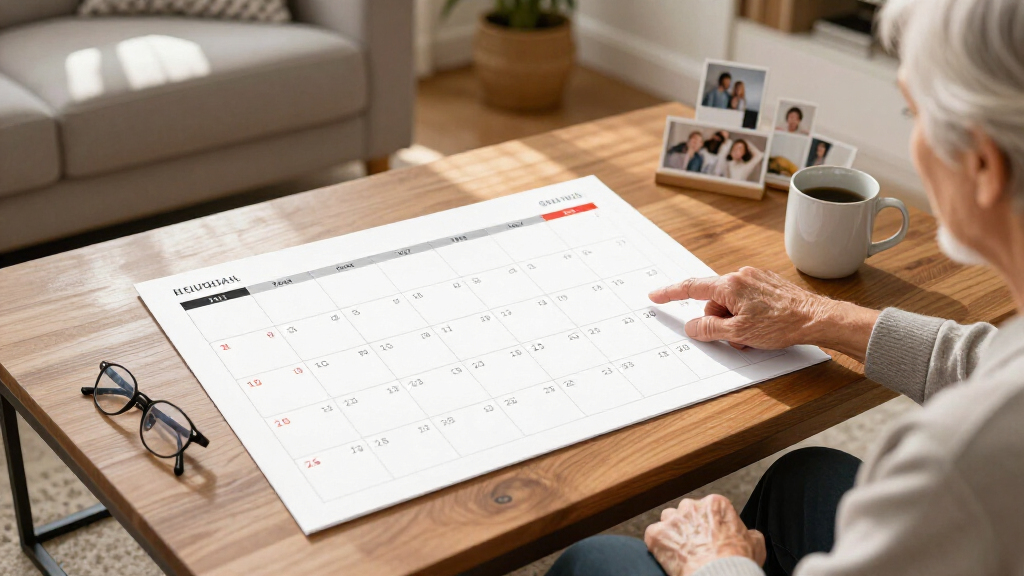

Large print digital calendars replace the tiny text of phone screens and paper planners with a wall-mounted display the whole household can read from across the room. After comparing 11 models, the Dragon Touch 21.5-Inch Digital Calendar stands out as the best overall pick for balancing screen size, touchscreen control, and family planner features at a mid-range price. The Cozyla Calendar Neo earns the premium slot with polished software and app sync, while the 15.6-inch No Subscription model is the clear value choice for anyone who hates recurring fees. The main tradeoffs in this category come down to screen size versus price, subscription-based software versus one-time-cost apps, and family chore-chart features versus simple senior-friendly clock displays. Continue reading for the full breakdown, including which sizes actually work on different walls and which models to skip.

Turn quiet afternoons into listening time
- Thousands of audiobooks, podcasts and originals
- Listen on your phone, tablet or Echo — also offline
- Cancel anytime
Complete the kit


Key Takeaways
- Screen size matters less than software: the 32-inch models only outperform the 21.5- and 24-inch picks if their apps are actually usable, and two of the three 32-inch options have clunkier interfaces than the Dragon Touch.
- Subscriptions are the hidden cost in this category — Cozyla‘s ecosystem is strong but recurring fees add up, while the 15.6-inch No Subscription model and Apolosign keep long-term costs flat.
- Senior buyers should ignore the family planner models entirely; the SSYA Dementia Clock’s auto-DST, day/date display, and alarm functions serve a completely different need than chore charts and meal planners.
- 15.6-inch models work well in kitchens and small apartments, but anything below 21 inches becomes hard to read from a distance, defeating the purpose of large print.
- The Cozyla Calendar Plus 2’s built-in Google Play Store is the biggest differentiator for tech-savvy households, letting you add streaming and third-party apps no other model here supports natively.


| large print digital calendar | Connectivity | Screen Size |
|---|---|---|
| Dragon Touch 21.5" Digital Cal | Wi-Fi | — |
| 32 inch Digital Calendar & Cho | — | 32 inches |
| 15.6" Digital Calendar Wall To | — | 15.6 inches |
| Apolosign 27-inch Digital Cale | Wi-Fi | 27 inches |
| 15.6” Digital Calendar Touchs | Google and iCloud Calendar integration | 15.6 inches |
| Cozyla Calendar Neo: 24-inch D | Wi-Fi | 24 inches |
| 32-Inch Digital Calendar Chore | Wi-Fi, app sync | — |
| 32-inch Digital Wall Calendar | HDMI, QuickShare, Wi-Fi | 32 inches |
| SSYA Dementia Clock for Senior | — | — |
| Cozyla Calendar Plus 2 24-inch | Google, Apple, Outlook, Yahoo, and more | — |
| Digital Calendar 15.6 Inch Wal | Wi-Fi | 15.6 inches |
More Details on Our Top Picks
Dragon Touch 21.5″ Digital Calendar Chore Chart with Touchscreen and Smart Family Planner
The Dragon Touch 21.5-inch hits the sweet spot that most digital calendars miss: a screen big enough to read across the kitchen, but not so large it dominates the wall. Compared with the 15.6-inch models in this lineup, the extra screen real estate makes chore charts and weekly views genuinely readable for a whole family at once, while the full HD touchscreen keeps interaction responsive rather than sluggish. This pick makes the most sense for households that want a true command center — calendar, chores, dinner planning, and photos — without paying for the 32-inch tier. The tradeoffs are real, though: it leans on Wi-Fi for almost everything, and some advanced features sit behind paid upgrades, so the sticker price isn’t the whole story. Setup via the mobile app is simple enough that most households won’t need help.
Pros:- 21.5-inch FHD touchscreen balances readability with a manageable footprint
- Syncs smoothly with multiple calendar services already in use
- Combines calendar, chore chart, meal planner, and photo frame in one device
- Quick Wi-Fi setup and remote management from a phone
Cons:- Core functionality depends on a stable Wi-Fi connection
- Paid feature tiers can add to the long-term cost
- No smart home or voice assistant features unlike larger rivals
Best for: Busy families of four or more who need one shared scheduling hub that’s readable from across the room
Not ideal for: Buyers hoping for a one-time purchase with zero ongoing costs, since premium features require paid add-ons
- Display:21.5-inch FHD touchscreen
- Resolution:1080P
- Connectivity:Wi-Fi
- Functions:Calendar, chore chart, dinner planner, photo frame
- Mounting:Wall & desk mountable
- Management:Mobile app remote management
Our verdict“The most balanced pick for families who want big-screen scheduling and chore tracking without oversizing or overspending.”
32 inch Digital Calendar & Chore Chart Touchscreen Monitor for Family Schedules
If the Dragon Touch is a command center, this 32-inch touchscreen is a full household operations board. The difference is scale: month views, chore assignments, and multiple family members’ schedules all display legibly at once, something smaller panels force you to swipe through. It also runs Android 11 with 4GB RAM, which makes it feel closer to a smart display than a calendar — it doubles as a media player and smart home hub with built-in speakers and a camera. Compared with the Apolosign 27-inch, you trade a little polish for more screen and more hardware, at a notably higher price. That price is the honest drawback: this costs several times a paper planner or even the 15.6-inch options. Tech-shy users may also find the Android interface more device than they wanted.
Pros:- 32-inch display keeps full month and chore views readable from a distance
- 10-point touch handles multiple family members tapping at once
- Full Android 11 platform with app installation and media playback
- Doubles as a smart home hub with speakers and camera
Cons:- Premium price point far above smaller touchscreen calendars
- Android-based interface may overwhelm non-technical users
- App sync and remote management require constant Wi-Fi
Best for: Large or multi-generational households wanting maximum visibility plus smart home and media features in one wall unit
Not ideal for: Budget-conscious buyers or minimalists who just want dates and chores — this is far more machine than that job requires
- Screen Size:32 inches
- Touch Support:10-point touch
- Operating System:Android 11
- RAM:4GB
- Storage:32GB
- Installation:Wall mount or desk stand
- Extras:Built-in speakers, camera, media player, smart home control
Our verdict“Buy this only if screen size and versatility genuinely matter — it’s the maxed-out option, not the sensible default.”
15.6″ Digital Calendar Wall Touch Screen, Chore Chart, Photo Frame, Refills
This 15.6-inch model proves you don’t need a 32-inch panel to get a genuinely useful family calendar. The glare-free HD touchscreen is a quiet advantage over glossier rivals — on a bright kitchen wall, that matters more than raw size. Where the Dragon Touch asks for paid upgrades, this one offers real-time sync with no subscription fees, which is why it earns the value slot. Compared with the similarly sized Pastigio, it matches the core calendar-and-chores experience while adding a two-year warranty and round-the-clock support, a combination that de-risks a purchase from a less familiar brand. The honest limitations: 15.6 inches suits a family of three or four, not a bustling household with five schedules, and there’s a setup learning curve. You also need a nearby outlet — this is a wired device, full stop.
Pros:- No subscription fees for calendar sync
- Glare-free HD touchscreen performs well in bright kitchens
- Two-year warranty with 24/7 customer support
- 32GB expandable storage for photo frame use
Cons:- 15.6-inch size limits readability in large spaces
- Requires a nearby power outlet — no battery option
- Initial tech setup has a learning curve
Best for: Small families and couples who want subscription-free scheduling and chore tracking on a modest budget
Not ideal for: Big households or anyone mounting in a large open room, where the 15.6-inch screen gets lost
- Screen Size:15.6 inches
- Storage:32GB (expandable)
- Touchscreen:HD glare-free
- Mounting:Wall mount or desk
- Warranty:2 years
- Customer Support:24/7
- Sync:Real-time, subscription-free
Our verdict“The smartest spend for smaller households — most of the big-screen functionality at a fraction of the price.”
Apolosign 27-inch Digital Calendar & Smart Family Wall Planner
The Apolosign 27-inch sits between the Dragon Touch and the 32-inch tier, and it differentiates itself through software freedom: full Google Play access means you can install the apps your family actually uses rather than living inside a closed system. Add an AI voice assistant and smart home control, and this becomes the household hub for people who already run a connected home. Compared with the 32-inch Android monitor, the Apolosign feels more design-forward — the faux wood frame blends into living spaces instead of looking like office equipment. The tradeoffs: setup is genuinely complex for non-technical buyers, some features only work in the U.S., Canada, and U.K., and like everything here, it’s tethered to Wi-Fi. It rewards buyers willing to customize; it frustrates buyers who want plug-and-play.
Pros:- Google Play support lets you install any calendar or family app
- AI voice assistant enables hands-free scheduling and control
- Faux wood frame looks at home in living spaces
- Photo display with no subscription required
Cons:- Setup is complex for non-tech-savvy users
- Feature availability restricted to U.S., Canada, and U.K.
- Full functionality depends on Wi-Fi
Best for: Smart-home households who want to install their own apps and control the calendar by voice
Not ideal for: Buyers outside the U.S., Canada, and U.K., or anyone who wants zero-setup simplicity — region locks and complex setup will bite
- Screen Size:27 inches
- Display Type:HD touchscreen
- Connectivity:Wi-Fi
- Supported Apps:Google Play
- Frame Material:Faux wood
- Mounting:Wall mount included
- Supported Regions:U.S., Canada, U.K.
Our verdict“The right pick for app-hungry smart-home families; the wrong pick for anyone wanting a simple wall calendar.”
15.6” Digital Calendar Touchscreen, Smart AI Wall Planner, No Subscription
The Pastigio 15.6-inch takes a different angle on the compact category: rather than competing on screen size, it competes on engagement. Customizable avatars, a task-and-reward system, and photo sharing are designed to make kids actually participate in household planning — a softer sell than the chore-chart-first approach of the other 15.6-inch option. The voice-activated AI assistant brings hands-free task management to a price tier where the value pick offers nothing comparable, and like that model, it charges no subscription fees. Tradeoffs are worth weighing: power and setup details are unspecified, which is an unusual gap for a device that needs to run all day, and full functionality depends on companion smartphone apps. The adaptive brightness and sleep mode help it sit unobtrusively in a hallway or bedroom where bigger units would be overkill.
Pros:- Task and reward system with avatars motivates kids to participate
- Voice-activated AI assistant at a compact price point
- Google and iCloud calendar integration with no subscription
- Adaptive brightness and sleep mode suit bedrooms and hallways
Cons:- Power source and setup details are not specified
- Requires companion smartphone apps for full functionality
- Learning curve for less tech-comfortable households
Best for: Parents who want to gamify chores and rewards for kids on a screen sized for bedrooms and hallways
Not ideal for: Detail-oriented buyers who want clear power and installation specs before purchasing — those details aren’t documented
- Screen Size:15.6 inches
- Connectivity:Google and iCloud Calendar integration
- Voice Features:AI voice assistant
- Family Features:Task and reward system, customizable avatars, photo sharing
- Display Modes:Sleep mode, adaptive brightness
- Subscription:No subscription fees
Our verdict“The best compact choice for families whose priority is getting kids engaged rather than maximizing screen size.”
Cozyla Calendar Neo: 24-inch Digital Wall Touch Screen Calendar
Among the full-featured family hubs in this roundup, the Cozyla Calendar Neo stands out for being the one you can mount and use within minutes. Where the 32-Inch Digital Calendar Chore Chart piles on whiteboard modes and photo slideshows that take time to learn, the Neo keeps its interface lean: shared schedules, to-do lists, and notes on a 24-inch touchscreen that grandparents and kids alike can figure out without a tutorial. Voice control adds genuine convenience when your hands are full of groceries. Compared to its sibling, the Cozyla Calendar Plus 2, the Neo trades the Play Store and customizable widget dashboards for simplicity — that’s a real tradeoff if you like tinkering. Also note it’s entirely Wi-Fi dependent, so an outage leaves you with an expensive blank panel.
Pros:- Very easy setup with minimal learning curve for all ages
- Hands-free voice control for checking or adding events
- Syncs cleanly with Google, Apple, and Outlook calendars
- Well-suited to chore tracking and meal planning without clutter
- 24/7 customer support backing a 1-year warranty
Cons:- Fully dependent on Wi-Fi; the display loses core functions during outages
- Fewer features than similarly priced rivals like the Plus 2
- New capabilities depend on the manufacturer pushing software updates
Best for: Busy families who want a shared calendar up and running the same afternoon without wading through menus
Not ideal for: Tech tinkerers who want app installs and deep customization — the Plus 2 covers that better
- Screen Size:24 inches
- Connectivity:Wi-Fi
- Compatibility:Google, Apple, Outlook
- Voice Control:Yes
- Warranty:1 year
- Support:24/7 customer support
Our verdict“This pick makes the most sense for families who value a frictionless setup over advanced features.”
32-Inch Digital Calendar Chore Chart Family Whiteboard – Touchscreen Interactive Display
If wall space isn’t a constraint, this 32-inch touchscreen makes a compelling case for going big. The extra real estate compared to the Cozyla Calendar Neo means a full week’s schedule, chore assignments, and the meal plan can sit on screen at once — no swiping between views. What sets it apart from the 2026 Smart Digital Planner (product 8 in this category) is its no-subscription model: every feature, including sync with Google, iCloud, Outlook, and Cozi, works without recurring fees, which matters for budget-conscious households. The built-in whiteboard and anniversary tracker round out a genuinely versatile package. The tradeoffs are real, though: a display this size demands a prominent wall, the price climbs steeply above 24-inch models, and there’s no battery backup, so any power cut takes your family command center offline.
Pros:- 32-inch display shows full schedules, chores, and meals simultaneously
- No subscription fees for any features or app syncing
- Syncs with Google, iCloud, Outlook, and Cozi
- Doubles as whiteboard, photo frame, and anniversary tracker
- Straightforward wall mounting with included kit
Cons:- Premium price driven by the large panel and feature set
- No documented battery or power backup option
- Wi-Fi required for sync and updates
Best for: Large households coordinating multiple schedules who want everything visible at once and hate subscriptions
Not ideal for: Small apartments or renters with limited wall space — a 32-inch panel is hard to place discreetly
- Display Size:32 inches
- Connectivity:Wi-Fi, app sync
- App Compatibility:Google, iCloud, Outlook, Cozi
- Features:Chore chart, meal planner, photo slideshow, reminders, whiteboard, anniversary tracker
- Mounting:Wall-mounted with included kit
- Power:Rear power button, sleep mode
- Subscription:None required
Our verdict“The strongest choice for big families who need one screen to run the whole household and refuse to pay monthly fees.”
32-inch Digital Wall Calendar with Touch Screen, Smart Digital Planner for 2026
Running Android 13 with 6GB RAM and 128GB of storage, this model is less a calendar and more a wall-mounted tablet — and that’s exactly its pitch. Unlike the 32-Inch Family Whiteboard Calendar, which focuses purely on household management, this one adds streaming services, HDMI input to work as an extended monitor, and QuickShare, so the same panel that tracks chores can play a show while you cook. The telescopic 360-degree rotating bracket is a standout touch no other pick here offers, letting you angle the screen toward the kitchen table or sofa. All that power costs you simplicity: compared to the Cozyla Calendar Neo, expect a steeper learning curve, and most smart features go dark without internet. If your household blends work, entertainment, and scheduling, though, nothing else in this lineup is as flexible.
Pros:- Android 13 with 6GB RAM and 128GB storage runs apps smoothly
- Streaming and HDMI make it double as a TV or extended display
- Telescopic 360-degree rotating wall bracket for flexible viewing angles
- Interactive chores chart that actively engages kids
- Google Assistant remote for hands-off control
Cons:- Steeper learning curve than streamlined rivals like the Cozyla Neo
- Requires significant wall space and proper mounting setup
- Most features depend on a stable internet connection
Best for: Households that want one device for scheduling, streaming, and occasional work use as a second monitor
Not ideal for: Users who just want a simple family calendar — the Android layer adds complexity they’ll never use
- Screen Size:32 inches
- Operating System:Android 13
- Storage:6GB RAM + 128GB storage
- Connectivity:HDMI, QuickShare, Wi-Fi
- Mounting:Telescopic bracket with 360-degree rotation
- Features:Calendar sync, chores chart, meal planning, streaming, photo display
- Control:Remote with Google Assistant
Our verdict“The most capable device here for buyers who want entertainment and productivity built into their calendar, at the cost of simplicity.”
SSYA Dementia Clock for Seniors, Digital Clock with Date and Day of Week
Everything else in this roundup is a family command center; the SSYA Dementia Clock solves a different problem entirely — orientation. Its 11.5-inch display at 1280×800 puts the day of the week, date, and time in bold lettering designed to be read across a room, which is exactly what someone with memory loss or low vision needs. Where the 32-inch planners demand Wi-Fi, accounts, and app syncing, this clock works straight out of the box with a power cord — no network, no setup anxiety, no outages. The 12 customizable alarms handle medication reminders, and automatic daylight saving adjustments remove a yearly confusion point. It won’t manage chores or sync calendars, and it needs a nearby outlet, so treat it as a purpose-built aid rather than a family hub.
Pros:- Bold, high-contrast display readable from across a room
- Automatic daylight saving time adjustment
- 12 customizable alarms for medications and daily routines
- 8 languages and 7 display modes plus flexible date formats
- No Wi-Fi or account setup required
Cons:- Requires a power outlet; no battery operation
- No smart features — no calendar sync, photos, or reminders beyond alarms
- 11.5-inch footprint can crowd small nightstands or shelves
Best for: Seniors, dementia patients, or visually impaired users who need instant, unambiguous time and date orientation
Not ideal for: Families wanting shared schedules or app syncing — this has no connectivity features at all
- Display Size:11.5 inches
- Resolution:1280×800 HD
- Display Modes:7 modes
- Alarms:12 customizable alarms
- Language Support:8 languages
- Automatic DST:Yes
- Time Format:12/24 hour
- Date Format:DAY-MONTH-YEAR or MONTH-DAY-YEAR
- Power:Power cord included
Our verdict“The clear pick when the priority is a caregiver aid for orientation and reminders rather than a connected family planner.”
Cozyla Calendar Plus 2 24-inch Smart Digital Calendar with Google Play Store
Think of the Cozyla Calendar Plus 2 as the Neo’s more ambitious sibling. Both share the 24-inch format and voice control, but the Plus 2 adds Google Play Store access, which changes what the device can become: a weather station, a recipe app, a homework tracker, or whatever else your family downloads. Its customizable widget dashboard lets you design the home screen around your household’s actual rhythm in a way the fixed-layout 32-Inch Family Whiteboard Calendar doesn’t allow. Real-time syncing spans Google, Apple, Outlook, and Yahoo, and built-in chore, meal planning, and AI assistant features cover the family-organization basics. The cost of that flexibility is a steeper learning curve and internet dependence for nearly everything, including app installs. Compared to the Android-based 2026 Smart Planner, it’s less of an entertainment machine but far more focused on organization.
Pros:- Google Play Store support allows installing new apps and functions
- Customizable widget dashboard adapts to each family’s workflow
- Real-time sync across Google, Apple, Outlook, Yahoo, and more
- Built-in chore charts, meal planning, and AI assistant features
- 24/7 customer support with 1-year warranty
Cons:- Learning curve is steeper than the simpler Cozyla Neo
- Internet connection required for syncing and app downloads
- Capped at 24 inches — smaller than rival 32-inch family hubs
Best for: Families who want to tailor their calendar’s dashboard and expand it with apps over time
Not ideal for: Anyone wanting a plug-and-play display — the customization layer requires upfront configuration
- Display Size:24 inches
- Connectivity:Google, Apple, Outlook, Yahoo, and more
- App Compatibility:Google Play Store
- Voice Control:Yes
- Warranty:1 year
- Customer Service:24/7
Our verdict“The right choice for households that see their calendar as an evolving platform rather than a fixed display.”
Digital Calendar 15.6 Inch Wall Planner and Chore Chart with Touchscreen
Among the several 15.6-inch options in this lineup, this model stands out for broadest calendar app compatibility at a lower price than larger screens like the Dragon Touch 21.5-inch. Syncing with Google, Outlook, iCloud, Cozi, and Yahoo means the whole household can pipe their existing schedules onto one wall — no one has to change their habits. The task rewards and meal planning features make it genuinely interactive for kids, something the SSYA Dementia Clock, with its simpler display, can’t attempt. Compared with the other 15.6-inch touchscreen planner here, the tradeoff is a three-day weather forecast limit and a dependence on Wi-Fi for nearly everything, which is frustrating if the connection drops. Compared with the Cozyla Calendar Neo, it feels less polished but lands at a friendlier price point for families just testing the smart-calendar waters.
Pros:- Syncs instantly with five major calendar services, including Google, iCloud, and Cozi
- Interactive chore rewards and meal planning that actually engage kids
- Doubles as a photo frame and custom list display
- Mounts on the wall or sits on a desk, so placement stays flexible
Cons:- Needs a constant Wi-Fi connection for most features to work
- Weather forecast only extends three days out
- Setup and menus may overwhelm users unfamiliar with smart devices
Best for: Budget-minded families with school-age kids who want chore tracking, meal planning, and shared calendars from services they already use
Not ideal for: Seniors or tech-hesitant users who want a set-and-forget display — the smart features and Wi-Fi dependency add complexity the SSYA Dementia Clock handles better
- Screen Size:15.6 inches
- Display:HD touchscreen
- Connectivity:Wi-Fi
- Calendar Compatibility:Google, Outlook, iCloud, Cozi, Yahoo
- Mounting Options:Wall mount or desk mount
- Power:US-style plug
Our verdict“A sensible entry point for families who want full-featured chore and calendar planning without paying for a 24- or 32-inch screen, provided the household has reliable Wi-Fi.”
How We Picked
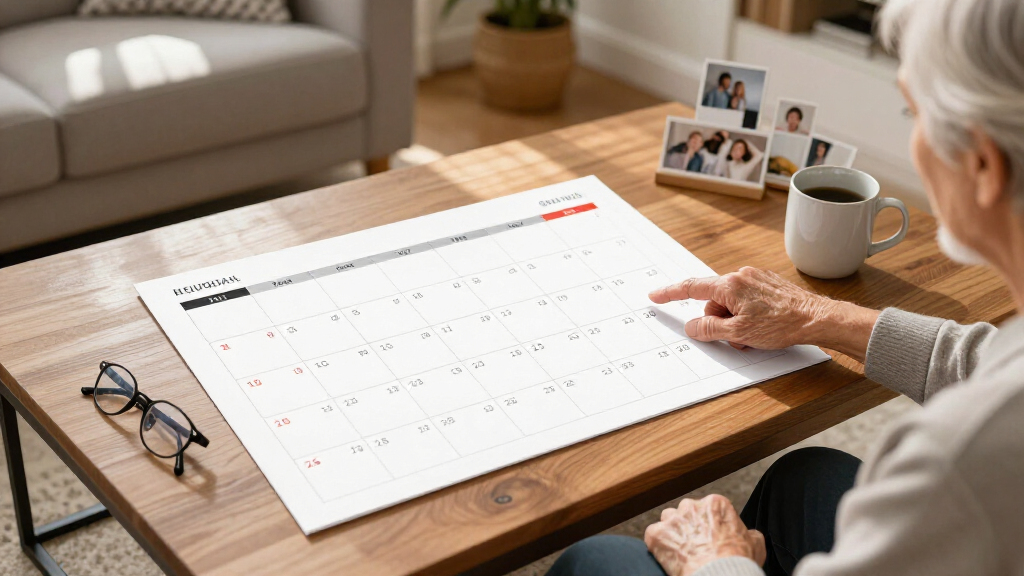
My ranking logic starts with readability at a distance — the entire reason someone buys a large print digital calendar. I evaluated display size, text scaling in the calendar apps, and whether day/date views stayed legible from across a typical room. The second criterion was software quality and ongoing cost: a gorgeous screen with a buggy app or mandatory subscription is a worse buy than a modest screen with reliable, free software. Third, I weighed feature fit by household type, since family planners with chore charts and meal templates serve different buyers than senior-focused clock calendars.
From there, I compared value per inch across the lineup. The 32-inch models carry a real premium over 21.5- and 24-inch alternatives, so they had to justify that gap with genuinely better software — and in two cases, they didn’t. Ease of setup, app sync reliability, touch responsiveness, and extras like photo frame modes and streaming rounded out the evaluation. Products are ordered by how well they balance these factors for the widest range of buyers, with specialist picks (like the SSYA senior clock) placed where their specific audience would look for them.
| large print digital calendar | Connectivity |
|---|---|
| Dragon Touch 21.5" Digital Cal | Wi-Fi |
| 32 inch Digital Calendar & Cho | — |
| 15.6" Digital Calendar Wall To | — |
| Apolosign 27-inch Digital Cale | Wi-Fi |
| 15.6” Digital Calendar Touchs | Google and iCloud Calendar integration |
| Cozyla Calendar Neo: 24-inch D | Wi-Fi |
| 32-Inch Digital Calendar Chore | Wi-Fi, app sync |
| 32-inch Digital Wall Calendar | HDMI, QuickShare, Wi-Fi |
| SSYA Dementia Clock for Senior | — |
| Cozyla Calendar Plus 2 24-inch | Google, Apple, Outlook, Yahoo, and more |
| Digital Calendar 15.6 Inch Wal | Wi-Fi |
Factors to Consider When Choosing Large Print Digital Calendars
Before choosing a specific model, it helps to understand what actually separates a useful large print digital calendar from an expensive paperweight. These are the factors that shaped my rankings — and the mistakes buyers make most often.
Screen Size vs. Viewing Distance
The single most common mistake is buying a screen size that doesn’t match the room. A 15.6-inch display is readable from about 6-8 feet, which suits a kitchen wall or hallway, while a 32-inch panel only makes sense in a large open-plan space where you’ll view it from 15+ feet away. Putting a 32-inch calendar in a small kitchen feels overwhelming and wastes money, while a 15.6-inch model in a great room becomes squint-inducing — the opposite of what large print is meant to solve. Measure the distance from your main seating or cooking area to the wall before ordering anything. Also check the physical mounting requirements: larger panels need secure wall anchors and often won’t sit flush, so plan for cord management too.
Subscription Costs vs. One-Time Price
Several family calendar ecosystems in this category hook you with capable hardware and then charge monthly or annual software fees for multi-user sync, chore tracking, or premium templates. Those recurring fees can exceed the hardware cost within two to three years, which changes the value math dramatically. Models like the 15.6-inch No Subscription pick and the Apolysign keep their long-term costs flat by syncing through free services like Google Calendar instead. My advice: calculate the total three-year cost, not the sticker price, before comparing. If a subscription model’s chore charts and meal planners fit your household workflow, the fee may be justified — but casual users almost never need them.
Family Planner vs. Senior Clock — Know Your User
These products look similar in listings but serve completely different buyers, and buying the wrong type is the fastest route to a return. Family planner calendars assume multiple users, app-based event creation from phones, chore assignments, and photo displays — they’re overkill and confusing for an elderly parent who just needs the day, date, and time in huge text. Senior clock calendars like the SSYA prioritize zero-config operation, automatic daylight saving adjustments, and alarm functions, with no app required. A middle-aged buyer managing both kids’ schedules and an aging parent sometimes needs one of each rather than a compromise device that does neither job well.
App Ecosystem and Sync Reliability
The software behind these calendars varies more than the hardware does, and it’s where cheap models cut corners. Some budget options rely on poorly maintained apps that lose sync with Google Calendar or stop receiving updates within a year of purchase. Check whether the calendar syncs with services you already use — Google Calendar, iCloud, or Outlook — rather than requiring you to enter events in a proprietary app nobody in your household will adopt. The Cozyla Calendar Plus 2 sidesteps this entirely with the Google Play Store, effectively making it an Android tablet you can repurpose. That flexibility is worth a premium if you expect your needs to change; it’s wasted money if you’ll only ever view a monthly grid.
Touchscreen Utility — Useful or Gimmick?
Nearly every model in this roundup advertises a touchscreen, but responsiveness ranges from phone-smooth to laggy and frustrating. A good touchscreen lets you flip months, check off chores, and add events at the wall without pulling out your phone — genuinely useful for kids doing chore check-ins. A bad one makes you question why you paid extra. Read reviews specifically mentioning touch latency, and be skeptical of no-name brands that don’t publish the panel type. Also note that some models support touch only for viewing, not editing, which matters if you expected full wall-side interaction. For senior users, a touchscreen is usually unnecessary and can even cause accidental setting changes.
Extras That Earn Their Keep
Photo frame modes, meal planners, weather widgets, and streaming apps are common add-ons, but their real-world value depends on placement. A photo display mode makes a calendar pull double duty in a living room or hallway, where a plain calendar grid would look utilitarian. Streaming capability, found on the Cozyla Calendar Plus 2, turns the device into a kitchen TV substitute — a bigger deal than it sounds for cooking tutorials and background news. Meal planning templates, by contrast, only help households that actually maintain them; most go unused after the first month. Don’t pay a large premium for extras you won’t realistically open, but do let them break ties between otherwise similar models.
Frequently Asked Questions
Is a 15.6-inch digital calendar big enough for large print viewing?
It depends entirely on where you mount it. A 15.6-inch display keeps the day, date, and a monthly grid readable from roughly 6 to 8 feet, which covers most kitchens, hallways, and home offices. Beyond that distance, the text shrinks below comfortable large-print territory and you’ll find yourself walking closer to read it — the exact problem these calendars exist to solve. If your wall is in a living room or open-plan space where viewing happens from 10 feet or more, step up to a 21.5-inch or 24-inch model instead. The 15.6-inch options in this roundup make sense as affordable entry points for small spaces, not as whole-house command centers.
Do I need a subscription to use a large print digital calendar?
No, and this is where careful shopping pays off. Some brands gate multi-user sync, chore tracking, and premium layouts behind monthly or annual fees, while others sync directly with free services like Google Calendar and charge nothing beyond the hardware. Over a typical three-to-five-year ownership period, subscription fees on a family calendar can add hundreds of dollars — often more than the display itself. If you only need shared event viewing and a clear monthly grid, a no-subscription model covers you completely. Subscriptions only earn their cost if your household will genuinely use chore assignment, meal planning, and photo rotation features every week.
What’s the best large print digital calendar for an elderly parent with dementia?
For seniors, skip the family planner models entirely and look at purpose-built clock calendars like the SSYA Dementia Clock. Family planners require app setup, account management, and touchscreen navigation that can confuse or frustrate someone with cognitive decline. A senior clock displays the time, day of the week, and full date in enormous high-contrast text, adjusts for daylight saving automatically, and includes alarm functions for medication reminders — all with essentially zero interaction required. The best model for your parent is the one that works the same way every single day without updates or prompts. Large touchscreen displays are a wonderful tool for caregiving households, but only when a family member manages them remotely.
Can these digital calendars sync with Google Calendar and iPhone?
Most of the models in this roundup sync with Google Calendar, and several also support iCloud, but the quality of that sync varies a lot between brands. Reliable models pull events within minutes and preserve color coding across devices, while budget options can lag by hours or drop recurring events — a serious problem if your schedule changes often. Before buying, confirm the exact services supported, because some cheaper units only sync through a proprietary app you’d have to use instead of your normal calendar. Households split between Android and iPhone should prioritize models that sync server-side with Google Calendar rather than through a phone app, since that approach works identically for everyone. The Cozyla Calendar Plus 2 handles this best by running full Android with the Play Store.
Are 32-inch digital calendars worth the higher price?
Only if you have both the wall space and the viewing distance to justify them. A 32-inch panel costs roughly double a comparable 21.5-inch model, and in my comparison, the larger screens didn’t automatically come with better software — two of the three 32-inch options actually had clunkier apps than the smaller Dragon Touch. Where 32 inches wins is visibility: in an open-plan kitchen-living room, the whole family can read the schedule from the couch, and chore charts become genuinely interactive for kids standing a few feet away. In a standard kitchen or office, the extra size mostly adds cost and visual bulk. Buy the biggest screen your room legitimately needs, not the biggest one available.
Conclusion
For most households, the Dragon Touch 21.5-Inch Digital Calendar is the best overall pick — it hits the sweet spot of readable screen size, responsive touch, and family planner features without subscription fees or 32-inch pricing. Budget buyers should grab the 15.6-inch No Subscription model, which covers the calendar basics for small spaces at the lowest long-term cost. On the premium end, the Cozyla Calendar Neo delivers the most polished software experience in the lineup, and the Cozyla Calendar Plus 2 is the pick for tech-forward households that want the Play Store and streaming built in. Beginners and gift-givers will appreciate the Apolosign’s straightforward setup. For seniors, the answer is completely different: the SSYA Dementia Clock is purpose-built for large-print clarity and zero-interaction use. And if you have a big open-plan space where visibility from across the room is the priority, a 32-inch model earns its price. Match the screen to your room, the software to your household’s habits, and the total cost to your budget — in that order.
Halloween Picks
halloween
As an affiliate, we earn on qualifying purchases.