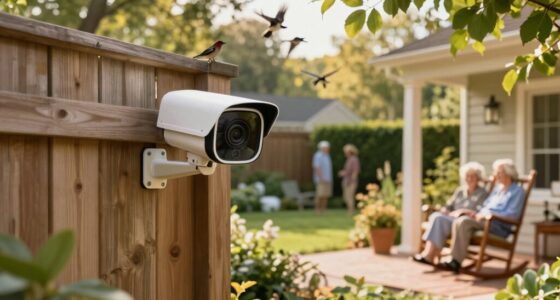
Choosing among senior care monitoring devices comes down to one question: does your parent or loved one need a way to call for help, or a system that detects emergencies on its own? The Seculife Medical Alert Smartband earns my best overall pick because it combines automatic fall detection, GPS tracking, and two-way communication in a wearable that seniors actually keep on. If budget is the priority, the CallToU Caregiver Pager delivers reliable button-press alerts for a fraction of the price, while the SYMYNELEC monitoring camera suits families who want visual check-ins rather than wearables. The main tradeoffs in this category are between passive camera monitoring, wearable detection, and simple pager systems — each with different costs, privacy implications, and levels of independence. Keep reading for the full breakdown of all 13 options.

Turn quiet afternoons into listening time
- Thousands of audiobooks, podcasts and originals
- Listen on your phone, tablet or Echo — also offline
- Cancel anytime
Complete the kit


Key Takeaways
- Wearable fall-detection devices like the Seculife Smartband and Nomo system offer the strongest protection for seniors who won’t or can’t press a button, but they carry monthly or premium upfront costs.
- Basic caregiver pagers (CallToU, FullHouse, and similar) dominated the value tier — five of the 13 products are pager systems under $50, making them the cheapest entry point but offering no automatic detection.
- Camera-based monitors such as the SYMYNELEC and pan-tilt-zoom model split the lineup’s privacy tradeoff: they give caregivers visual confirmation but require the senior’s consent and comfort with being watched.
- Waterproofing separated the pager picks — models with waterproof call buttons work in the bathroom, where falls are statistically most common, and this single feature justified higher rankings.
- Range and receiver placement mattered more than button count: pagers with multiple receivers or louder chimes performed better in multi-story homes than those bundled with extra buttons.
| CallToU Caregiver Pager Wireless Alert Button Home Wireless Intercom System |  | Best for Two-Way Communication | Range: 500 feet | Includes: 2 receivers, 2 call buttons, 2 walkie-talkies | Power Source: Battery powered (receiver plugs into outlet) | VIEW LATEST PRICE | See Our Full Breakdown |
| WiFi Caregiver Pager Life Alert System for Seniors with Waterproof Call Button and Receiver |  | Best for Remote Family Caregivers | Connectivity: Wi-Fi (2.4GHz only) | Range: 656 feet (200 meters) | Includes: Waterproof call button, watch button, receiver | VIEW LATEST PRICE | See Our Full Breakdown |
| CallToU Caregiver Pager with 2 Wireless Call Buttons for Elderly at Home |  | Best Value for Simple Home Paging | Call Buttons: 2 | Range: 500+ ft | Ringtone Options: 55 | VIEW LATEST PRICE | See Our Full Breakdown |
| Wireless Caregiver Pager with Call Button and Receiver for Elderly and Patients |  | Best for Large or Multi-Resident Settings | Range: 1500 feet | Call Buttons Supported: Up to 30 | Ringtones: 58 | VIEW LATEST PRICE | See Our Full Breakdown |
| Seculife Medical Alert Smartband for Seniors with Fall Detection and GPS |  | Best Premium Wearable Protection | Fall Detection: Yes | GPS Tracking: Yes, with geofencing | Heart Rate Monitor: Yes | VIEW LATEST PRICE | See Our Full Breakdown |
| Nomo Medical Alert System with Fall Detection for Seniors at Home |  | Best Whole-Home Emergency System | Components: Smart Hub, two Satellite range extenders, wearable Tags | Connectivity: WiFi (no landline required) | Features: Fall detection, emergency alerts, two-way voice communication | VIEW LATEST PRICE | See Our Full Breakdown |
| Mercury Alert AI Senior Fall Monitor |  | Best Non-Wearable AI Monitoring | Sensor Technology: AI-powered passive infrared and motion sensing with machine learning analytics | Power Source: AC power / corded electric | Maximum Range: 30 feet | VIEW LATEST PRICE | See Our Full Breakdown |
| SYMYNELEC Elderly Monitoring Camera with Screen, One-Touch Video Calling |  | Best for Family Connection | Screen Size: 2.8 inches | Video Resolution: 1080P, H.264 encoding | Camera Type: Dome with PTZ auto-tracking | VIEW LATEST PRICE | See Our Full Breakdown |
| Elderly Monitor with Camera and Audio, 2-Way Talk, Call Button, Pan-Tilt-Zoom |  | Best Privacy-First Local Monitor | Screen Size: 2.8 inches | Connectivity: 2.4GHz FHSS (no WiFi required) | Range: Up to 1000 feet | VIEW LATEST PRICE | See Our Full Breakdown |
| SecuLife Medical Alert Pendant for Seniors with Fall Detection and GPS Tracking |  | Best On-the-Go Protection | Features: Fall detection, GPS tracking, two-way calling, waterproof | Water Resistance: IP67 | Battery Life: Up to 6 days | VIEW LATEST PRICE | See Our Full Breakdown |
| Smart Caregiver Video Monitor for Elderly and Caregivers, Portable, Rechargeable, Infrared Night Vision, Secure Connection |  | Best for Visual Check-Ins | Screen Size: 2.8 inches | Video Resolution: 720p | Connectivity: Wireless, no WiFi required | VIEW LATEST PRICE | See Our Full Breakdown |
| FullHouse Caregiver Pager Wireless Emergency Call Button for Elderly |  | Best Long-Range Pager | Range: Up to 1000 feet in open air | Indoor Range: Approximately 500 feet with walls | Waterproof Rating: Splash-proof, not immersible | VIEW LATEST PRICE | See Our Full Breakdown |
| Caregiver Pager with 2 Wireless Call Buttons for Home Care |  | Best Budget Starter Set | Call Buttons: 2 | Receiver: 1 | Maximum Range: 500 feet | VIEW LATEST PRICE | See Our Full Breakdown |
More Details on Our Top Picks
CallToU Caregiver Pager Wireless Alert Button Home Wireless Intercom System
Most caregiver pagers in this roundup, like the CallToU two-button model, can only send a one-way alert. This system goes further by including two walkie-talkies, which means a caregiver can actually talk back after an alert rather than guessing what’s needed. That back-and-forth matters when a senior can explain “I fell in the bathroom” versus just pressing a button and waiting. The 500-foot range covers a typical house and yard, and the waterproof buttons hold up in damp areas. The tradeoff is complexity — more devices to charge, mount, and keep track of. It also needs a receiver plugged into an outlet, and the walkie-talkies don’t pair with the pager side, so the two systems work in parallel rather than as one unit.
Pros:- Two-way voice communication via included walkie-talkies
- 500-foot range works indoors and outdoors
- Waterproof and dustproof buttons for bathroom or outdoor mounting
- Adjustable ringtones and volume for different hearing needs
Cons:- Pager and intercom systems operate separately rather than as one integrated setup
- Receiver must stay plugged into an outlet
- Indoor range drops with walls and obstacles
Best for: Families where the caregiver is often in another part of the house or yard and needs to speak with the senior, not just receive an alert
Not ideal for: Buyers wanting a single streamlined system — the pager and walkie-talkie functions don’t integrate, doubling the gear to manage
- Range:500 feet
- Includes:2 receivers, 2 call buttons, 2 walkie-talkies
- Power Source:Battery powered (receiver plugs into outlet)
- Batteries:2 lithium polymer (included), alkaline compatible
- Control Method:Touch
- Durability:Waterproof and dustproof
- Color:White
Our verdict“This pick makes the most sense for families who need conversation, not just alerts, within a large home.”
WiFi Caregiver Pager Life Alert System for Seniors with Waterproof Call Button and Receiver
The standout difference here is app-based notifications: unlike the purely local CallToU and FullHouse pager systems, this one pushes alerts to family members’ phones, so a daughter across town knows Mom pressed the button. There’s no monthly fee for the core service, and the 656-foot signal penetrates walls better than most RF pagers of this class. The included watch button is a nice touch for seniors who won’t carry a remote. But the Wi-Fi dependency cuts both ways — it only works on a 2.4GHz network, and if the internet drops, so do remote alerts. SMS and voice notifications also sit behind a subscription, so read the fine print before assuming everything is free.
Pros:- App notifications reach remote family caregivers at no monthly fee
- 656-foot range with strong wall penetration
- Waterproof button safe for shower use
- Watch button, lanyard, adhesive, and screw mounting options
Cons:- Requires a 2.4GHz Wi-Fi network to function
- SMS and phone-call alerts require a paid subscription
- No cellular backup if Wi-Fi goes down
Best for: Long-distance family caregivers who want phone alerts alongside the in-home receiver and don’t want a monthly bill for basic monitoring
Not ideal for: Homes with only 5GHz Wi-Fi or unreliable internet — remote alerts fail when the network does
- Connectivity:Wi-Fi (2.4GHz only)
- Range:656 feet (200 meters)
- Includes:Waterproof call button, watch button, receiver
- Mounting Options:Screw, adhesive patch, lanyard
- Volume Levels:Four adjustable levels
- Power:Battery operated
- Waterproof:Yes
Our verdict“The strongest choice when family caregivers live far away and need alerts on their phones without recurring costs for the basics.”
CallToU Caregiver Pager with 2 Wireless Call Buttons for Elderly at Home
Strip away the walkie-talkies of the CallToU intercom bundle and the app notifications of the WiFi Life Alert system, and what’s left is this pared-down pager — which is exactly the point. For the price of one fancy system, you get two waterproof buttons and one receiver covering over 500 feet, enough to place one button in the bathroom and one by the bed. The 55 ringtones and five volume levels let you pick a sound the senior can distinguish from doorbells and phones. It’s a closed loop, though: alerts only reach whoever holds the receiver, there’s no app or remote notification, and no mentioned battery backup means a power outage silences the plugged-in receiver. For an in-home caregiver who’s always nearby, those limits rarely matter.
Pros:- Affordable entry point with two waterproof buttons included
- 500+ ft range covers a full house
- 55 ringtones and 5 volume levels for customization
- Portable receiver moves with the caregiver
Cons:- Receiver must be plugged into an outlet, restricting placement
- No remote or app-based notifications
- No stated battery backup during power outages
Best for: Budget-conscious families with a live-in or on-site caregiver who just needs reliable two-room coverage
Not ideal for: Remote family members expecting phone alerts, or homes prone to power outages with no backup plan
- Call Buttons:2
- Range:500+ ft
- Ringtone Options:55
- Volume Levels:5
- Waterproof:Yes
- Dustproof:Yes
Our verdict“The most sensible low-cost pick for on-site caregivers who need basic, dependable paging without paying for features they won’t use.”
Wireless Caregiver Pager with Call Button and Receiver for Elderly and Patients
Where the CallToU two-button pager tops out at a couple of buttons, this system scales to up to 30 call buttons and multiple receivers — the reason it earns a spot despite basic functionality. That expandability makes it better suited to a small care home or a family compound than a single senior’s apartment. The 1500-foot range is the longest among the RF pagers here, and the 120 dB maximum volume can cut through a noisy common room or reach a caregiver outdoors. The tradeoff is simplicity in the wrong direction: no app alerts like the WiFi Life Alert system, no voice communication, and battery-powered buttons that need periodic replacement. If you’re monitoring one person in one house, it’s overkill; if you’re monitoring many, it’s the right shape.
Pros:- Expandable to 30 call buttons and multiple receivers
- 1500-foot range is the longest in this RF pager group
- Up to 120 dB volume with 58 ringtone choices
- IP55 rating and -4°F to 140°F tolerance for varied environments
Cons:- Purely local alerts — no app, SMS, or remote notification
- Battery-powered buttons require ongoing replacement
- No two-way voice or visual alert features
Best for: Small care facilities, assisted living setups, or multi-generational households monitoring several rooms or residents at once
Not ideal for: Single-senior households that would pay for unused capacity and gain nothing over cheaper two-button kits
- Range:1500 feet
- Call Buttons Supported:Up to 30
- Ringtones:58
- Volume:5 levels, 0-120 dB
- Ingress Protection:IP55 waterproof/dustproof
- Temperature Range:-4°F to 140°F
- Power Source:Battery
- Mounting:Tabletop
Our verdict“Pick this when scale matters more than smart features — it’s built for many rooms and many residents, not one.”
Seculife Medical Alert Smartband for Seniors with Fall Detection and GPS
Every other product in this lineup is a stationary pager — it only helps when the senior is inside the house and able to press a button. The Seculife smartband flips that model: automatic fall detection summons help even if the wearer is unconscious, and real-time GPS with geofencing follows them on walks or errands. Compared with the WiFi Life Alert system, which is trapped at home by its router, this works anywhere with cellular coverage, and the two-way calling built into the band means no separate receiver at all. The catch is cost: a monthly subscription is required for the full feature set, and health tracking is shallower than a dedicated fitness wearable. It also depends on the paired app and a cell connection, so it’s a service, not a one-time purchase.
Pros:- Automatic fall detection triggers help without a button press
- Real-time GPS tracking with geofencing alerts for wanderers
- Two-way calling and large SOS button in a wearable
- IP67 waterproof for shower and rain exposure
Cons:- Monthly subscription required for full functionality
- Limited health metrics compared with dedicated fitness trackers
- Dependent on cellular signal and paired smartphone app
Best for: Active seniors who leave the house alone and families who want fall detection and location tracking without confining a loved one indoors
Not ideal for: Buyers wanting a one-time purchase with no recurring fees, or those in areas with weak cellular coverage
- Fall Detection:Yes
- GPS Tracking:Yes, with geofencing
- Heart Rate Monitor:Yes
- Two-Way Calling:Yes, with auto-call
- SOS Button:Yes, large easy-press design
- Water Resistance:IP67
- Battery Life:Extended
Our verdict“Worth the subscription for families of active seniors who need protection beyond the four walls a pager can cover.”
Nomo Medical Alert System with Fall Detection for Seniors at Home
This option stands out for whole-house coverage without a landline, pairing a smart hub with two satellite range extenders so the protection zone reaches corners of the home that single-device pagers like the CallToU Caregiver Pager simply can’t cover. Plug-and-play setup means no installer visit, and two-way voice puts the senior in direct contact with a 24/7 response center rather than relying on a nearby family member to hear an alert. Compared with the wearable-only SecuLife Pendant, the Nomo trades portability for redundancy — the range extenders keep fall detection active across the property instead of a single wrist device. The tradeoff is financial: the subscription that powers professional monitoring kicks in after the free trial, and the whole system leans on WiFi stability, so an internet outage leaves a gap that a cellular-based pendant wouldn’t have.
Pros:- Two range extenders cover a whole home, not just one room
- Two-way communication connects directly to emergency responders
- Plug-and-play setup with no technical assistance needed
- No landline required — runs entirely over WiFi
Cons:- Monthly subscription required after the free trial ends
- System depends on WiFi stability; outages disable monitoring
- Little published detail on battery life or long-term durability
Best for: Families of seniors living independently in a larger home who want professional 24/7 emergency response without a landline
Not ideal for: Households with unreliable WiFi or those unwilling to commit to a monthly monitoring subscription
- Components:Smart Hub, two Satellite range extenders, wearable Tags
- Connectivity:WiFi (no landline required)
- Features:Fall detection, emergency alerts, two-way voice communication
- Monitoring:24/7 monitoring with optional subscription
- Setup:Plug-and-play installation
Our verdict“This makes the most sense for families who want professional-grade, whole-home emergency coverage and are comfortable paying for a monitoring subscription.”
Mercury Alert AI Senior Fall Monitor
Not every senior will tolerate a pendant or smartband, and that’s exactly the gap this pick fills: passive, wall-mounted monitoring that detects falls, wandering, and nighttime movement with zero wearables. Where the SecuLife Pendant fails silently if it’s taken off, the Mercury Alert keeps watching regardless. Its AI-driven motion analytics also generate health and activity insights, which camera-based options like the SYMYNELEC monitoring camera can’t provide without someone reviewing footage. Stick-on installation avoids drilling, making it rental-friendly. The compromises are real though: a 30-foot range per sensor means larger homes need multiple units, it’s indoor-only, and the richest analytics sit behind a subscription. Compared with the Nomo system, you trade professional emergency dispatch for family-facing alerts — this is a monitoring tool, not a response service.
Pros:- No wearable required — ideal for seniors who resist pendants and bracelets
- Real-time alerts through app, phone calls, and text messages
- AI analytics track activity patterns and health trends over time
- Stick-on installation with no drilling or professional setup
Cons:- Subscription required to unlock full feature set
- Coverage limited to roughly 30 feet per unit and indoor use only
- Requires a compatible smartphone or tablet for alerts and control
Best for: Caregivers of seniors who refuse or forget to wear panic buttons and need passive fall and wandering detection at home or in a care community
Not ideal for: Seniors in large homes needing wide coverage from a single unit, or buyers wanting professional emergency dispatch rather than family alerts
- Sensor Technology:AI-powered passive infrared and motion sensing with machine learning analytics
- Power Source:AC power / corded electric
- Maximum Range:30 feet
- Mounting Type:Wall mount (stick-on, no drilling)
- Control Method:App (Android and iOS smartphones and tablets)
- Item Dimensions:3.5″L x 3″W x 3″H
- Wattage:5 watts
Our verdict“Choose this if wearable compliance is the biggest obstacle — it watches without being worn, but plan for multiple units in bigger homes.”
SYMYNELEC Elderly Monitoring Camera with Screen, One-Touch Video Calling
While most devices in this lineup focus purely on emergencies, this camera’s real strength is keeping families connected day to day. The 2.8-inch screen and one-touch video calling are designed for seniors who can’t manage a smartphone — a tap starts a face-to-face call with adult children. Compared with the Elderly Monitor with Camera and Audio (B0F3J1LG18), it adds 1080P resolution, PTZ auto-tracking, and cloud-connected alerts that reach family remotely rather than only a paired screen within 1000 feet. The privacy mode with scheduled on/off protects dignity, a concern the always-on Mercury Alert sidesteps differently by never capturing video at all. Tradeoffs: it must stay plugged in with no battery backup, it’s indoor-only, and storage beyond the microSD card slot may require extra purchases. It’s monitoring plus companionship, not a medical alert service.
Pros:- One-touch video calling designed for seniors unfamiliar with technology
- Instant fall and distress alerts pushed to family devices
- Privacy mode and scheduled auto-on/off preserve dignity
- Local recording to a memory card up to 128GB, avoiding mandatory cloud fees
Cons:- Corded power only — no battery option, so an outage stops monitoring
- Indoor use only and not water resistant
- No bundled subscription service; extra storage may be needed
Best for: Long-distance family members who want regular video contact with a senior parent plus camera-based check-ins and fall alerts
Not ideal for: Buyers seeking a true emergency response system — there’s no subscription dispatch, no fall detection wearable, and no battery backup
- Screen Size:2.8 inches
- Video Resolution:1080P, H.264 encoding
- Camera Type:Dome with PTZ auto-tracking
- Night Vision Range:26 feet (6 IR LEDs)
- Audio:Two-way
- WiFi Frequency:2.4GHz
- Memory Card Support:Up to 128GB
- Power:Corded electric, 5 volts, 10 watts
Our verdict“This pick suits families whose top priority is staying visually connected with a parent, with safety alerts as a useful bonus rather than the main event.”
Elderly Monitor with Camera and Audio, 2-Way Talk, Call Button, Pan-Tilt-Zoom
For caregivers nervous about cameras streaming over the internet, this monitor’s 2.4GHz FHSS connection with no WiFi is the standout: video stays between the camera and its handheld screen, so nothing touches the cloud. That makes it fundamentally different from the SYMYNELEC camera, which depends on home internet for remote viewing but rewards you with access from anywhere. Here, a caregiver must be within roughly 1000 feet — fine for a home, useless for a daughter in another state. The feature set leans practical: SOS button, medication reminders, temperature alerts, and infrared night vision cover the daily-care basics the Mercury Alert handles with analytics instead. Setup requires physical mounting, the 2.8-inch screen is compact, and battery life varies with use. It’s a caregiving tool for someone on-site, not a remote-monitoring solution.
Pros:- No WiFi or internet needed, keeping video private and immune to network outages
- Built-in SOS button, medication reminders, and temperature alerts support daily care routines
- Infrared night vision for clear overnight checks
- Long-range monitoring up to 1000 feet between camera and screen
Cons:- 2.8-inch screen may be too small for constant monitoring
- Requires physical setup and mounting
- Battery life varies with usage and needs recharging
Best for: On-site caregivers and family members living with or near a senior who want private, hack-resistant monitoring without any internet dependency
Not ideal for: Remote family members — the closed-loop connection means no viewing from outside the 1000-foot range
- Screen Size:2.8 inches
- Connectivity:2.4GHz FHSS (no WiFi required)
- Range:Up to 1000 feet
- Night Vision:Infrared
- Battery Capacity:2000mAh
- Includes:Monitor, screen, SOS button, power adapter, user manual, mounting screws
- FCC Certified:Yes
Our verdict“Pick this if the caregiver is physically nearby and privacy outweighs remote access; skip it if you need to check in from out of town.”
SecuLife Medical Alert Pendant for Seniors with Fall Detection and GPS Tracking
Every other device in this roundup assumes the senior is at home — this pendant doesn’t. GPS tracking with geo-fence zones means alerts follow the wearer to the grocery store, on walks, or anywhere a cellular signal reaches, which is something the home-bound Nomo system and the wall-mounted Mercury Alert can’t do by design. The IP67 waterproof rating allows 24/7 wear, including in the shower, where falls are statistically common, and up to six days of battery life beats daily-charging smartwatches like the Seculife Smartband. Alerts route to family or caregivers rather than a monitoring center, so it fits families who self-dispatch. The tradeoffs: full functionality sits behind a monthly subscription, published details on long-term durability are thin, and customer ratings are mixed — read recent reviews before committing. Wearer compliance is the other variable; a pendant only works if it’s worn.
Pros:- GPS tracking with geo-fence zones extends protection beyond the home
- IP67 waterproof design supports 24/7 wear, including showering
- Up to 6 days of battery life between charges
- Automatic fall detection alerts family without any button press
Cons:- Monthly subscription required for full features
- Mixed customer satisfaction reported in reviews
- Limited information available on long-term durability
Best for: Active, independent seniors who leave the house alone and need fall detection and GPS alerts that travel with them
Not ideal for: Homebound seniors — a cheaper fixed system like the Nomo or a caregiver pager covers indoor needs without GPS costs
- Features:Fall detection, GPS tracking, two-way calling, waterproof
- Water Resistance:IP67
- Battery Life:Up to 6 days
- Built-In Media:Charging cable, SIM card, user manual
- Warranty:Manufacturer warranty
- Unit Count:1 pendant
Our verdict“This is the pick for mobile seniors whose risk follows them out the front door — just budget for the subscription and confirm the wearer will keep it on.”
Smart Caregiver Video Monitor for Elderly and Caregivers, Portable, Rechargeable, Infrared Night Vision, Secure Connection
Most entries in this roundup are audio-only pagers, so this model stands out by adding live video with infrared night vision — a genuine difference when you need to see whether a parent has gotten out of bed or is simply repositioning. Because it runs on a dedicated wireless connection instead of WiFi, there’s no app setup, no account to manage, and no dependence on home internet reliability, which compares favorably to WiFi-dependent options like the SYMYNELEC camera. The built-in caregiver call button also means it covers the core function of pager systems like the FullHouse Caregiver Pager, though the small 2.8-inch screen limits what you can actually see at 720p. Tradeoffs are real: it’s indoor-only, and automatic alerts require buying into additional Smart Caregiver products.
Pros:- Secure, WiFi-free connection that avoids app setup and internet outages
- Infrared night vision plus two-way audio for after-dark check-ins
- Rechargeable and portable so the monitor moves room to room
- Includes a caregiver call button, blending video and pager functions
Cons:- Automatic alerts require purchasing additional Smart Caregiver hardware
- Indoor-only with a small 2.8-inch screen at 720p
- Battery life is not specified, so runtime between charges is uncertain
Best for: Family caregivers who want to visually confirm a senior’s status at night without installing a WiFi camera system
Not ideal for: Anyone wanting smartphone access or remote monitoring from outside the house — this closed system has no app or cloud component
- Screen Size:2.8 inches
- Video Resolution:720p
- Connectivity:Wireless, no WiFi required
- Battery:Rechargeable camera and monitor
- Night Vision:Infrared
- Additional Features:Two-way audio, caregiver call button
- Compatibility:Indoor use only
Our verdict“This is the pick for caregivers who need eyes on a loved one overnight and want the simplicity of a closed, WiFi-free system.”
FullHouse Caregiver Pager Wireless Emergency Call Button for Elderly
Range is the story here. With up to 1000 feet in open air, the FullHouse outpaces both the CallToU two-button pager and the battery-powered 500-foot models in this lineup, which matters if the caregiver is in the yard or a detached garage while the receiver sits inside. The splash-proof call button works in the bathroom — statistically one of the most dangerous rooms for seniors — something basic units don’t always handle. Alert customization is generous, with 52 melodies and volume up to 110dB, loud enough to cut through household noise. The honest tradeoff: walls cut the effective range roughly in half, and the receiver must stay plugged into an outlet, so it’s stationary rather than belt-carried like some competitors. You also gain no video or fall detection — this is purely a call system.
Pros:- 1000-foot open-air range, double most competing pagers
- Splash-proof call button safe for bathroom and shower-adjacent use
- 52 melodies with 5 volume levels up to 110dB
- Works in home, hospital, and nursing home settings
Cons:- Range drops to roughly 500 feet through walls
- Receiver requires a power outlet, limiting where it can live
- Call button is splash-proof only — it cannot be submerged
Best for: Caregivers in larger homes or properties with outdoor areas who need maximum wireless range from a simple call button
Not ideal for: Seniors who need fall detection or automatic alerts — this system only works when the button is actively pressed
- Range:Up to 1000 feet in open air
- Indoor Range:Approximately 500 feet with walls
- Waterproof Rating:Splash-proof, not immersible
- Melodies:52 tunes
- Volume:5 levels, up to 110dB
- Receiver Power:Plug-in
Our verdict“The strongest choice when distance is your main concern, as long as you accept a stationary, plug-in receiver and press-to-call-only functionality.”
Caregiver Pager with 2 Wireless Call Buttons for Home Care
This two-button setup is the low-commitment entry point of the roundup. Where the FullHouse pager emphasizes maximum range and the Smart Caregiver video monitor adds sight and sound, this model keeps things deliberately basic: two call buttons and one receiver for a fraction of the complexity. Two buttons is a practical advantage at this price — one can live at the bedside while the other goes in the bathroom, or a couple can each carry their own. The receiver offers flexible carrying options including belt clip, wall mount, and neck lanyard, which the plug-in FullHouse receiver can’t match. The compromises are equally clear: battery power means ongoing AA replacements, the 500-foot range trails FullHouse’s reach, and there are no advanced features like fall detection or video. For a first-time buyer testing whether a pager system fits their routine, it’s a sensible starting point.
Pros:- Two call buttons cover multiple rooms or two seniors at one low price
- Portable receiver with belt clip, wall mount, and lanyard options
- Runs on included batteries, so no outlet placement constraints
- Simple touch control with adjustable alert sounds
Cons:- 4 AA batteries require ongoing replacement and can die unnoticed
- No advanced features — no fall detection, video, or automatic alerts
- 500-foot maximum range trails the FullHouse system
Best for: First-time caregivers or budget-conscious households wanting a simple, portable two-room call system to start with
Not ideal for: Larger properties or serious fall-risk situations — the shorter range and lack of automatic detection leave real gaps
- Call Buttons:2
- Receiver:1
- Maximum Range:500 feet
- Power Source:4 AA batteries (included)
- Alert Volume:90 dB
- Mounting:Wall mount, belt clip, neck lanyard
- Dimensions:3.24″L x 1.3″W x 2.53″H
Our verdict“An affordable, flexible way to try caregiver paging, best treated as a starter system rather than a long-term solution for high-risk seniors.”
How We Picked
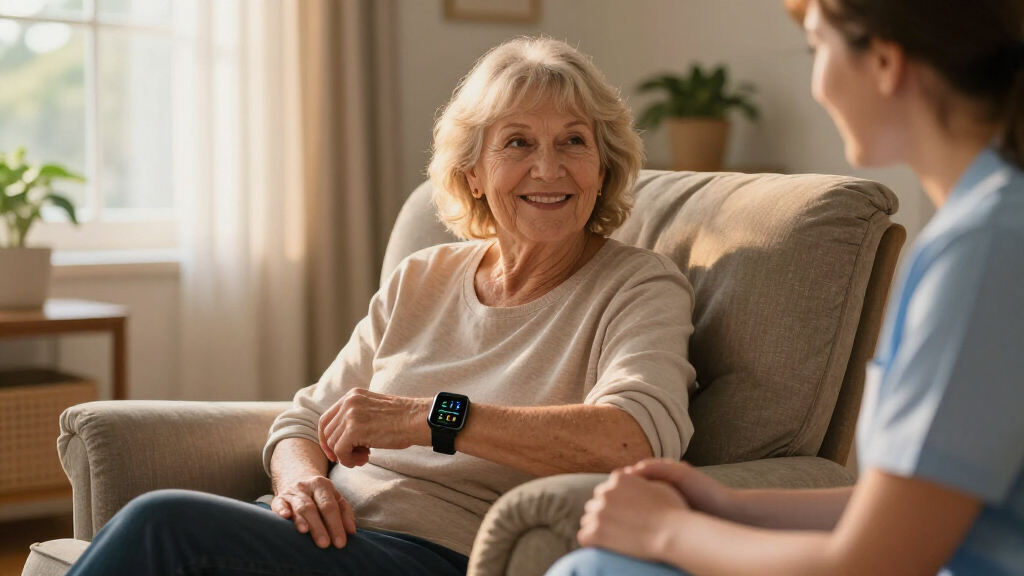
I ranked these 13 devices by how well they solve the real problems family caregivers face: speed of alert, reliability, ease of setup for non-technical users, and whether the senior will actually tolerate wearing or using the device. A brilliant fall-detection band that gets left in a drawer is worse than a simple pager button that’s always within reach, so daily usability counted as heavily as technical capability. I also weighed cost of ownership, including subscriptions, replacement batteries, and whether extra receivers or buttons needed to be purchased separately.
The ranking order reflects three tiers of need. Automatic detection devices (Seculife, Nomo, Mercury Alert) rank highest for seniors living alone with fall risk. Camera systems (SYMYNELEC, the PTZ monitor, the Smart Caregiver Video Monitor) rank next for families managing care from a distance. Pager systems fill the value tier, and within that group I separated them by waterproofing, wireless range, and receiver flexibility rather than price alone, since those features determine real-world reliability.
Factors to Consider When Choosing Senior Care Monitoring Devices
Before picking a specific device, it helps to understand the broader landscape of senior monitoring — because the most common mistake is buying the wrong category of device for the actual risk.Call Button vs. Automatic Detection
The single biggest decision is whether the senior must be conscious and able to press a button for help to arrive. Pagers and call buttons cost under $50 and work reliably — but they fail exactly when they’re needed most, during a fall that causes confusion or unconsciousness. Automatic fall detection, like the Seculife Smartband and Mercury Alert provide, uses sensors to detect impact and alert caregivers without any action from the senior. If your loved one has already fallen once, or has balance or cardiac issues, this gap is the difference between a two-minute response and hours on the floor. Many families start with a pager, then upgrade after a scare — buying detection first saves that second purchase.
Home-Only vs. GPS and Cellular Coverage
Most pager systems use short-range radio that stops working the moment the senior leaves the house or the caregiver goes to the backyard. That’s fine for bed-bound patients or apartment living, but active seniors who garden, walk the neighborhood, or drive need GPS-enabled devices with cellular connectivity. The tradeoff is real: GPS wearables like the Seculife Pendant typically cost three to five times more than home pagers and may involve subscription fees. Be honest about the senior’s actual movement patterns — an expensive GPS tracker that requires daily charging often ends up dead in a drawer, while a simple pager worn around the neck at home gets used every day.
Camera Monitoring and the Consent Question
Cameras fill a gap no wearable can: they show you what’s actually happening, whether that’s a medication mix-up, a caregiver concern, or just reassurance that Mom is up and moving. But cameras only work ethically and practically with the senior’s knowledge and agreement, and dementia can complicate that consent over time. Look for two-way audio, infrared night vision, and a secure encrypted connection — cheap cameras that skimp on security can expose private footage. One-touch video calling, which the SYMYNELEC model offers, is a genuine differentiator because it turns surveillance into communication, which seniors accept far more willingly.
Range, Receivers, and Home Layout
Manufacturer range claims for wireless pagers assume open air with no interference — real homes with plaster walls, metal appliances, and multiple floors can cut that range by half or more. Before buying, walk the house and identify where the caregiver will actually be: if they sleep on a different floor, one receiver in the living room won’t wake them at night. Models that support multiple receivers, like the CallToU system with expandable units, solve this cheaply. Receiver volume and tone variety matter too — a chime that’s audible through a closed bedroom door is a feature, not a luxury, and vibration-capable receivers help caregivers with hearing loss.
Wearability and Water Resistance
Bathrooms are the most dangerous room in the house for falls, yet many call buttons and wearables aren’t waterproof, forcing seniors to remove them at the exact moment risk peaks. Buttons rated for shower use, which several CallToU and similar models include, eliminate this gap. Wearability matters just as much: a pendant on a lanyard gets worn; a device that must be clipped to a belt gets forgotten when someone shuffles to the bathroom at 2 a.m. Battery expectations differ sharply too — pagers with replaceable batteries run for months, while GPS smartbands need charging every one to three days, which becomes a real burden for memory-impaired seniors who need a caregiver to manage it.
Hidden Costs and Subscription Traps
The sticker price rarely tells the whole story. GPS devices with cellular connectivity often require monthly plans ranging from $20 to $50, which adds up to more than the hardware cost within a year. Some fall-detection services lock you into contracts with cancellation fees, and replacement batteries for wearables can cost nearly as much as a budget pager. On the flip side, cheap pagers sometimes hide costs in expandability — a base unit that only supports two buttons forces another full purchase when a second room needs coverage. Total the first-year cost, including subscriptions and any accessories you’ll realistically add, before comparing prices across categories.
Frequently Asked Questions
Is a caregiver pager enough, or do I really need fall detection?
It depends on whether your loved one can reliably press a button during an emergency. Pagers work well for seniors who are mobile, cognitively sharp, and mainly need a way to summon help from another room. The limitation appears when a fall causes unconsciousness, confusion, or a injury that prevents reaching the button — research shows many seniors lie on the floor for extended periods after a fall even when a button was nearby. If there’s a history of falls, fainting, or advancing dementia, automatic detection like the Seculife Smartband or Mercury Alert justifies its higher price. A common middle path is a pager for daily needs paired with a detection device for times when the senior is alone.
Are camera monitors an invasion of privacy for elderly parents?
That’s a judgment call that depends heavily on the senior’s cognition and preferences, and it should always start with a conversation. Most seniors accept cameras in shared living areas and hallways far more readily than bedrooms or bathrooms, and models with two-way talk like the SYMYNELEC feel like communication tools rather than surveillance. Consent gets ethically complicated with advanced dementia, where the person may not fully understand the camera but faces genuine safety risks without one. Many families position cameras to cover fall-prone zones — stairways, kitchens, entryways — rather than following the person around. The devices with encrypted connections and local storage also address the separate concern of footage being exposed online.
How far do wireless caregiver pagers actually reach in a real house?
Advertised ranges of 500 to 1,000 feet assume open air with zero obstructions, and typical homes cut that distance substantially. Interior walls, especially plaster or concrete, metal appliances, and WiFi routers can reduce effective range by 40 to 60 percent, and multiple floors add interference of their own. The practical fix is receiver placement: put one receiver where the caregiver spends daytime hours and another near the bedroom, which most multi-receiver systems like the CallToU support. Test the system from every room where the senior spends time, including the bathroom with the door closed, during the return window. If alerts drop out in a far corner, adding a receiver is cheaper than switching brands.
Do GPS medical alert devices require a monthly subscription?
Nearly all of them do, because GPS tracking and cellular calling depend on a network connection the manufacturer has to maintain. Plans typically run $20 to $50 per month depending on whether you add fall detection, caregiver apps, or monitoring-center dispatch, and that recurring cost exceeds the hardware price within the first year or two. Home-only pagers avoid subscriptions entirely since they use short-range radio with no network. Some devices, like the Seculife offerings, allow month-to-month plans without long contracts, which is worth confirming before purchase since cancellation policies vary widely. Budget for the full first-year cost when comparing a $40 pager against a $150 pendant with a $30 monthly plan.
Can seniors with dementia use these monitoring devices successfully?
Successfully, yes — but the device category matters enormously. Simple pagers with one large button often work well because pressing a button is an overlearned action, though advanced dementia eventually erodes even that. Wearables become problematic because the person may remove, misplace, or refuse the device, and GPS models that need daily charging usually fail without caregiver support. Cameras and passive sensors tend to serve dementia families best, since they require nothing from the senior and let caregivers spot wandering, sundowning behavior, or missed meals remotely. Match the technology to the stage: early dementia handles most devices, while later stages call for passive monitoring paired with a pager the caregiver can still respond to.
Conclusion
For most families, the Seculife Medical Alert Smartband is my best overall pick — it covers the scenario that keeps caregivers up at night, a fall when nobody is watching, and adds GPS for seniors who leave the house. On a budget, the CallToU Caregiver Pager with two buttons is the clear value choice: reliable, expandable, and cheap enough to place buttons in every room where falls could happen. The Nomo Medical Alert System with Fall Detection stands as the premium option for buyers who want robust automatic detection with fewer wearable complaints than wrist-based trackers.
If you’re new to caregiving and want the simplest possible start, the WiFi Caregiver Pager with waterproof button sets up in minutes and covers the bathroom-fall scenario right away. For specific needs: the Mercury Alert AI Fall Monitor suits seniors who refuse wearables, the SYMYNELEC camera with one-touch calling fits long-distance families who want visual contact, and the Seculife Pendant with GPS is the pick for active seniors who garden, drive, or walk alone. Whichever you choose, buy for the risk you actually face — not the one the marketing emphasizes.