
TL;DR

Turn quiet afternoons into listening time
- Thousands of audiobooks, podcasts and originals
- Listen on your phone, tablet or Echo — also offline
- Cancel anytime
Medical alert systems let you call a monitoring center or chosen contacts with a wearable button, voice-enabled device, or supported phone feature. Compare home and mobile coverage, who answers alerts, wearability, charging, fall detection limits, privacy, and the full cost before choosing. A system can make it easier to summon help, but it does not prevent emergencies or replace a personalized care plan.
A fall in the bathroom can leave your phone buzzing on the kitchen counter and out of reach. A medical alert button gives you another way to call for help, but the right setup depends on where you go, what you can comfortably wear, and who should answer.
Medical alert systems, also called personal emergency response systems, connect a user with a monitoring center, caregiver, or emergency services after a button press or supported voice alert. This guide explains the main types, what happens after an alert, and how to compare the details that matter in daily life.
You will also see where features such as fall detection can help—and where they have limits. Think of a system as one rung on a wider safety ladder: useful when it fits, but best paired with a plan for check-ins, medications, and emergency contacts made with a qualified professional when needed.
Choose at-home or mobile coverage based on where the user actually spends time, and verify network coverage in those places.
Check who receives an alert, what happens if the user cannot answer, and how false alarms are handled.
Treat fall detection as an imperfect backup; keep a wearable alert button accessible.
Compare comfort, water rating, battery routine, accessibility, privacy, and every fee before choosing.
Pair the device with agreed contacts and a practical emergency plan.
How a Medical Alert System Gets Help to You
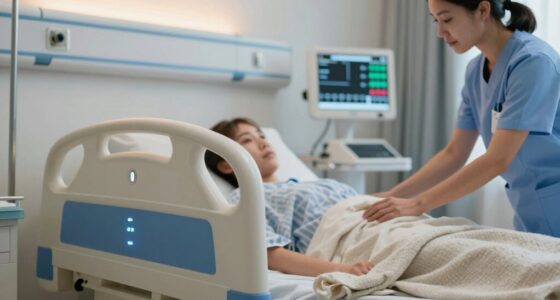
A medical alert system sends a request for help when you press a wearable button, use a supported voice feature, or trigger a sensor. With a monitored plan, an operator usually answers through the base station or device, asks what happened, and follows the user’s instructions for contacting listed people or emergency services. That human response can matter when the user is frightened, unsure whom to call, or unable to reach a phone, but it depends on the device being connected and the service being active.
For example, if Elena slips beside her bed, she can press her pendant rather than crawl toward her phone. The operator may speak through the base unit, confirm whether she is injured, then contact her daughter or emergency services according to the plan on file. A system can let someone call for help even when a phone is across the room. But if Elena is outside the base station’s range, cannot hear its speaker, or the alert device is not charged, the expected conversation may not happen; those practical details shape whether the system helps in her actual home.
Some unmonitored devices call preset contacts directly. That can suit a family with reliable responders, and may avoid a monthly monitoring fee, but family members must be available and able to act. You should check what happens if nobody answers, whether the device tries the next person, and whether it can contact emergency services. Ask about accidental presses, unanswered alerts, and whether the service can send help when the user cannot speak.
Before buying, write down the response sequence in plain language: who answers first, who gets called next, and how responders enter the home. A clear plan turns a loud beep or flashing button into a useful next step. It also reveals tradeoffs: contacting family first can keep a trusted person informed, while contacting emergency services directly may be more appropriate when time is critical. Confirm that the chosen sequence matches the user’s wishes and the provider’s actual procedure.
Senior medical alert system with fall detection
As an affiliate, we earn on qualifying purchases.
As an affiliate, we earn on qualifying purchases.
Choose Home, Mobile, or Phone-Based Coverage That Fits Your Day
Medical alert systems come in home, mobile, and phone-based forms, and the best choice depends on where the user spends time. A home system typically links a wearable button to a base station over a landline or cellular network; a mobile unit may add cellular service and GPS for use outside the house. This difference affects more than convenience: a home unit may be simpler to keep charged and use indoors, while a mobile unit can extend coverage to errands but introduces cellular dead zones, location uncertainty, and another battery to manage.
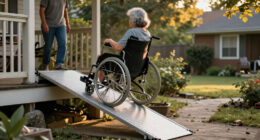
If Ron mostly stays in his single-story home and yard, an at-home unit may cover his routine. He should still test the wearable range at the far end of the yard and consider whether he can hear the base unit from rooms where he spends time. If he walks to the corner shop or takes a bus to visit friends, he should check a mobile plan’s network coverage and location features. GPS can help responders find him, but tall buildings, indoor locations, and poor signal may make the location less precise. A smartwatch or phone emergency feature may work too, though it can demand more setup and regular charging; someone who forgets to charge a phone may find a dedicated alert device more reliable, even if it means carrying another item.
| Option | Often suits | Check before choosing |
|---|---|---|
| At-home base station | Time spent mainly at home | Wearable range, connection type, and two-way voice range |
| Mobile alert device | Errands and outdoor routines | Cellular coverage, GPS accuracy, and battery life |
| Phone or smartwatch feature | Someone comfortable with personal tech | Setup, charging habits, and who receives alerts |
Recent products may include caregiver apps, activity notifications, or home-device integrations. Those additions can help a family check in, but do not promise precise tracking. More data and notifications may also create privacy concerns or extra work for caregivers. Confirm where the service works, especially in basements, rural areas, or places the user visits often, and decide whether the added features solve a real problem in the user’s routine.
Waterproof wearable emergency button for seniors
As an affiliate, we earn on qualifying purchases.
As an affiliate, we earn on qualifying purchases.
Check Whether Fall Detection Matches Your Expectations
Fall detection can send an alert automatically when a sensor identifies a possible fall, but no device detects every fall. It may be offered in a pendant, watch, or mobile unit, sometimes for an additional fee, and its performance depends on the device and the event. The feature is most useful when someone may be unable to press a button; it adds a second route to request help, not certainty that help will be summoned.
Imagine a user stumbling against a sofa and sliding slowly to the floor. A sensor might not classify that movement as a fall, so the person may still need to press the button. A hard fall could trigger an alert, but the wearer might be unable to confirm what happened; the provider’s process for an unanswered alert matters. Automatic detection can therefore reduce reliance on remembering to press, while false alarms or missed events remain possible and may affect confidence in the system.
Ask the provider how the feature works, whether it costs extra, how often the device needs charging, and what happens when it detects a possible fall. Also ask whether the system supports two-way speech from the wearable or requires the user to reach the base station. A feature that is rarely charged or is uncomfortable to wear offers little practical backup, so weigh its added cost against the user’s fall risk, comfort, and ability to use the manual button.
Fall detection is a backup, not a guarantee. Keep the manual alert button within reach and choose a device the user will actually wear.
For instance, if a parent removes a pendant before showering because it feels bulky, automatic detection cannot help during that time. A comfortable, water-resistant option—if the specific model supports it—may fit that routine better. Check the device’s instructions and water rating rather than assuming every pendant can get wet. Even a water-resistant device may have limits on how it can be worn or exposed, so confirm the manufacturer’s guidance for bathing.
Mobile medical alert system with GPS
As an affiliate, we earn on qualifying purchases.
As an affiliate, we earn on qualifying purchases.
Use This Checklist to Compare the Details That Affect Daily Use
Medical alert systems are easier to compare when you start with the person’s real routine, then test each device against it. List the places they go, the tasks they can manage, and the kind of help they want; a feature matters only if it works in those moments. This approach also helps avoid paying for features that sound reassuring but do not address the person’s actual gaps in coverage or support.
- Map the day. Note time at home, walks, appointments, and places with weak signal. This shows whether home coverage is enough or whether mobile service is needed.
- Try the wearable. Compare a pendant, wristband, watch, or phone for comfort, dexterity, vision, hearing, and speech needs. A device that is difficult to fasten or remember is less likely to be available during an emergency.
- Check practical coverage. Confirm home range, cellular availability, two-way audio, and whether the device can be worn in the shower. These determine whether an alert can reach someone and whether the user can communicate after pressing it.
- Plan for power. Ask how long the battery lasts and whether charging is simple enough to become a habit. A longer battery can reduce missed coverage, while a rechargeable device may require a routine the user can reliably follow.
- Read the full response and cost terms. Check who answers, what happens after a missed response or false alarm, and all equipment, activation, monthly, add-on, shipping, cancellation, and replacement charges. A low advertised monthly price may not reflect the cost of keeping the system for a full year or ending service early.
- Review data and support. Ask what location or activity data is collected, who can view it, how long it is kept, and how to reach customer service. These answers help balance caregiver reassurance with the user’s privacy and show what help is available when the device has a problem.
Take a specific scenario to a provider: “My father walks his dog two blocks each morning, forgets to charge his phone, and has difficulty hearing.” That makes the conversation concrete. The provider should be able to explain which device fits and what its limits are. If the proposed option depends on a habit he has already struggled to maintain, ask about another design rather than assuming he will adapt.
Also ask about a trial period, returns, contract length, and service availability in the user’s home. These terms affect how easy it is to change course if the device is uncomfortable or coverage falls short. Prices and capabilities vary, so compare current terms directly with providers rather than relying on an old price list or a feature name alone.
As an affiliate, we earn on qualifying purchases.
Build a Safety Plan Around the Device, Not on Top of It
A medical alert device can make it easier to summon help, but it cannot prevent a fall or replace regular care and a personalized safety plan. Its value comes from fitting into the rest of a person’s support: trusted contacts, a clear emergency routine, and practical changes at home. Thinking of the device as one part of that support helps set realistic expectations and identifies what to do if it is not worn, charged, or able to connect.
Suppose Marta lives alone and her son visits twice a week. They can agree that her alert service contacts him after a non-urgent call, while emergency services are contacted for urgent situations under the provider’s procedure. They can also arrange routine check-ins and keep a spare key or approved entry method available to responders. The key or entry plan can save time if Marta cannot reach the door, but it should be arranged securely and shared only with people she trusts.
Some families use caregiver apps or activity notifications to stay informed. These tools can be reassuring, though constant updates may feel intrusive. Talk with the user about what information they want shared and who should see it; privacy preferences deserve a place in the plan. Agreeing on the purpose and limits of updates can prevent a safety tool from feeling like surveillance and help the family focus on meaningful alerts.
If you are helping a family member decide, ask what support they want and what they will realistically wear. A medical alert device should support independence in the person’s own terms. For medical or care decisions, discuss individual needs with a qualified professional rather than treating a device as a diagnosis or treatment.
Frequently Asked Questions
Do you need a landline for a medical alert system?
No. Many systems use cellular service instead of a landline, but coverage and compatibility vary. Ask the provider to check service where the user lives and spends time.
Will a medical alert system work away from home?
Only if the device and plan support mobile use. Check its cellular coverage, GPS features, and performance in the user’s usual locations; a home base station alone may not provide outdoor coverage.
Does Medicare cover a medical alert system?
Traditional Medicare generally does not cover standalone systems. Benefits may vary with Medicare Advantage or other insurance, so check the specific plan before buying.
How much does a medical alert system cost?
Costs vary by provider and features. Compare the subscription with equipment, activation, shipping, fall-detection add-ons, cancellation, and replacement charges to see the full cost.
Can a medical alert system detect a fall automatically?
Some devices offer automatic fall detection, but no sensor catches every fall. Keep the manual alert button accessible and ask the provider how it handles an alert when the wearer cannot speak.
Can someone talk to an operator through the device?
Many monitored systems provide two-way communication through a base station or wearable. Confirm the microphone and speaker range, since an at-home unit may work differently from a mobile device.
Conclusion
Choose the system that fits the user’s routine closely enough to be worn, charged, and understood. Before subscribing, test the response plan against a real day: a shower, a walk outside, or a phone left in another room.
A small button can be a useful bridge between a difficult moment and a human voice on the line. Make sure you know exactly where that bridge leads.
Fall Picks
fall essentials
As an affiliate, we earn on qualifying purchases.