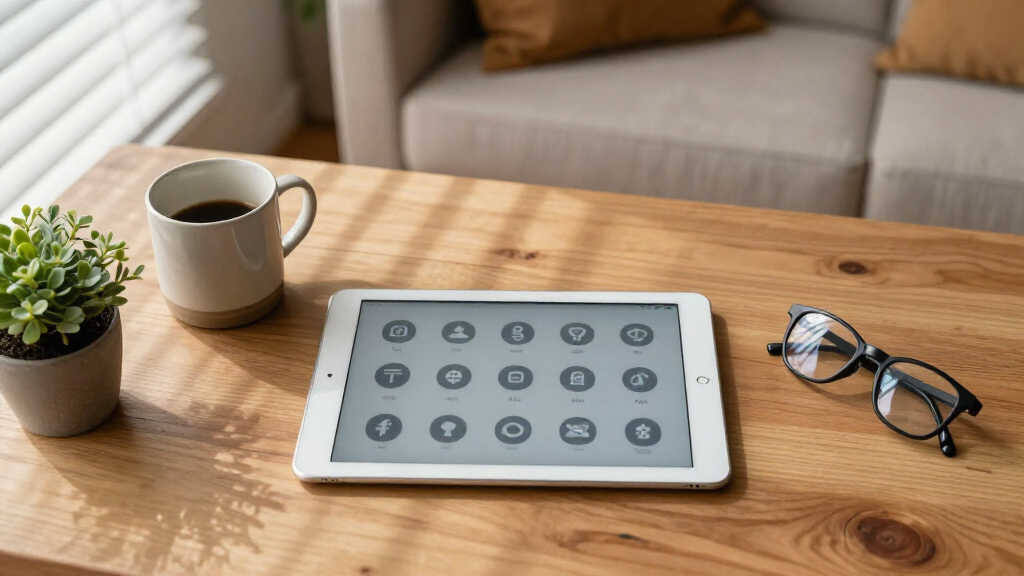

Finding the right device for seniors involves balancing simplicity, performance, and affordability. The Microsoft Surface Go stands out as the best overall for its combination of ease of use and versatility. For those seeking a budget-friendly option, the ASUS Chromebook 10.5″ WUXGA Touch Laptop offers a straightforward experience at a lower price. Meanwhile, the Lenovo Idea Tab excels with its high-resolution display and included stylus, ideal for seniors who enjoy creative tasks or note-taking. These devices each have tradeoffs: some sacrifice power for simplicity, while others offer more features at a higher cost. Continue reading for a detailed breakdown of each option and what makes them suitable for seniors.

Turn quiet afternoons into listening time
- Thousands of audiobooks, podcasts and originals
- Listen on your phone, tablet or Echo — also offline
- Cancel anytime
Complete the kit


Key Takeaways
- Top picks balance ease of use with enough performance for everyday tasks.
- Touchscreens and stylus support are common features preferred by seniors for accessibility.
- Lower-cost devices often trade off processing power or build quality for simplicity.
- Premium options tend to offer better displays and more features, but at a higher price.
- Battery life varies widely; longer-lasting models reduce the need for frequent charging.



| senior-friendly laptops and tablet | Processor | Storage | RAM | Display |
|---|---|---|---|---|
| ASUS Chromebook 10.5" WUXGA To | MediaTek Kompanio 520 2.0 GHz | 128GB eMMC | 8GB LPDDR4X | — |
| Microsoft Surface Go Tablet | Intel Pentium 4415Y | 128GB SSD | 8GB | 10-inch, 1800×1200 pixels |
| NewBook 10.1 inch 2-in-1 Lapto | Intel Pentium Gold 6500Y | 256GB SSD | 8GB | 10.1 inch FHD Touchscreen |
| 2-in-1 Laptop/Tablet | Intel Pentium Gold 6500Y | 256GB SSD | 12GB | — |
| Pix Star Touch Easy-to-Use Tab | — | — | — | — |
| Microsoft Surface Go 2 | Intel Pentium | 64GB | — | 10.5-inch touchscreen |
| Dell Latitude 7200 Multi-Touch | Intel Core i5-8265 | 256GB SSD | 8GB DDR4 | 12.3” FHD |
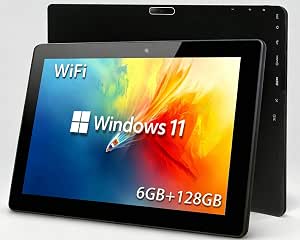
| 10.1-inch Windows 11 Touchscre | Intel Celeron 1.6GHz quad-core | 128GB | 6GB | 10.1-inch Full HD |
| Lenovo Idea Tab | MediaTek Dimensity 6300 | 128 GB | — | 11" 2.5K IPS Touchscreen |
More Details on Our Top Picks
ASUS Chromebook 10.5″ WUXGA Touch Laptop with Detachable Keyboard, MediaTek Kompanio 520, 8GB RAM, 128GB eMMC, ChromeOS, Silver
This ASUS Chromebook stands out for its flexible 2-in-1 design, combining a lightweight tablet and a functional laptop in one device, making it ideal for seniors who want both portability and productivity. Compared with the Microsoft Surface Go, it offers a larger screen (10.5 inches vs. 10 inches) and longer battery life (up to 12 hours vs. shorter durations), but the ChromeOS platform limits the ability to run full Windows applications. Its detachable keyboard and stylus support boost creativity and note-taking, while the lightweight build (1.3 pounds) enhances ease of handling. However, the MediaTek processor is less powerful than traditional Intel chips, so intensive multitasking or demanding applications may lag. It’s best suited for seniors prioritizing portability, web browsing, and light creative work, but not for those needing robust software options or high-performance tasks.
Pros:- Flexible 2-in-1 convertible design with detachable keyboard
- Long-lasting battery life of up to 12 hours
- Extremely lightweight at 1.3 pounds, easy to carry
- Supports stylus for drawing and note-taking
Cons:- Limited processing power for demanding tasks
- No mention of traditional USB-C port, which could limit connectivity
- Performance may be insufficient for intensive multitasking
Best for: Seniors who want a lightweight, versatile device for browsing, casual use, and creative activities.
Not ideal for: Those needing to run specific Windows-only programs or perform heavy multitasking, as ChromeOS has limitations.
- Display Size:10.5 inches
- Display Resolution:1920 x 1200 pixels
- Processor:MediaTek Kompanio 520 2.0 GHz
- RAM:8GB LPDDR4X
- Storage:128GB eMMC
- Weight:1.3 pounds
Our verdict“This model is perfect for seniors seeking a portable, easy-to-use device for everyday browsing and light creative work.”
Microsoft Surface Go Tablet, 10-inch Touchscreen, Intel Pentium 4415Y, 8GB RAM, 128GB SSD, Windows 11 Pro (Renewed)
The Microsoft Surface Go offers a compact, responsive Windows-based tablet, making it suitable for seniors who prefer a familiar interface for browsing, email, and light tasks. With its 10-inch display and high-resolution (1800×1200), it provides crisp visuals, comparable to the NewBook’s 10.1-inch screen but in a more compact form. The device’s portability (weighing just over half a kilogram) makes it easy to carry around, yet its Intel Pentium processor limits multitasking capabilities and performance under heavier loads. As a refurbished unit, durability could be a concern over time. This tablet is best for seniors who prioritize a full Windows environment in a small, lightweight package, but it may fall short for those needing more processing power or long-term durability.
Pros:- Highly portable and lightweight design
- High-resolution, responsive touchscreen
- Pre-installed Windows 11 Pro for full software compatibility
- Good for on-the-go browsing and video calls
Cons:- Limited processing power for multitasking
- Refurbished condition could impact longevity
- Not suitable for demanding applications or heavy multitasking
Best for: Seniors seeking a portable Windows device for casual browsing, email, and light productivity tasks.
Not ideal for: Heavy multitaskers or users running demanding applications, as the processor and RAM may limit performance.
- Processor:Intel Pentium 4415Y
- Display:10-inch, 1800×1200 pixels
- RAM:8GB
- Storage:128GB SSD
- Weight:522 grams
- Operating System:Windows 11 Pro
Our verdict“Ideal for seniors wanting a compact Windows tablet for basic tasks and staying connected on the move.”
NewBook 10.1 inch 2-in-1 Laptop Tablet PC with Windows 11, Intel Pentium Gold, 8GB RAM, 256GB SSD, Touchscreen, Magnetic Keyboard & Stand
The NewBook 10.1-inch 2-in-1 combines the flexibility of a tablet and a laptop, making it a practical choice for seniors who value versatility without sacrificing a full Windows experience. Its detachable magnetic keyboard and stand enable easy switching between modes, similar to the ASUS Chromebook but with a more traditional Windows environment. The device’s 8GB RAM and 256GB SSD support quick responsiveness and ample storage, although battery life details are not specified, which could influence all-day usability. Its compact size and multiple connectivity options (including Micro HDMI and USB-C) make it suitable for media, browsing, and light productivity. However, the display resolution might be considered modest compared to larger, higher-res screens, and battery life could be a concern for extended use.
Pros:- Detachable keyboard and stand offer multiple usage modes
- Fast performance with 8GB RAM and 256GB SSD
- Familiar Windows 11 interface
- Multiple connectivity options for peripherals and media
Cons:- Battery life is not specified, which can impact portability
- Display resolution may be limited for some users
- No stylus support mentioned
Best for: Seniors who want a flexible Windows device with a detachable keyboard for tasks like browsing, email, and light creative work.
Not ideal for: Those requiring long battery life or high-resolution displays, or who need intensive multitasking capabilities.
- Display:10.1 inch FHD Touchscreen
- Processor:Intel Pentium Gold 6500Y
- RAM:8GB
- Storage:256GB SSD
- Battery:26.6Wh
- Connectivity:Micro HDMI, USB-C, USB 3.0
Our verdict“This device suits seniors seeking a flexible, full Windows experience in a portable, convertible form factor.”
2-in-1 Laptop/Tablet, 12″ 2K FHD IPS Touchscreen, 12GB RAM, 256GB SSD
This 12-inch 2-in-1 device offers a larger, crisp 2K touchscreen with accurate color reproduction, making it ideal for seniors who value media clarity and multitasking. The 12GB RAM ensures smoother handling of multiple apps, surpassing the NewBook’s 8GB for demanding tasks. Its lightweight design (1.4 pounds) and versatile form factor resemble a premium tablet-laptop hybrid suitable for work, media, and creative activities. However, the processor, an Intel Pentium Gold, may struggle with intensive multitasking or heavy applications, and battery life details are not specified, which could limit all-day use. It’s best for seniors who want a high-resolution display and more memory for casual multitasking, but not for those needing maximum processing power or extended battery life.
Pros:- Large 12-inch 2K IPS touchscreen with vibrant colors
- High 12GB RAM supports multitasking
- Convertible design with a magnetic keyboard
- Lightweight and portable for travel
Cons:- Processor may be less capable for demanding tasks
- Battery life details are missing, affecting planning for prolonged use
- Limited info on stylus support or long-term durability
Best for: Seniors who prioritize a high-resolution display and multitasking capacity in a portable 2-in-1 device.
Not ideal for: Heavy users or those needing long battery life, as details are not specified and processor performance may be limited.
- Display Size:12 inches
- Display Resolution:2000 x 1200 pixels
- Processor:Intel Pentium Gold 6500Y
- RAM:12GB
- Storage:256GB SSD
- Weight:1.4 pounds
Our verdict“Best suited for seniors seeking a high-quality display and multitasking in a versatile, lightweight device.”
Pix Star Touch Easy-to-Use Tablet for Seniors, 10.1-Inch Screen, WiFi, 2 Cameras
The Pix Star Touch tablet is designed with simplicity at its core, making it an excellent choice for seniors who want a straightforward device for browsing, video calls, and photo sharing. Its 10.1-inch screen offers a comfortable viewing experience, and the dual cameras facilitate easy video chats. The interface is user-friendly, minimizing complexity and making it accessible for beginners or those less comfortable with technology. However, with only 32GB of storage, heavy app use or storing many photos may require external storage solutions. The lack of detailed battery life information could impact all-day usability. This tablet is best for seniors who prioritize ease of use and staying connected without the need for advanced features or high storage capacity.
Pros:- User-friendly interface tailored for seniors
- Supports video calls and email easily
- Dual cameras for photos and video chats
- Simple setup and basic features
Cons:- Limited storage capacity for apps and media
- No detailed battery life information
- Basic feature set may not satisfy advanced users
Best for: Seniors and beginners looking for a simple device to communicate, browse, and share photos.
Not ideal for: Advanced users or those wanting extensive app libraries or large storage, as capacity is limited.
- Screen Size:10.1 inches
- Storage Capacity:32 GB
- Cameras:Front and back
- Connectivity:WiFi
Our verdict“This tablet makes a practical choice for seniors seeking a simple, easy-to-use device to stay connected and share moments.”
Microsoft Surface Go 2 – 10.5″ Touchscreen – Intel Pentium – 4GB RAM – 64GB Storage – Wifi – Platinum
The Microsoft Surface Go 2 stands out for its lightweight design and flexible use as both a tablet and a laptop, making it ideal for seniors who value portability and ease of use. Unlike the larger, more powerful Lenovo Idea Tab, it is much easier to carry around, though its 64GB storage can quickly fill up, especially if photos or downloads are frequent. Its adjustable kickstand and optional Type Cover enhance usability for those who prefer a laptop-like experience, but the extra purchase can be a barrier. The full HD cameras support clear video calls, which is often a priority for staying connected. However, the less powerful Intel Pentium processor and limited storage mean it may struggle with multitasking or storing large files, making it less suited for demanding tasks. Overall, this model is best for seniors needing a portable device mainly for browsing, video calls, and light media use.
Pros:- Extremely lightweight at 1.2 pounds for easy handling
- Long battery life of up to 10 hours supports all-day use
- Versatile as both tablet and laptop with kickstand and optional Type Cover
- Full HD cameras facilitate clear video calls and photos
Cons:- Limited internal storage of 64GB may require external solutions
- Processor performance may be insufficient for multitasking or demanding apps
- Additional purchase needed for Type Cover adds to overall cost
Best for: Seniors who prioritize a lightweight, versatile device for everyday browsing and communication.
Not ideal for: Those who require extensive storage or plan to run demanding applications regularly.
- Display:10.5-inch touchscreen
- Processor:Intel Pentium
- Memory:4GB RAM
- Storage:64GB
- Weight:1.2 pounds
- Battery Life:up to 10 hours
- Connectivity:WiFi, USB-C, headphone jack
- Cameras:Full HD front and rear
Our verdict“This is a strong pick for seniors who want a portable, easy-to-use device primarily for communication and light tasks.”
Dell Latitude 7200 Multi-Touch 2-in-1 Business Laptop, 12.3” FHD, Intel Core i5-8th Gen, 8GB RAM, 256GB SSD, Windows 11 Pro (Renewed)
The Dell Latitude 7200 offers a more robust performance with its Intel Core i5 processor and 256GB SSD, making it suitable for seniors who need to handle multiple tasks or run office applications. Compared to the Microsoft Surface Go 2, it provides a larger, higher-resolution screen and more storage, but it is also heavier and less portable. Its Windows 11 Pro pre-installation caters well to those familiar with desktop environments, especially for email, document editing, and multitasking. The device’s reliability and professional build quality are notable, but the battery life may vary since it’s a refurbished unit. It’s less ideal for seniors who prioritize lightweight portability or have limited tech experience, but excellent for those who want a more traditional laptop experience with a touch of flexibility. Overall, this is a good choice for seniors with moderate to advanced tech needs and a preference for Windows-based systems.
Pros:- Powerful Intel Core i5 processor for multitasking
- High-resolution 12.3-inch FHD touchscreen enhances readability
- Pre-installed Windows 11 Pro supports professional workflows
- Refurbished and tested to look and perform like new
Cons:- Battery life can vary due to refurbishment status
- Additional storage beyond 256GB SSD can be costly
- Heavier weight reduces portability compared to smaller tablets
Best for: Seniors needing a powerful, reliable device for multitasking and productivity tasks.
Not ideal for: Seniors seeking a lightweight, ultra-portable device or those with limited technical experience.
- Display:12.3” FHD
- Processor:Intel Core i5-8265
- RAM:8GB DDR4
- Storage:256GB SSD
- Operating System:Windows 11 Pro
- Webcam:Built-in webcam and microphone
Our verdict“Best suited for tech-savvy seniors who need a dependable, multitasking-capable device for work and communication.”
10.1-inch Windows 11 Touchscreen Tablet PC with Intel Celeron Processor, 6GB RAM, 128GB Storage, and Dual-Band WiFi
The 10.1-inch Windows 11 Tablet PC delivers portability and decent performance for seniors who want a device for browsing, media, and light tasks. Its compact size makes it easier to handle than larger tablets like the Lenovo Idea Tab, especially for users with limited grip strength. The quad-core Intel Celeron processor and 6GB RAM provide enough power for web browsing, email, and streaming, though it may lag during heavy multitasking or demanding apps. The HDMI output and expandable storage via TF card increase versatility, but internal storage of 128GB can fill quickly without external expansion. It’s an affordable option for seniors who prioritize mobility and simple functionality over raw power. However, it’s not recommended for users needing intensive multitasking or large internal storage. This tablet excels as a lightweight, all-day companion for everyday activities.
Pros:- Compact and lightweight for easy handling
- Full HD touchscreen with precise multi-touch control
- Long battery life up to 12 hours supports all-day use
- Supports external monitor via HDMI for larger display
Cons:- Limited internal storage without external expansion
- Processor may struggle with intensive multitasking
- No specified rear camera quality, which may matter for photos
Best for: Seniors seeking a portable, easy-to-handle device primarily for browsing, media, and light productivity.
Not ideal for: Those requiring high storage capacity or heavy multitasking for work or creative projects.
- Display:10.1-inch Full HD
- Processor:Intel Celeron 1.6GHz quad-core
- RAM:6GB
- Storage:128GB
- Battery:6000mAh, up to 12 hours
- WiFi:Dual-band 2.4G & 5G
- HDMI Output:Yes
Our verdict“A practical choice for seniors who want a portable device for browsing, media, and light tasks on the go.”
Lenovo Idea Tab – 11″ 2.5K IPS Touchscreen Tablet with Pen and Folio Case
The Lenovo Idea Tab shines for seniors interested in note-taking, drawing, or media consumption thanks to its high-resolution 2.5K IPS display and included stylus. Its 11-inch size strikes a good balance between portability and screen real estate, ideal for users who want to browse, sketch, or read comfortably. The quad Dolby Atmos speakers enrich media experiences, and the stylus allows precise writing and drawing. Compared with the Microsoft Surface Go 2, it offers a larger, more vibrant display for creative tasks. However, the 4GB RAM could limit multitasking ability, especially with multiple apps or browser tabs open. The battery life of up to 12 hours is sufficient for all-day use, but the lack of cellular connectivity might restrict use when WiFi isn’t available. Overall, this tablet suits seniors who enjoy creative pursuits or note-taking on a high-quality display.
Pros:- High-resolution 2.5K display with 90Hz refresh rate for smooth visuals
- Includes stylus for precise writing and drawing
- Quad Dolby Atmos speakers for immersive media
- All-day battery life up to 12 hours
Cons:- Limited to 4GB RAM, which may hinder heavy multitasking
- No mention of cellular connectivity options
- Battery life can vary depending on usage
Best for: Seniors interested in drawing, note-taking, or media consumption with a high-res display.
Not ideal for: Those needing extensive multitasking or cellular connectivity for outdoor use.
- Display:11″ 2.5K IPS Touchscreen
- Processor:MediaTek Dimensity 6300
- Memory:4 GB RAM
- Storage:128 GB
- Refresh Rate:90Hz
- Battery Life:Up to 12 hours
- Included Accessories:Folio case, Lenovo Tab Pen
Our verdict“Ideal for creative seniors who want a high-quality display and stylus for note-taking and media enjoyment.”
How We Picked
The devices in this roundup were selected based on criteria that matter most to senior users. We considered ease of use, such as touchscreen responsiveness and simple interfaces, along with physical features like large icons and accessible ports. Performance was evaluated to ensure smooth browsing, video calls, and basic productivity without unnecessary complexity. Build quality and durability were also important, as well as battery life to support extended use without frequent charging. The ranking reflects a balance between affordability, usability, and performance, prioritizing products that help seniors stay connected and independent without overwhelming them with features they don’t need.Factors to Consider When Choosing Senior-friendly Laptops And Tablets
Choosing a senior-friendly device involves considering several key factors that impact usability and longevity. It’s not just about price but also how well the device fits a senior’s specific needs, such as visual clarity, ease of navigation, and portability. Making the right choice can prevent frustration and ensure the device remains useful for years. Here are some important considerations to keep in mind:Ease of Use and User Interface
Look for devices with simple, intuitive interfaces that reduce the learning curve. Touchscreens with large, clearly labeled icons and straightforward menus help seniors operate devices confidently. Operating systems like Windows or ChromeOS that offer accessibility settings, such as magnification or voice commands, can significantly enhance usability. Avoid overly complex setups or devices with many pre-installed apps that might overwhelm new users. Prioritizing ease of use helps ensure the device becomes a helpful tool rather than a source of frustration.
Display Size and Clarity
Large, high-resolution screens improve readability and reduce eye strain, especially important for users with visual impairments. A display size of at least 10 inches is recommended, but larger screens, like 12 inches, provide even more comfort. Consider devices with adjustable font sizes and accessibility features like screen magnification. Glossy screens can cause glare, so matte finishes or anti-reflective coatings are beneficial. Balancing size with portability ensures the device remains easy to carry without sacrificing visibility.
Physical Design and Portability
Lightweight and slim designs make devices easier to handle, especially for those with limited strength or dexterity. Rounded edges and textured grips can improve grip and comfort. Devices with detachable keyboards or 2-in-1 functionality offer versatility, allowing seniors to switch between tablet and laptop modes easily. Ports should be accessible, but not cumbersome—USB-C, headphone jacks, and SD card slots can add convenience. Avoid bulky or fragile models that might be difficult to carry or prone to damage.
Performance and Battery Life
While seniors typically don’t require high-end specs, a responsive device that handles video calls, browsing, and apps smoothly is essential. Look for at least 8GB of RAM and SSD storage for quick operation. Battery life should ideally last 8-10 hours to support all-day use without frequent recharging. Devices with quick-start features and energy-efficient processors help extend usage. Don’t prioritize raw power over reliability—it’s better to have a slower device that lasts all day than one that runs out of juice quickly.
Additional Accessibility Features and Support
Features like voice recognition, screen readers, and adjustable text sizes make devices more accessible. Consider whether the device offers easy customer support or warranty options, as seniors may need assistance with setup or troubleshooting. Devices with dedicated accessibility buttons or simplified controls reduce the chance of accidental commands. Ensuring the device supports common assistive technologies can make a significant difference in usability and independence.
Frequently Asked Questions
Is a tablet easier for seniors to use than a laptop?
Many seniors find tablets easier because of their touch interfaces and simplified operation. Tablets often have larger icons and fewer complex menus, making navigation more straightforward. They are also more portable and less intimidating for first-time users. However, laptops can offer more functionality and easier typing if a senior needs to do extensive writing or work. The best choice depends on how the senior plans to use the device—tablets for casual use and communication, laptops for more intensive tasks.
What features should I prioritize for a senior-friendly device?
Prioritize devices with large, clear displays and simple interfaces. Touchscreens with stylus support can improve accuracy and ease of use. Long battery life reduces charging hassle, while lightweight design makes handling easier. Accessibility features like voice commands or magnification can greatly enhance usability. Also, consider the availability of customer support or warranty options to help with setup and troubleshooting, making the overall experience more reassuring.
Are refurbished or renewed devices a good option for seniors?
Refurbished devices can offer significant savings and still provide good performance if purchased from reputable sources. Look for certified refurbishments that include warranty and support options. They often come with updated software and are tested for quality assurance. However, check for any limitations or reduced lifespan, especially if the device is several years old. For seniors who want peace of mind and easier troubleshooting, new devices might be preferable, but refurbished can be a cost-effective alternative.
How much should I expect to spend on a senior-friendly device?
Prices vary depending on features and brand, but a good range for senior-friendly tablets and laptops is between $200 and $600. Budget devices under $300 often focus on simplicity and basic functions, suitable for light use. Mid-range options around $400-$500 tend to balance performance and affordability, offering better screens and longer battery life. Premium models over $600 typically include advanced accessibility features, larger screens, and higher build quality, ideal for users who need more robust support or plan to use the device extensively.
Can I add accessibility features to my existing device?
Many operating systems offer built-in accessibility options that can be enabled easily, such as text-to-speech, magnifiers, and voice recognition. Software updates often expand these features, improving usability without needing new hardware. External accessories like screen magnifiers, styluses, or ergonomic cases can also enhance existing devices. However, some older or less capable devices may lack the hardware support needed for certain features, so it’s important to verify compatibility before investing in accessories or software upgrades.
Conclusion
For those seeking the best overall experience, the Microsoft Surface Go offers a balanced mix of usability, portability, and performance, making it ideal for most seniors. Budget-conscious buyers should consider the ASUS Chromebook 10.5″ WUXGA Touch Laptop for simple, effective use at a lower cost. Seniors who prioritize high-quality displays and stylus support might find the Lenovo Idea Tab or Samsung Galaxy Tab models best suited to their needs. For beginners or those new to technology, devices with simplified interfaces and strong customer support will reduce frustration. Ultimately, matching the device to the user’s comfort level, budget, and intended use ensures a positive experience with technology in 2026.
Fall Picks
fall essentials
As an affiliate, we earn on qualifying purchases.