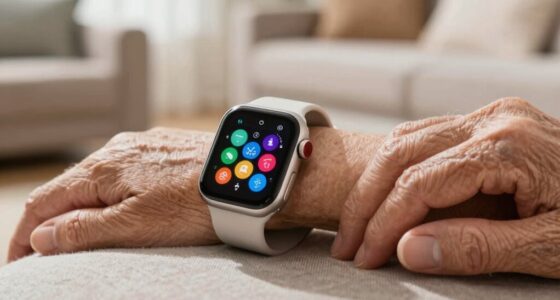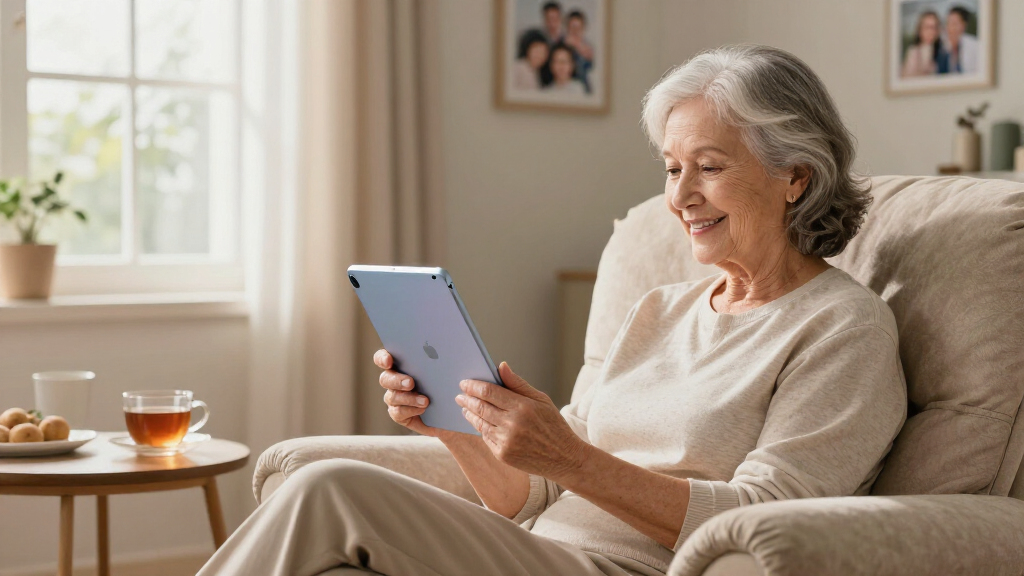

Finding a senior-friendly tablet means balancing simplicity, readable screens, and value — and not every budget Android tablet gets that balance right. The GrandPad Second Generation stands out as my top overall pick because it was built specifically for older adults, with simplified apps, built-in phone service, and remote family support. If a subscription isn’t appealing, the Samsung Galaxy Tab A11+ offers the most polished mainstream experience with a sharp display and long software support, while the Amazon Fire HD 8 remains the easiest cheap entry point thanks to its lightweight frame and simple interface. The main tradeoffs in this category are between purpose-built simplicity (and its monthly cost) versus standard tablets that cost less but need some setup. Keep reading for the full breakdown of all 11 models.

Turn quiet afternoons into listening time
- Thousands of audiobooks, podcasts and originals
- Listen on your phone, tablet or Echo — also offline
- Cancel anytime
Complete the kit


Key Takeaways
- Only two products — the GrandPad and Pix Star Touch — were designed specifically for seniors; the other nine are general tablets that happen to work well with adjustments, which is why they cost less but need initial setup help.
- Screen size clustered around 10 inches for a reason: models like the amazon.com/dp/B0H1CKFT28?tag=servicesforeldercare-20&ascsubtag=dc-693061″ target=”_blank” rel=”nofollow sponsored noopener”>URAO 10.1 and DigiLand 10.1 hit the sweet spot between readability and weight, while 8-inch options like the Fire HD 8 and Lenovo Tab One are easier to hold but harder on aging eyes.
- Battery claims varied widely, and off-brand figures (6000mAh, 12-hour claims) were less reliable than Samsung‘s and Amazon’s real-world endurance — a major ranking factor for seniors who may forget to charge devices.
- Storage specs were misleading across the lineup: several budget models advertise inflated ‘RAM’ numbers (28GB, 32GB) that combine memory tricks and software, so I prioritized expandable storage over headline numbers.
- A recurring weakness in this category is weak speakers and low-resolution cameras, which matters more than buyers expect for video calls — the single most common use case for seniors.


| senior-friendly tablet | Storage | Display | Processor | Connectivity |
|---|---|---|---|---|
| URAO 10.1-Inch Android Tablet | 128GB, expandable to 1TB | 10.1-inch IPS, 1280×800 | Octa-core 1.8 GHz | Wi-Fi 6, Bluetooth 5.4, USB-C |
| Amazon Fire HD 8 Tablet | 64GB, expandable to 1TB via microSD | 8-inch HD, 1280×800 | Hexa-core 2.0 GHz | Wi-Fi 6, Bluetooth 5.2, USB-C |
| ECOPAD 10.1 Inch Android Table | 64GB, expandable to 1TB via SD | 10.1-inch IPS, 1280×800 | Quad-core ARM, 1.2 GHz | Wi-Fi, Bluetooth 5.0 |
| Pix Star Touch Easy-to-Use Tab | 32GB | — | — | Wi-Fi |
| 11 Inch Android Tablet | 128GB, expandable to 1TB via SD | 11-inch HD, 1280×800 | Unisoc T606 octa-core | Wi-Fi, Bluetooth 5.0 |
| Lenovo Tab One | 64 GB | 8.7-inch HD, 480 nits | MediaTek Helio G85 | — |
| Samsung Galaxy Tab A11+ 6GB RA | 128GB, expandable to 256GB | 11 inches, 90Hz refresh rate | — | — |
| DigiLand 10.1-Inch Android Tab | 128GB | 10.1-inch HD Incell IPS (1280×800) | MediaTek Helio G80 Octa-Core | Wi-Fi 5, Bluetooth 5.0, USB-C, HDMI output |
| GrandPad 9R-X0QM-1FS2 Second G | — | — | Qualcomm 2 GHz | Wireless (private network) |
| Coopers 10-inch Android 15 Tab | 32GB, expandable to 1TB via SD card | 10-inch IPS, 1280×800 | Quad-core | Bluetooth 4.2, 2.4GHz Wi-Fi, GPS, FM radio |
More Details on Our Top Picks
URAO 10.1-Inch Android Tablet, Octa-Core, 16GB+128GB, Dual Camera
Between the budget options in this roundup, the URAO 10.1-inch strikes the best balance of screen size, speed, and everyday usability. Its octa-core processor keeps apps and video calls responsive, which matters when a grandchild is waiting on the other end of a FaceTime alternative. Compared with the ECOPAD, which relies on a slower quad-core chip, the URAO feels better equipped to handle multitasking without frustration. I also like that it runs Android 16 with full Google Play access, unlike the Fire HD 8, which locks buyers into Amazon’s smaller Appstore. The 10.1-inch display is generous for reading and photos, and the low blue light mode helps with evening use. The tradeoff: it’s a general-purpose tablet, not a simplified one, so tech-shy users may need a family member to do the initial setup.
Pros:- Octa-core processor keeps apps and video calls smooth
- Full Google Play access with Android 16
- 10.1-inch display with low blue light mode for comfortable reading
- 128GB storage expandable to 1TB for photos and apps
Cons:- No GPS functionality
- Standard Android interface may overwhelm first-time users
- Build quality details are thin compared with brand-name rivals
Best for: Seniors comfortable with standard Android who want a big screen for video calls, reading, and streaming
Not ideal for: Buyers who want a simplified senior interface out of the box — this ships with stock Android
- Display:10.1-inch IPS, 1280×800
- Processor:Octa-core 1.8 GHz
- RAM:36GB (6GB + 30GB virtual)
- Storage:128GB, expandable to 1TB
- Battery:6000mAh, 18W fast charging
- Cameras:5MP front, 8MP rear
- Connectivity:Wi-Fi 6, Bluetooth 5.4, USB-C
- Operating System:Android 16
Our verdict“This is the pick for seniors who want a capable, big-screen Android tablet and have someone to help with setup.”
Amazon Fire HD 8 Tablet (Newest Model), 8” HD Display, 4GB RAM, 64GB Storage
At its price, the Fire HD 8 is hard to beat for seniors whose needs are mostly video calls, streaming, and audiobooks. Its 13-hour battery outlasts every other tablet here, including the URAO’s 8 hours, so it can sit on a nightstand for days without hunting for a charger. The 8-inch screen and 337-gram weight make it the easiest tablet in this lineup to hold one-handed, a genuine advantage for users with weaker grip or arthritic hands. Alexa integration means weather, reminders, and music can be voice-controlled instead of typed. The catch is Amazon’s Appstore: no Google Play support means some apps seniors expect — or apps their family uses — simply aren’t available, and some apps must install to internal storage despite the microSD slot. Compared with the Pix Star, it’s cheaper but demands more menu-diving.
Pros:- Best battery life in the roundup at up to 13 hours
- Lightweight 337g body easy to hold for extended periods
- Alexa hands-free voice control for weather, music, and reminders
- Very low price with expandable storage up to 1TB
Cons:- No Google Play support — app selection is limited to Amazon’s Appstore
- 8-inch screen is small for users with vision challenges
- Some apps refuse to install to the microSD card
Best for: Budget-conscious seniors who mainly stream, read, and video call and prefer a lightweight device
Not ideal for: Anyone dependent on specific Google Play apps, since Amazon’s Appstore has a limited catalog
- Display:8-inch HD, 1280×800
- Processor:Hexa-core 2.0 GHz
- RAM:4GB
- Storage:64GB, expandable to 1TB via microSD
- Battery Life:Up to 13 hours
- Weight:11.88 oz (337g)
- Cameras:2MP front, 5MP rear with 1080p video
- Connectivity:Wi-Fi 6, Bluetooth 5.2, USB-C
Our verdict“The value choice for seniors who stream and call more than they tinker, provided their must-have apps exist on Amazon’s Appstore.”
ECOPAD 10.1 Inch Android Tablet, 12GB RAM, 64GB Storage, 1TB Expandable
The ECOPAD delivers a full 10.1-inch screen at a price closer to the Fire HD 8 than to brand-name rivals, which makes it appealing for seniors on a fixed income who still want a large, readable display. Storage starts at 64GB but stretches to 1TB via SD card — plenty for family photos. Where it falls short against the URAO is raw speed: the quad-core 1.2GHz chip is noticeably weaker, so impatient users may find app launches and video calls sluggish compared with the URAO’s octa-core setup. The 2MP front camera is also the weakest in this batch for video calling, which is a real limitation given how central calls are to most seniors’ tablet use. The one-year warranty and Google Play access give it an edge over the Fire HD 8’s closed ecosystem, but the mixed performance reports mean I’d only recommend it for light use.
Pros:- Large 10.1-inch IPS display at a budget price
- 12GB RAM keeps basic multitasking workable
- 1TB expandable storage for photos and media
- Full Google Play access with 1-year warranty
Cons:- Slow quad-core 1.2GHz processor compared with octa-core rivals
- Weak 2MP front camera for video calls
- Mixed owner feedback on long-term performance
Best for: Budget-focused buyers who prioritize a large screen for reading and browsing over speed
Not ideal for: Seniors who video call frequently — the 2MP front camera and slow processor make calls feel dated
- Display:10.1-inch IPS, 1280×800
- Processor:Quad-core ARM, 1.2 GHz
- RAM:12GB
- Storage:64GB, expandable to 1TB via SD
- Battery:6000mAh, up to 8 hours video
- Cameras:2MP front, 8MP rear
- Connectivity:Wi-Fi, Bluetooth 5.0
- Warranty:1 year
Our verdict“A big-screen bargain for light reading and browsing, but frequent video callers should spend up for the URAO.”
Pix Star Touch Easy-to-Use Tablet for Seniors, 10.1-Inch Screen
The Pix Star Touch is the only tablet in this batch built specifically around a simplified senior interface, and that changes the entire experience. Email, browsing, video calls, and photo sharing are presented as large, labeled tiles rather than buried in app drawers — a genuine advantage over the URAO or ECOPAD, which ship with full stock Android that can confuse first-time users. The 10.1-inch screen matches the URAO’s size, so readability isn’t sacrificed for simplicity. Access to Google Play means family can still add apps as needs evolve. The compromises are real, though: 32GB of storage is the smallest here, there’s no published battery life, and the internal specs trail every other pick, so this is a communication device, not an entertainment hub. Compared with the Fire HD 8, it trades battery life and price for a far gentler learning curve — a trade many families will happily make.
Pros:- Purpose-built simplified interface with large labeled tiles
- Photo sharing and video calls are core features, not afterthoughts
- Full 10.1-inch screen for easy reading
- Google Play access lets families add apps later
Cons:- Only 32GB of storage, the smallest in the roundup
- No published battery life or charging specs
- Basic hardware unsuited to streaming or demanding apps
Best for: First-time tablet users and seniors intimidated by standard smartphones or Android menus
Not ideal for: Confident users who want streaming, gaming, and lots of apps — the specs and storage won’t keep up
- Screen:10.1 inches
- Storage:32GB
- Connectivity:Wi-Fi
- Cameras:Front and rear
- Ports:USB-C
- App Source:Google Play Store
Our verdict“The right choice when ease of use outranks specs — ideal for a senior’s very first tablet.”
11 Inch Android Tablet, Octa Core, 28GB RAM, 128GB ROM, 1TB Expandable
For seniors whose tablet doubles as a primary TV and media hub, this 11-inch model offers the largest display in this batch, edging out both the URAO and ECOPAD by a full inch. The Widevine L1 certification is the standout detail — it guarantees HD playback on Netflix and other streaming services, something cheaper off-brand tablets often fumble. The 8000mAh battery is the biggest here and comfortably outlasts the URAO’s 6000mAh cell, though it still trails the Fire HD 8’s 13-hour runtime. Face unlock is a thoughtful touch for users who struggle with passcodes. The honest weakness is resolution: 1280×800 stretched across 11 inches looks softer than the same resolution on the smaller URAO, so text clarity per inch is the worst in this lineup. It suits media-first buyers more than readers who pore over small text.
Pros:- Largest screen in this batch at 11 inches
- Widevine L1 certification for true HD streaming
- 8000mAh battery with 18W fast charging
- Face unlock helps users who fumble with passcodes
Cons:- Low pixel density makes text less crisp than on 10.1-inch rivals
- Only 4GB of physical RAM — the 28GB figure relies on virtual expansion
- Cameras are basic and fine only for casual calls
Best for: Seniors who primarily stream shows and want the biggest possible screen with all-day battery
Not ideal for: Avid readers — the 1280×800 resolution across 11 inches produces noticeably softer text than smaller rivals
- Display:11-inch HD, 1280×800
- Processor:Unisoc T606 octa-core
- RAM:28GB (4GB physical + 24GB virtual)
- Storage:128GB, expandable to 1TB via SD
- Battery:8000mAh, PD 18W fast charging
- Cameras:5MP front, 8MP rear
- Connectivity:Wi-Fi, Bluetooth 5.0
- Extras:Face unlock, split-screen, wireless casting, FM radio
Our verdict“Choose this for a couch-side streaming and video-call screen; pick the URAO if sharp text matters more than size.”
Lenovo Tab One – Lightweight 8.7″ HD Display Tablet with 4GB RAM and 64GB Storage
Most senior-friendly tablets push bigger screens, but this pick makes the opposite case. At 8.7 inches and genuinely lightweight, the Lenovo Tab One is the tablet a senior can actually hold one-handed while reading in a chair or resting it on a knee. The included folio case with a built-in stand is a real advantage here — compared with the Coopers 10-inch, which ships bare, buyers don’t need to shop for accessories before propping it up for video calls. Battery life rated for up to 12.5 hours of streaming means it can sit on a side table for days between charges.
The tradeoff is obvious: a small display works against anyone whose vision demands large text and big icons. Seniors comfortable with moderate font sizes will love the portability; those who squint at a phone will prefer the 11-inch real estate of the Samsung Galaxy Tab A11+.
Pros:- Very lightweight and easy to hold one-handed
- Folio case with stand included, no extra purchase needed
- Up to 12.5 hours of streaming on a charge
- Dual Dolby Atmos speakers give clear, roomy sound for its size
Cons:- Small 8.7-inch screen limits text and icon size for low-vision users
- Only 64GB of storage with no expandable option mentioned
- Modest Helio G85 processor stutters with demanding apps
Best for: Seniors with decent vision who want a light, one-handable tablet for reading and casual video, with a stand included out of the box
Not ideal for: Anyone with significant low vision — the 8.7-inch screen limits how large icons and text can comfortably get
- Display:8.7-inch HD, 480 nits
- Memory:4 GB RAM
- Storage:64 GB
- Battery Life:Up to 12.5 hours streaming
- Processor:MediaTek Helio G85
- Operating System:Android 14
- Speakers:Dual Dolby Atmos
- Included:Protective folio case with stand
Our verdict“This pick makes the most sense for seniors who prioritize a light, grab-and-go tablet over maximum screen size.”
Samsung Galaxy Tab A11+ 6GB RAM, 128GB Storage, Expandable Storage, Gray
When the deciding factor is screen size for aging eyes, this model delivers the most display per dollar in this lineup. The 11-inch panel with a 90Hz refresh rate makes scrolling noticeably smoother than standard 60Hz screens like the DigiLand 10.1-inch, which matters more than it sounds — jerky scrolling disorients less tech-savvy users. Samsung’s software layer also offers simple mode-style settings that enlarge icons and simplify the home screen, something generic Android brands don’t match as cleanly.
Storage is where it pulls ahead of the Coopers tablet: 128GB built in plus expansion to 256GB versus just 32GB out of the box means no early frustration with “storage full” messages. The 5MP front camera is merely adequate for video calls, though — families who prioritize crisp grandparent video chats may want a sharper option.
Pros:- Large 11-inch display with unusually smooth 90Hz scrolling
- 128GB storage expandable to 256GB for photos and apps
- Fast charging keeps downtime short
- Quad Dolby Atmos speakers produce loud, clear dialogue
Cons:- 5MP front camera is soft for video calls
- No water resistance or rugged build for accident-prone users
- Best accessibility features require digging into settings to enable
Best for: Seniors who need a large, smooth display for reading, streaming, and video calls without paying premium prices
Not ideal for: Buyers wanting a senior-specific simplified interface out of the box — this is a standard Android tablet that requires manual setup of accessibility features
- Display:11 inches, 90Hz refresh rate
- RAM:6GB (up to 8GB with RAM Plus)
- Storage:128GB, expandable to 256GB
- Battery:Long-lasting with fast charging
- Speakers:Quad speakers with Dolby Atmos
- Front Camera:5 MP
- Color:Gray
Our verdict“Compared with similar 10-inch budget tablets, this option stands out for seniors who want the biggest, smoothest screen at a mid-range price.”
DigiLand 10.1-Inch Android Tablet with HD Touch Screen, 12GB RAM, 128GB Storage, WiFi, 12-Hour Battery – Blue
This model’s pitch to senior buyers is everything in one box: the R10 PRO stand case is bundled alongside the charger and cable, so the tablet works hands-free for video calls from day one. That puts it ahead of the Samsung Galaxy Tab A11+, where a case is a separate purchase, and the 12GB of RAM means apps stay responsive even when multiple are open — a real benefit for users who tap things repeatedly because nothing seems to happen.
The 8MP front camera is sharper than most here, making it a solid choice for the video-call-heavy senior household. Where it falls short is refinement: the 1280×800 display is on the budget end for a 10.1-inch panel, so text is readable but not crisp at large sizes. Compared with the Lenovo Tab One’s polished feel, this reads more like capable utility than premium comfort.
Pros:- Stand case, charger, and cable all included in the box
- 12GB RAM keeps apps responsive with minimal waiting
- 8MP front camera is among the sharpest here for video calls
- 12-hour battery lasts through a full day of use
Cons:- 1280×800 resolution looks soft on a 10.1-inch screen
- No GPS functionality built in
- HDMI output requires a separate adapter
Best for: Families setting up a first tablet for a senior who wants a case, stand, and capable camera included without extra shopping
Not ideal for: Users who need GPS for navigation apps or anyone embedded in the Apple ecosystem, since account sharing with iOS devices is limited
- Display:10.1-inch HD Incell IPS (1280×800)
- RAM:12GB
- Storage:128GB
- Battery:6000mAh, up to 12 hours
- Processor:MediaTek Helio G80 Octa-Core
- Cameras:8MP front, 13MP rear
- Connectivity:Wi-Fi 5, Bluetooth 5.0, USB-C, HDMI output
- Weight:0.99 lbs / 450g
- Operating System:Android 14
Our verdict“This pick makes the most sense for buyers who want a complete, ready-to-use video-calling setup rather than piecing together accessories.”
GrandPad 9R-X0QM-1FS2 Second Generation Senior Tablet & Phone
Every other tablet in this roundup is a general-purpose device adapted for seniors; the GrandPad is the only one designed for them from the ground up. Large icons, simplified navigation, and a private network that blocks spam and scams address the two biggest barriers for older users: confusion and fraud risk. Family members manage settings remotely, which no mainstream option — not the Samsung Galaxy Tab A11+, not the DigiLand — can replicate. The included wireless charging cradle is a thoughtful touch, eliminating fiddly cables entirely.
The honest tradeoff is cost and openness: an optional plan starting at $25/month or $275/year unlocks full functionality, and without it the device is limited. It also can’t run arbitrary apps the way an Android tablet can. Buyers choosing between freedom and safety get safety here, at a price.
Pros:- Purpose-built senior interface with large icons and simple navigation
- Private network blocks spam and scam calls by design
- Family members can manage settings remotely
- Wireless charging cradle removes cable frustration
Cons:- Full functionality requires a paid plan ($25/month or $275/year)
- Locked ecosystem — no general app store access
- Not compatible with Consumer Cellular or other carriers
Best for: Seniors with little tech experience — or families worried about scam calls — who value a locked-down, managed experience over app freedom
Not ideal for: Tech-comfortable seniors or budget-conscious buyers who object to a recurring subscription for full features
- Model:GrandPad 9R-X0QM-1FS2, 2nd Generation
- Processor:Qualcomm 2 GHz
- Battery:4550 mAh Lithium Ion, 8 hours
- Connectivity:Wireless (private network)
- Features:Video calls, photo sharing, multiplayer games
- Included:Wireless charging cradle, protective case, stylus
- Plan:Optional, from $25/month or $275/year
Our verdict“For seniors who need maximum simplicity and scam protection above all, this is the safest choice in the lineup — as long as the subscription fits the budget.”
Coopers 10-inch Android 15 Tablet, 32GB ROM, 1TB Expandable, Quad-Core, 6000mAh Battery, IPS Touch Screen, Dual HD Cameras
At the value end of this lineup, the Coopers 10-inch runs Android 15 — the newest software here — and costs less than most rivals. The 10-inch IPS display hits the comfortable middle ground between the Lenovo Tab One’s cramped 8.7 inches and the Samsung Galaxy Tab A11+’s larger 11 inches, making it a reasonable compromise for readers with moderate vision needs. GPS and an FM radio are unusual extras at this price, and the 3.5mm headphone jack means no adapter needed for hearing-friendly wired listening.
Buyers should know what they’re giving up: only 32GB of internal storage means an SD card purchase is practically mandatory, and the front camera is just 2MP — easily the weakest of this batch for video calls, behind even the Samsung’s 5MP. Older Bluetooth 4.2 and 2.4GHz-only Wi-Fi also make it feel its price.
Pros:- Runs Android 15, the most current software in this roundup
- Expandable to 1TB via SD card for photos and media
- 6000mAh battery delivers 8-10 hours of real use
- GPS, FM radio, and headphone jack included at a low price
Cons:- Only 32GB of storage out of the box — SD card needed almost immediately
- 2MP front camera is poor for video calls
- Bluetooth 4.2 and 2.4GHz-only Wi-Fi date the connectivity
Best for: Cost-conscious buyers wanting a spare or secondary tablet for reading, radio, and light browsing
Not ideal for: Seniors whose main use is video calling — the 2MP front camera produces grainy, unflattering calls
- Display:10-inch IPS, 1280×800
- Processor:Quad-core
- RAM:8GB (3GB + 5GB virtual)
- Storage:32GB, expandable to 1TB via SD card
- Battery:6000mAh, 8-10 hours
- Cameras:8MP rear, 2MP front
- Connectivity:Bluetooth 4.2, 2.4GHz Wi-Fi, GPS, FM radio
- Operating System:Android 15
Our verdict“This model is better suited to budget buyers wanting an inexpensive reading and media spare than anyone who relies on video calls.”
How We Picked
I evaluated every tablet through one specific lens: how well it serves an older adult who may not be tech-savvy. That meant judging interface simplicity first — whether the home screen could be customized into large icons, whether bloatware could be removed, and whether a family member could set it up remotely. Second came display readability: screen resolution, brightness, and size, since small text is the number-one complaint seniors have about tablets. Third, I weighed battery life and charging habits, because a device that dies mid-video-call creates frustration and, often, abandonment of the device entirely.
Beyond that, I compared build quality and weight (a heavy tablet gets left on a shelf), speaker and camera quality for video calls, software update commitments for security, and total cost of ownership — including subscriptions like GrandPad’s required service plan. Products were ranked by how many of these factors they got right at their price, not by raw specs, which is why some spec-heavy budget tablets rank below simpler, better-supported options.
Factors to Consider When Choosing Senior-friendly Tablets
The reviews above tell you which specific tablets earned their place, but choosing well requires understanding the category itself. These are the factors that most often make or break a tablet purchase for an older adult — and the mistakes I see families make repeatedly.Purpose-Built vs. Standard Tablet: The First Decision
Before comparing specs, decide between a senior-specific device like a GrandPad and a standard tablet that’s been simplified. Purpose-built tablets handle the setup for you — pre-installed simplified apps, remote family management, cellular service baked in — but they charge a monthly fee and lock you into a closed ecosystem. Standard tablets from Samsung, Lenovo, or Amazon cost far less over time and do more, but someone tech-savvy needs to spend an hour configuring them: enlarging icons, disabling notifications, installing only the apps the person will actually use. The honest tradeoff is money and flexibility versus convenience and guardrails. If your loved one has already abandoned a standard tablet out of frustration, the purpose-built route is usually worth the subscription.
Screen Size and Weight Work Against Each Other
Bigger screens are easier to read, but bigger tablets are heavier and harder to hold for people with arthritis or reduced grip strength. A 10.1-inch display is generally the sweet spot, but check the weight in grams — anything over about 500 grams gets tiring to hold during a long video call, and many seniors end up propping tablets on stands anyway. If the person will mostly read or watch rather than hold the device, go bigger. If they’ll carry it room to room or use it in a recliner, an 8-inch model under 350 grams is the smarter choice. Also verify the resolution: a 1280×800 panel on a 10-inch screen produces text that’s noticeably softer than on an 8-inch screen at the same resolution.
Ignore Inflated RAM and Storage Numbers
This is where budget tablet listings mislead buyers most aggressively. Numbers like ’28GB RAM’ or ’32GB RAM’ are not real memory — they combine actual RAM with virtual memory pulled from storage, which performs far worse. What actually matters for a senior’s typical use (video calls, photos, a browser, maybe a game) is 4–6GB of real RAM, which Samsung and Amazon list honestly. For storage, 64GB plus a microSD slot beats a headline 128GB with no expansion, because photos and video recordings fill space faster than most families expect. Skip any listing that leads with enormous RAM figures as its main selling point.
Video Call Quality Deserves More Attention Than It Gets
Ask any family that bought a tablet for a grandparent: the device’s main job becomes video calling. That makes front camera quality and speaker volume the two most-used components, and the two most commonly shortchanged on budget tablets. A 2-megapixel front camera in dim living-room lighting produces a grainy, discouraging image, and tinny bottom-firing speakers force listeners to turn volume to maximum just to follow a conversation. If hearing is a factor, strongly consider a model with stereo or front-facing speakers, or budget for a small Bluetooth speaker. Test the device on an actual call during the return window, not just on the home screen.
Software Support and Security Are a Longevity Question
A tablet for a senior is often a five-plus-year purchase, and off-brand tablets typically receive zero software updates after launch. That means apps eventually stop working, security holes go unpatched, and banking or medical portals may refuse to run — forcing a replacement long before the hardware wears out. Samsung and Amazon commit to multiple years of updates, which quietly makes their cheaper models better long-term values than spec-sheet rivals. Check the Android version at purchase: a tablet launching with an Android version two generations old in 2026 is already on borrowed time. This single factor is why several flashy budget picks rank below plainer mainstream tablets.
Plan for Setup and Ongoing Support
The most common failure mode isn’t the hardware — it’s a tablet that arrives, gets half-configured, and sits unused. Before buying, decide who will set it up and who will be the designated tech support person. Enable remote-access tools or family management features so problems can be fixed over the phone rather than in person. Write the passcode down, set the tablet to stay unlocked where practical, and turn off every notification except messages from family. If no one in the family can take on that role, that’s the strongest argument for paying the subscription on a managed senior tablet, where support is part of the service.
Frequently Asked Questions
Is a senior-specific tablet like the GrandPad worth the monthly subscription?
It depends entirely on how much hands-on help is available. The subscription covers built-in cellular service, simplified software, and live support, which means no WiFi setup, no app store confusion, and no family member troubleshooting password resets at dinnertime. If the person has previously struggled with or abandoned a standard tablet, that managed experience often justifies the cost. But if a relative can spend an hour configuring a Samsung or Amazon tablet and check in occasionally, a standard tablet does more and costs far less over three years. My honest rule: subscription tablets solve a support problem, not a hardware problem.
How much should I expect to spend on a decent tablet for an older adult?
There are three real price bands in this category. Under $90 buys off-brand 10-inch Android tablets that work but cut corners on cameras, speakers, and updates — acceptable for light use, frustrating for video calls. The $100–200 range is where mainstream options like the Amazon Fire HD line, Lenovo Tab One, and Samsung Galaxy Tab A-series live, and it’s where most seniors are best served. Above that, you’re paying for performance and screen quality the average senior user won’t fully use, unless they’re an enthusiastic reader or photographer. The one exception is the managed-senior-tablet subscription model, which shifts cost from hardware to service.
Should I buy a tablet with cellular data or rely on WiFi?
WiFi-only is fine if the home network is reliable and the tablet won’t travel. But consider cellular if the person has a habit of unplugging routers, lives somewhere with spotty WiFi, or wants the tablet usable outside the home — perhaps through a phone’s hotspot rather than a separate plan. GrandPad sidesteps the question by building cellular in. One caution for WiFi-only tablets: make sure someone saves the network password and that the router is labeled, because a forgotten WiFi password after a power outage is one of the most common reasons a senior’s tablet ‘stops working.’ The cheapest fix is often labeling the router, not buying new hardware.
Can I make a regular tablet easier for a senior to use?
Yes, and this is often the better path. Android and Fire OS both support enlarged icons, bold text, increased font sizes, and simplified home screens that remove everything except a handful of chosen apps. The key steps: install only four to six apps, place video calling front and center, disable notifications and app updates prompts, and set the screen timeout long so it doesn’t go dark mid-task. Many tablets also offer an easy mode or senior launcher from the app store that replaces the whole interface with giant buttons. Done properly, a $130 tablet can feel nearly as simple as a purpose-built one — the difference is that someone has to do that setup once.
What screen size is best if the user has vision or hearing challenges?
For low vision, a 10- to 11-inch screen matters more than resolution, because everything can be scaled larger while still fitting usable content on screen — 8-inch tablets force awkward scrolling once text is enlarged. Brightness is underrated here too; a dim panel is hard to read even when text is large. For hearing challenges, screen size matters less than speaker placement and volume: front-facing stereo speakers beat bottom-firing ones, and adding an inexpensive Bluetooth speaker placed near the user often helps more than any tablet upgrade. If both are concerns, the Samsung Galaxy Tab A11+ balances a large display with decent audio better than the off-brand options in this lineup.
Conclusion
For most families, the Samsung Galaxy Tab A11+ is the best overall choice — it pairs a large, readable display with real software support and reliable performance at a fair price, and it simplifies well with a few settings changes. The Amazon Fire HD 8 takes best value: it’s inexpensive, light, and hard to break financially if the device goes unused. At the premium end, the GrandPad Second Generation is best for beginners and anyone who needs a fully managed experience, provided the subscription fits the budget — it’s the only pick where simplicity is guaranteed rather than configured. The Pix Star Touch serves a specific niche: seniors whose primary use is photo sharing with family. For buyers who just want the largest readable screen for the least money, the URAO or DigiLand 10.1-inch models get the job done, with the caveats about updates and cameras covered above. Whatever you choose, remember that the setup hour matters as much as the hardware — the best tablet for a senior is the one that’s configured before it’s handed over.
Halloween Picks
halloween
As an affiliate, we earn on qualifying purchases.