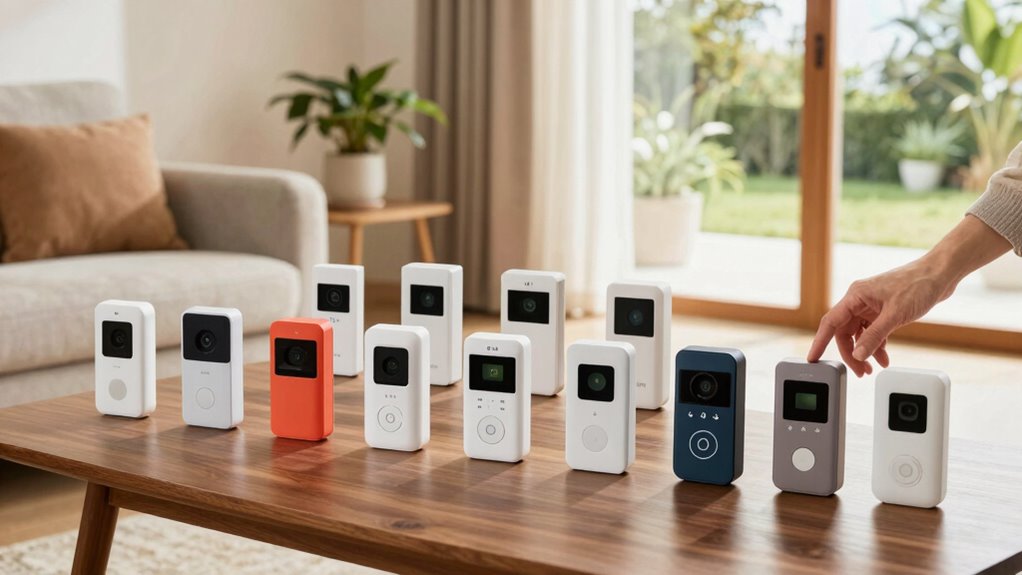
For a video doorbell for seniors that is easy to use, I would start with the Wireless 1080p Video Doorbell Camera with Indoor Monitor as the best overall choice, since its dedicated monitor can make answering the door less dependent on a smartphone. The TKMARS Wireless Video Doorbell with 4.3-Inch Monitor is another straightforward option for shoppers who want a screen indoors, while the Tapo D225 stands out for flexible wired or battery power. The main tradeoffs are whether a large, simple-to-view screen matters more than sharper video, whether the household wants to use an app, and how much setup and charging it can manage. Some options also rely more heavily on a phone or connected services than others. Read on for the full comparison, including who each doorbell suits and what to check before choosing.

Turn quiet afternoons into listening time
- Thousands of audiobooks, podcasts and originals
- Listen on your phone, tablet or Echo — also offline
- Cancel anytime
Complete the kit


Key Takeaways
- A dedicated indoor monitor is the clearest ease-of-use distinction. The Wireless 1080p model and TKMARS include screens, which may be simpler than opening an app for every visitor.
- Higher resolution does not automatically mean easier daily use. The 2K and 3K models offer more image detail, but buyers should weigh that against screen size, app steps, and household comfort with setup.
- Power choice affects ongoing effort. Battery models avoid wiring but need periodic charging; the Tapo D225 can use wired or battery power, while wired installation depends on the home’s existing setup.
- Dual-camera designs serve a specific viewing need. The Philips and Anona models add a second camera view, useful for checking a lower area, though added features may not help someone who wants the simplest interface.
- The best fit depends on who answers the door. A monitor-first household may favor the Wireless 1080p or TKMARS, while app-comfortable users may prefer options such as Google Nest, Tapo, or REOLINK for their feature priorities.
| Wireless 1080p Video Doorbell Camera with Indoor Monitor |  | Best Overall for Simple, Phone-Free Use | Video resolution: 1080p | Camera viewing angle: Listed as 120 degrees and 170 degrees | Indoor monitor: 4.3-inch IPS screen | VIEW ON AMAZON | See Our Full Breakdown |
| Wireless 2K HD Battery-Powered Video Doorbell with Chime |  | Best Value for Smartphone-Comfortable Beginners | Resolution: 2K HD | Viewing angle: 166 degrees | Night vision range: Up to 33 feet | VIEW ON AMAZON | See Our Full Breakdown |
| Philips Security Video Doorbell Camera with Chime, Dual Cameras, 2K QHD |  | Best for Flexible Power and Dual-Camera Coverage | Resolution: 2K QHD | Camera type: Dual cameras | Power options: Battery or wired | VIEW ON AMAZON | See Our Full Breakdown |
| TKMARS Wireless Video Doorbell with 4.3-Inch Monitor |  | Best for No-Wi-Fi Households | Monitor screen: 4.3-inch IPS | Connection: Private 2.4 GHz wireless | Video resolution: 480p | VIEW ON AMAZON | See Our Full Breakdown |
| Tapo 2K+ Wired or Battery Powered Smart Video Doorbell with Chime, D225 |  | Best Premium Smart-Home Pick | Resolution: 2K QHD | Field of view: 180-degree head-to-toe view | Power: 10,000mAh battery or 8–24V hardwiring | VIEW ON AMAZON | See Our Full Breakdown |
| Google Nest Doorbell (Battery) – Ivy |  | Best for Google Home Households | Video: HD with HDR and night vision | Detection: People, packages, animals, and vehicles | Free event history: Up to 3 hours | VIEW ON AMAZON | See Our Full Breakdown |
| Anona 3K Dual-Cam Video Doorbell with Wireless Power and Chime |  | Best for Package Visibility | Resolution: 3K, 5MP, with color night vision | Cameras: Dual: front view and secondary angle | Battery: 5200 mAh rechargeable | VIEW ON AMAZON | See Our Full Breakdown |
| BOIFUN Wireless 2K HD Video Doorbell Camera | 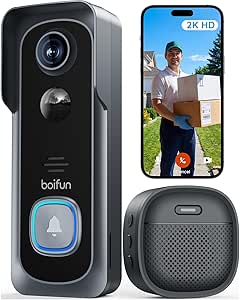 | Best for Straightforward Local Storage | Resolution: 2K HD | Field of view: 166 degrees | Wi-Fi: 2.4 GHz | VIEW ON AMAZON | See Our Full Breakdown |
| REOLINK Battery Video Doorbell (2nd Gen) 2K Wireless Camera White Version |  | Best for Less Frequent Charging | Resolution: 2K, 4MP (2048 × 2048) | Field of view: 1:1 head-to-toe view; 150° × 150° × 180° | Claimed battery life: Up to 10 months at 5 minutes of recording per day | VIEW ON AMAZON | See Our Full Breakdown |
| video doorbell for seniors easy to use | Resolution | Wi-Fi |
|---|---|---|
| Wireless 1080p Video Doorbell | — | — |
| Wireless 2K HD Battery-Powered | 2K HD | 2.4 GHz only |
| Philips Security Video Doorbel | 2K QHD | — |
| TKMARS Wireless Video Doorbell | — | — |
| Tapo 2K+ Wired or Battery Powe | 2K QHD | 2.4 GHz only |
| Google Nest Doorbell | — | 2.4 GHz and 5 GHz |
| Anona 3K Dual-Cam Video Doorbe | 3K, 5MP, with color night vision | 2.4 GHz, Wi-Fi 6 |
| BOIFUN Wireless 2K HD Video Do | 2K HD | 2.4 GHz |
| REOLINK Battery Video Doorbell | 2K, 4MP (2048 × 2048) | 2.4 GHz and 5 GHz |
More Details on Our Top Picks
Wireless 1080p Video Doorbell Camera with Indoor Monitor
For a senior who would rather check a dedicated screen than manage a phone app, this model offers one of the clearest paths to answering the door. The 4.3-inch indoor monitor and two-way audio make it possible to see and speak with a visitor without Wi-Fi, an app, or a subscription. Compared with the TKMARS Wireless Video Doorbell, it offers higher listed resolution at 1080p, though TKMARS advertises a wider 170-degree view. Night vision and optional local video recording add useful coverage, but recording requires a separately purchased microSD card. The main day-to-day compromise is power: the monitor must stay plugged in, so it needs a convenient outlet and a fixed spot. The listed viewing angle is also inconsistent—120 degrees in one spec and 170 degrees in another—making coverage harder to predict.
Pros:- Dedicated 4.3-inch screen and two-way audio avoid requiring a smartphone to answer visitors
- Works without Wi-Fi, an app, or subscription fees
- 1080p video and night vision support daytime and low-light viewing
- Adhesive mounting can avoid drilling or hardwiring
Cons:- The indoor monitor must remain plugged in during use, limiting where it can be placed
- A microSD card is sold separately for video recording
- The product data gives conflicting 120-degree and 170-degree viewing angles
Best for: Older adults who want a dedicated indoor screen and simple visitor conversations without using Wi-Fi or a smartphone app
Not ideal for: People who need a portable, battery-powered indoor monitor or want clearly specified camera coverage and included video storage
- Video resolution:1080p
- Camera viewing angle:Listed as 120 degrees and 170 degrees
- Indoor monitor:4.3-inch IPS screen
- Doorbell battery:1800mAh rechargeable; up to 2 months per charge
- Monitor power:USB Type-C; must remain plugged in during use
- Storage:Snapshots without a card; video recording supports 8GB–32GB microSD card, not included
- Connectivity:Wireless Bluetooth; no Wi-Fi required
- Water resistance:IP65
Our verdict“Choose this if a dedicated, phone-free indoor screen matters more than a portable monitor or fully clear coverage specifications.”
Wireless 2K HD Battery-Powered Video Doorbell with Chime
This is a practical step up for someone who wants sharper footage and useful alerts but does not need an elaborate smart-home setup. Its included indoor chime provides an audible signal at home, while human detection can cut down on notifications triggered by passing cars or animals. The 2K video and 166-degree view provide more detail and broad coverage than the 1080p Wireless Video Doorbell with Indoor Monitor, but this model relies on 2.4 GHz Wi-Fi and a phone-connected setup rather than a dedicated viewing screen. Free basic cloud storage and optional local recording give buyers storage choices, though the microSD card is not included. The stated battery life is up to 60 days under specified conditions, not a guarantee for every household; frequent alerts and live viewing can shorten it.
Pros:- 2K video and a 166-degree viewing angle offer detailed, broad doorstep coverage
- Included indoor chime provides an audible alert at home
- Human detection can reduce alerts from animals and passing vehicles
- Offers free basic cloud storage as well as optional microSD recording
Cons:- Requires 2.4 GHz Wi-Fi and is not suitable for networks using only 5 GHz
- MicroSD card for local recording is not included
- Battery life varies with activity and may fall short of the stated maximum
Best for: Seniors who can use a smartphone or have family help with setup and want a chime, human-detection alerts, and sharper footage
Not ideal for: People without reliable 2.4 GHz Wi-Fi or anyone who wants to view and answer visitors on a dedicated screen without using a phone
- Resolution:2K HD
- Viewing angle:166 degrees
- Night vision range:Up to 33 feet
- Storage:MicroSD up to 128GB, not included; free basic cloud storage with 7-day loop clips
- Battery life:Up to 60 days under stated lab conditions
- Wi-Fi:2.4 GHz only
- Weather resistance:IP66
- Audio and alerts:Two-way talk; human motion detection
- Included accessory:Indoor chime
Our verdict“Pick this for a Wi-Fi-ready household that wants a chime and sharper video without stepping up to the more involved Tapo D225 feature set.”
Philips Security Video Doorbell Camera with Chime, Dual Cameras, 2K QHD
The Philips is a better match for households prioritizing flexible installation and coverage than the simpler, screen-based Wireless 1080p Video Doorbell Camera with Indoor Monitor. Its dual-camera design and 2K QHD image offer a broader security approach, while battery or wired power lets a household choose between a less involved installation and using existing wiring. Two-way audio supports conversations from a connected device, and Alexa and Google Assistant compatibility can help when those systems are already part of the home. That smart-home dependence is a drawback for seniors seeking a standalone, easy-to-use monitor: unlike the TKMARS Wireless Video Doorbell, the listed features do not include a dedicated viewing screen. Storage is also limited to up to 8GB of encrypted video, and live streaming is available only from the front camera, reducing the benefit of the second camera during a live check.
Pros:- Dual cameras offer more coverage than a single-camera doorbell
- 2K QHD resolution supports detailed viewing
- Battery and wired power options suit different installation situations
- No monthly subscription fees are required
Cons:- Live streaming is available only from the front camera
- Video storage is limited to up to 8GB
- Full smart-home integration depends on compatible Alexa or Google devices
Best for: Households with compatible Alexa or Google devices that want dual-camera coverage and the choice of wired or battery power
Not ideal for: Seniors seeking a standalone indoor monitor, generous recording capacity, or live viewing from both cameras
- Resolution:2K QHD
- Camera type:Dual cameras
- Power options:Battery or wired
- Battery capacity:10,000mAh
- Night vision:Infrared
- Connectivity:Wi-Fi
- Audio:Two-way
- Storage:Up to 8GB encrypted video
- Smart-home compatibility:Alexa and Google Assistant
Our verdict“Choose the Philips for dual-camera coverage and flexible power if the household already uses compatible smart-home devices.”
TKMARS Wireless Video Doorbell with 4.3-Inch Monitor
For a senior who wants a doorbell and indoor screen that communicate directly, the TKMARS avoids the setup and account demands of app-based models. Its private 2.4 GHz connection works without home Wi-Fi, and the included 4.3-inch IPS monitor supports waking the screen to check the entrance. That makes it a simpler fit than the Wi-Fi-dependent Wireless 2K HD Battery-Powered Video Doorbell for households without a suitable router. There is a clear tradeoff: the TKMARS records at 480p, well below that model’s 2K resolution, so fine details may be harder to distinguish. Its advertised 170-degree view and night illumination help with general awareness, but walls, metal doors, and interference can reduce connection range. Local recording also requires a separately purchased card, and the monitor is best kept on USB-C power.
Pros:- Direct connection to the included monitor works without Wi-Fi, an app, or subscription
- 4.3-inch IPS display provides a dedicated way to check the door
- 170-degree advertised view and automatic night illumination support broad day and night awareness
- Supports local recording to a compatible memory card
Cons:- 480p resolution offers less detail than the 1080p and 2K alternatives
- Memory card is not included, so local recording requires an extra purchase
- Connection range can be reduced by walls, metal doors, and interference; monitor USB-C power is recommended
Best for: Older adults who want a dedicated indoor monitor and do not have, or do not want to use, Wi-Fi, a smartphone app, or a cloud account
Not ideal for: Buyers who need high-resolution footage, dependable operation across many walls, or a monitor that can be left unplugged
- Monitor screen:4.3-inch IPS
- Connection:Private 2.4 GHz wireless
- Video resolution:480p
- Viewing angle:170 degrees
- Night vision:Automatic LED illumination
- Local recording:Compatible 8GB–32GB TF/microSD card, not included
- Outdoor unit battery:Rechargeable 1800mAh; up to 1 month depending on use
- Monitor power:400mAh battery; USB-C power recommended
- Weather resistance:IP65
Our verdict“Select the TKMARS when avoiding Wi-Fi and smartphone setup matters more than image detail or maximum indoor range.”
Tapo 2K+ Wired or Battery Powered Smart Video Doorbell with Chime, D225
The Tapo D225 suits a senior whose household can help with app setup and who wants more than a basic doorbell alert. Its 180-degree head-to-toe view, 2K QHD video, and person, package, and vehicle detection provide more configurable monitoring than the Wireless 2K HD Battery-Powered Video Doorbell, which lists human detection. The included modular chime can be placed indoors, and Ring Call offers a direct way to answer through a phone call generated by the app. Battery power avoids wiring, while an 8–24V wired installation enables continuous recording. That flexibility brings added setup choices, and this model depends on 2.4 GHz Wi-Fi rather than providing the offline simplicity of the TKMARS monitor system. Local storage needs a microSD card, cloud history requires Tapo Care, and the stated battery life can vary with use.
Pros:- 180-degree head-to-toe view and 2K QHD video provide broad, detailed coverage
- Detects people, packages, and vehicles with selectable notification types
- Battery or 8–24V wired power accommodates different installation needs; wiring supports continuous recording
- Includes a modular indoor chime and supports two-way audio with quick responses
Cons:- Requires 2.4 GHz Wi-Fi and app-based setup, unlike the offline TKMARS system
- microSD card is not included, and cloud video history requires a Tapo Care subscription
- Battery life depends on recording, live-view use, settings, and environmental factors
Best for: Tech-comfortable seniors or family-managed homes that want broad detection options, an indoor chime, and a choice of battery or wired installation
Not ideal for: People who want a phone-free system, do not have 2.4 GHz Wi-Fi, or want cloud video history without a subscription
- Resolution:2K QHD
- Field of view:180-degree head-to-toe view
- Power:10,000mAh battery or 8–24V hardwiring
- Advertised battery life:Up to 8 months; varies with usage and conditions
- Wi-Fi:2.4 GHz only
- Detection:Person, package, and vehicle detection
- Storage:microSD up to 512GB, not included; cloud history via Tapo Care subscription
- Night vision:Full-color night vision with motion-activated spotlight
- Audio and indoor alert:Two-way audio, quick responses, and modular indoor chime
Our verdict“Choose the Tapo D225 for feature-rich monitoring and installation flexibility if a household member can manage its Wi-Fi and app setup.”
Google Nest Doorbell (Battery) – Ivy
For a senior or family already comfortable with Google Home, the Nest Doorbell’s person, package, animal, and vehicle alerts can make notifications easier to interpret than a stream of generic motion warnings. It also gives you three hours of event history without a subscription, plus live HD video with HDR and night vision. Compared with the BOIFUN Wireless 2K, Nest offers more event categories and can keep up to an hour of events locally during a Wi-Fi outage or power outage, but BOIFUN supports microSD storage and does not require a Google Home setup. Battery or wired installation makes Nest adaptable to different doorways. The main limitation is that battery operation does not provide continuous recording, even with a subscription; people who want longer local storage or less reliance on an app ecosystem may prefer the REOLINK Battery Video Doorbell.
Pros:- Identifies people, packages, animals, and vehicles for more informative alerts
- Includes three hours of event video history without a subscription
- Can store up to one hour of recorded events during Wi-Fi or power outages
- Can be installed on battery power or connected to existing doorbell wiring
Cons:- Battery-powered operation cannot record continuously, even with a Nest Aware subscription
- Longer event history requires a separate subscription
- Works through the Google Home app, which may be less convenient for households using other smart-home systems
Best for: Older adults or family caregivers who already use Google Home and want alerts that distinguish visitors from packages, animals, and vehicles.
Not ideal for: Buyers who want continuous video recording, extensive included event history, or local microSD storage without relying on a cloud subscription.
- Video:HD with HDR and night vision
- Detection:People, packages, animals, and vehicles
- Free event history:Up to 3 hours
- Outage event storage:Up to 1 hour
- Power:Built-in battery or existing doorbell wiring
- Wi-Fi:2.4 GHz and 5 GHz
- Dimensions:0.95 × 1.8 × 6.3 inches
Our verdict“Choose Nest if Google Home familiarity and clear, categorized alerts matter more than continuous recording or local expandable storage.”
Anona 3K Dual-Cam Video Doorbell with Wireless Power and Chime
The Anona is the clearest fit for a doorstep where packages are easy to miss: two cameras show the visitor and a second, lower area, while free AI detection can flag people, pets, and deliveries. Its included indoor chime is a useful advantage for seniors who may not notice a phone alert; the REOLINK Battery Video Doorbell, by comparison, offers a long claimed battery interval but requires a separate Chime Plus for full chime compatibility. Anona also includes two-way audio and quick replies, giving someone at home a way to respond without opening the door. The tradeoff is a more feature-heavy setup, and its stated Wi-Fi support is 2.4 GHz, so check router compatibility before buying. Local recording needs a separately purchased microSD card, and optional cloud storage may add ongoing cost.
Pros:- Dual cameras show the visitor and a second view of packages or nearby activity
- Free AI detection covers people, pets, and packages
- Indoor chime can alert someone without requiring them to notice a smartphone
- Supports battery or hardwired installation and includes two-way audio with quick replies
Cons:- MicroSD card for local recording is not included
- Only 2.4 GHz Wi-Fi is listed, which may not suit every network setup
- Optional cloud storage may involve additional ongoing costs
Best for: Older adults who receive frequent deliveries and want an indoor chime plus a dedicated view of packages near the doorstep.
Not ideal for: Buyers who want an included memory card, 5 GHz Wi-Fi support, or the simplest possible doorbell setup.
- Resolution:3K, 5MP, with color night vision
- Cameras:Dual: front view and secondary angle
- Battery:5200 mAh rechargeable
- Claimed battery life:Up to 100 days in wireless mode
- Power options:Battery or hardwired
- Wi-Fi:2.4 GHz, Wi-Fi 6
- Local storage:MicroSD up to 512 GB; card not included
- Smart-home compatibility:Alexa and Google Assistant
- Weather resistance:IP65
Our verdict“Pick Anona when package visibility and an included indoor chime matter more than a simpler, less feature-packed setup.”
BOIFUN Wireless 2K HD Video Doorbell Camera
BOIFUN suits buyers who want the basics—visitor alerts, two-way conversation, and night viewing—without needing a subscription for essential features. Its 166-degree field of view can capture a broad area around the doorway, while local microSD recording gives families a way to keep footage without depending on cloud history. Compared with the Google Nest Doorbell, BOIFUN is less tied to a specific smart-home ecosystem and supports expandable local storage; Nest, however, sorts alerts into more categories and can preserve events during an outage. The built-in battery keeps installation wire-free, but it is non-removable, so charging means taking the unit down or arranging another way to maintain power. The claimed 60-day battery life is based on laboratory conditions, and the card needed for local storage is sold separately.
Pros:- Essential features do not require a subscription
- 166-degree field of view covers a broad area near the entrance
- Supports local microSD storage up to 128 GB
- Includes two-way audio, human detection, and night vision
Cons:- Built-in battery is non-removable, making charging less convenient
- Claimed battery life varies with use and is based on laboratory conditions
- MicroSD card is not included and Wi-Fi is limited to 2.4 GHz
Best for: Seniors or caregivers seeking a basic wireless doorbell with a wide view and the option to save footage locally without a required subscription.
Not ideal for: People who need 5 GHz Wi-Fi, a replaceable battery, or a ready-to-use local recording setup without buying a memory card.
- Resolution:2K HD
- Field of view:166 degrees
- Wi-Fi:2.4 GHz
- Battery:Built-in, non-removable, 5200 mAh rechargeable
- Claimed battery life:Up to 60 days under laboratory conditions
- Night vision range:33 feet (10 meters)
- Local storage:MicroSD up to 128 GB; card not included
- Weather resistance:IP65
- Warranty:2 years
Our verdict“Choose BOIFUN for a wide-view, subscription-optional doorbell with local storage, provided you are comfortable periodically removing it to charge.”
REOLINK Battery Video Doorbell (2nd Gen) 2K Wireless Camera White Version
For seniors who would rather avoid frequent maintenance, REOLINK’s headline advantage is a claimed up to 10 months of battery life, based on five minutes of recording per day. Its square, head-to-toe view is designed to show both visitors and packages, and free detection covers people, vehicles, animals, and deliveries. Compared with the Anona 3K Dual-Cam, REOLINK does not use two cameras or include an indoor chime, but it supports both 2.4 and 5 GHz Wi-Fi and offers several local-storage routes, including microSD up to 512 GB. That flexibility can suit households already using Reolink equipment, though setup is less straightforward if you want an audible indoor chime: full compatibility requires the separate Chime Plus, and third-party mechanical chimes are not recommended. Battery life also depends on activity; the stated estimate assumes limited daily recording.
Pros:- Claimed battery life of up to 10 months under the stated recording conditions
- Head-to-toe 1:1 view is designed to show visitors and packages together
- Free AI detection covers people, vehicles, animals, and packages
- Supports dual-band Wi-Fi and multiple local-storage options
Cons:- Full chime compatibility requires a separately sold Reolink Chime Plus
- Not recommended for use with third-party mechanical chimes
- The battery-life estimate assumes only five minutes of recording per day
Best for: Older adults or caregivers who want fewer charging interruptions, a head-to-toe view, and local recording options within the Reolink ecosystem.
Not ideal for: Buyers who need an included indoor chime, prefer a very simple setup, or expect the maximum battery-life claim under heavy activity.
- Resolution:2K, 4MP (2048 × 2048)
- Field of view:1:1 head-to-toe view; 150° × 150° × 180°
- Claimed battery life:Up to 10 months at 5 minutes of recording per day
- Wired power:8–24 VAC
- Wi-Fi:2.4 GHz and 5 GHz
- Detection:People, vehicles, animals, and packages
- Local storage:MicroSD up to 512 GB, Home Hub, NVRs, or FTP
- Audio:Two-way talk, voice changer, and preset or custom replies
- Smart-home compatibility:Google Assistant and IFTTT
Our verdict“Choose REOLINK if reducing charging frequency and keeping recordings locally matter more than having an included indoor chime.”

How We Picked
I ranked these doorbells around the day-to-day needs behind the search: clear visitor viewing, simple ways to receive an alert, and manageable setup. I gave extra weight to dedicated indoor monitors because they can reduce reliance on a smartphone, and I considered whether each model offers a practical chime, flexible power, or a useful camera view. Resolution and extra cameras mattered, but only when balanced against the potential learning and maintenance involved.
The order reflects how directly each product appears to address ease of use for an older adult, not a claim that every household will find one interface simpler than another. Models with screens lead for buyers who prefer a physical display; more app-centered options rank lower for that specific need, though they may suit tech-comfortable users better. I also weighed tradeoffs such as battery upkeep, wiring requirements, and feature complexity. Check the product’s current instructions and compatibility details before purchase, since setup needs can depend on the home’s wiring and network.
Factors to Consider When Choosing Video Doorbell For Seniors Easy To Use
Choosing a senior-friendly doorbell is less about collecting the most features and more about removing friction from the moment someone arrives. I would start with who will answer, what device they can comfortably use, and what upkeep the household can take on.
Choose a screen the person will actually use
A dedicated monitor can be easier than asking someone to find a phone, open an app, and locate the live view. Before buying, check where the screen will sit and whether its display is large and clear enough from the usual chair or room. A doorbell with no bundled monitor can still work well if the person already uses a smartphone comfortably. Avoid assuming that a bigger camera resolution solves a small-screen or hard-to-read interface. Ask the main user to try a similar app or screen flow when possible, and prioritize the few actions they need most: see the visitor, hear the alert, and decide whether to answer.
Match alerts to hearing and routine
A notification is only useful if the person notices it. Consider whether they need an indoor chime, a visual alert, phone notifications, or more than one of these; do not assume a phone alert will be heard across the home. Think about where alerts should be audible and whether the device allows a suitable volume or tone. A very frequent motion alert can become easy to ignore, so check whether activity zones or notification settings can limit interruptions. If relatives help monitor the home, clarify who receives alerts and who is expected to respond. The simplest arrangement is usually the one with a clear, agreed-upon routine.
Pick a power setup that fits the household
Battery power avoids some wiring work but adds a recurring task: someone must notice low power, remove or access the unit, and recharge it. A wired doorbell can reduce charging chores, but existing wiring and installation conditions may limit compatibility. Hybrid models offer flexibility, yet the choice still needs to be made correctly for the home. Consider who will handle maintenance before focusing on convenience claims. If the resident cannot safely reach the device, plan for a family member or installer to manage charging and service visits. A small amount of planning can prevent a doorbell from becoming unusable after its first battery cycle.
Keep app access and account support manageable
App-based doorbells can offer remote viewing and shared access, but account setup, passwords, permissions, and phone changes create ongoing support needs. Decide who will own the account and whether a trusted relative should have access as a backup. Check whether the essential viewing and alert functions depend on a subscription or particular phone platform before committing. Do not set up multiple accounts casually; unclear ownership can make troubleshooting harder later. For someone who rarely uses apps, a monitor-led setup may be a better starting point, even if it offers fewer connected features. If remote family support is the priority, confirm that shared access is practical for everyone involved.
Balance camera coverage against interface simplicity
More views can help reveal packages or visitors near the doorstep, but each additional camera mode or alert setting may add choices. Decide what the household needs to see: a face at the door, the step below the camera, or a broader approach to the entrance. A second view is most useful when the mounting position leaves a real blind spot. Check how a person switches between views and whether the primary view remains easy to find. Do not pay for extra coverage that the main user will not access or that does not address the home’s layout. For many households, a dependable single view with a familiar alert is easier to use than a feature-rich setup.
Plan installation and help before the doorbell arrives
Installation can involve mounting height, Wi-Fi reach, wiring, and app pairing, so decide in advance who will handle each step. A weak signal at the entrance can lead to delayed alerts or unreliable live video, even when the camera itself is suitable. Check the distance from the router and whether the home has a practical way to improve coverage. If drilling or electrical work is needed, arrange qualified help rather than leaving the resident to troubleshoot alone. Save setup details and agree on who to contact if the doorbell goes offline. That support plan can matter as much as the camera’s feature list.
Frequently Asked Questions
Is a doorbell with an indoor monitor easier than one that uses only a phone?
For someone who does not regularly use a smartphone, a dedicated monitor can make the basic task of seeing a visitor more direct. It avoids finding the right app and may keep the screen in a familiar place. A phone-only model can still be suitable if the resident already uses notifications and video calls confidently. Check whether the monitor is included and how it receives the doorbell feed, rather than assuming any screen works automatically. The best choice depends on the user’s existing habits, not age alone.
Should I choose a battery doorbell or a wired one for an older adult?
Battery models can simplify installation when existing wiring is absent or unsuitable, but someone must handle recharging. Wired models can reduce that upkeep when the home’s wiring is compatible and installation is completed properly. Think about who will manage maintenance and whether the resident can safely reach the unit. A flexible-power model may help if the household is unsure, but confirm the wiring requirements before buying. The easier option is the one that fits both the house and the available support.
Do seniors need 2K or 3K video resolution?
More resolution can help show detail, but it does not by itself make the doorbell easier to operate or the visitor easier to identify on a small display. The viewing screen, camera placement, lighting, and network connection all affect the result. If the main user will check a dedicated monitor, prioritize a readable display and simple controls alongside image quality. Higher-resolution models make more sense for households that value detail and are comfortable with the app or settings. Buyers should avoid treating the largest resolution number as a substitute for a usable viewing experience.
Can a family member receive alerts and help manage the doorbell remotely?
Many connected doorbells support app access, but the exact sharing and alert options vary by model and account setup. Before purchase, check how another person is invited, whether they can view live video, and whether they can change settings. Agree on account ownership and keep recovery information somewhere the household can find it. A relative’s phone can provide backup, but it should not be the only way the resident receives a doorbell alert if they need an independent signal. Test the alert routine with everyone who is expected to respond.
What should I check before installing a video doorbell at a senior’s home?
Check the home’s doorbell wiring, Wi-Fi signal at the entrance, mounting position, and the person’s preferred way to receive alerts. Confirm that the camera can show the area they need to see without forcing them to move to an awkward location. Decide who will complete installation and who will handle charging or troubleshooting. Also review any subscription or account requirements for the features the household plans to use. A short setup plan can prevent confusion about who answers, who gets notifications, and who fixes problems.
Conclusion
For most households seeking a video doorbell that is easy for a senior to use, my best overall pick is the Wireless 1080p Video Doorbell Camera with Indoor Monitor, because a dedicated screen directly addresses the need for simple viewing. The TKMARS Wireless Video Doorbell with 4.3-Inch Monitor is my best choice for beginners who want a clear monitor-led setup, while the BOIFUN Wireless 2K HD Video Doorbell Camera is a value-oriented pick for buyers who want a straightforward wireless camera without prioritizing extra views. For a premium feature set, consider the Philips Security Video Doorbell or Anona 3K Dual-Cam if the second camera view solves a real coverage need. The Tapo D225 suits homes that want wired-or-battery flexibility, while Google Nest and REOLINK are better fits for app-comfortable households comparing connected features. Choose the model the person can answer reliably, and assign a family member to handle setup or battery upkeep if needed.