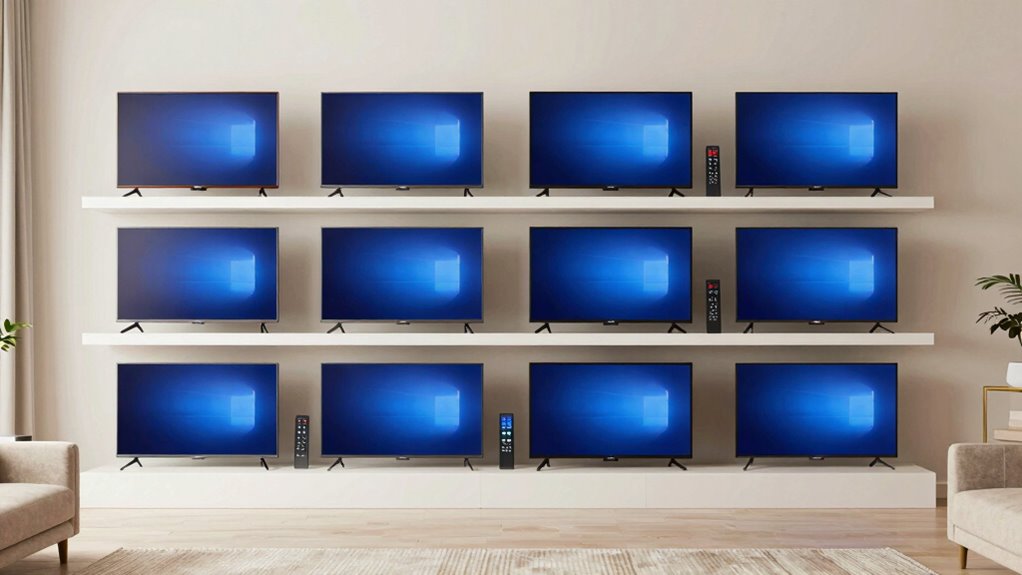

Finding a TV that balances a large screen with a straightforward remote can be challenging for seniors. The best options offer an intuitive experience, with big buttons and minimal complexity. The EZclicker TV Remote for Seniors stands out for its simplicity, while the Roku 50-Inch Select Series provides smart features with an easy remote. Many models trade off advanced features for ease of use, or vice versa. Keep reading to discover which TV and remote setup fits your needs best, based on size, usability, and affordability.

Turn quiet afternoons into listening time
- Thousands of audiobooks, podcasts and originals
- Listen on your phone, tablet or Echo — also offline
- Cancel anytime
Complete the kit


Key Takeaways
- Top picks balance large screens with simplified remote controls, prioritizing ease of use for seniors.
- Many models focus on big, color-coded buttons but vary in compatibility and smart features.
- Universal remote options often provide better value but may sacrifice out-of-the-box simplicity.
- Premium models tend to include voice control or smart capabilities, which can be confusing for some users.
- Choosing the right remote depends on the user’s familiarity with technology and specific needs like dementia-friendliness.
| EZclicker TV Remote for Seniors, Extra Simple Big Button Remote (Orange) |  | Best Overall for Simplicity and Compatibility | Button Type: Big buttons with tactile feedback | Compatibility: Major TV brands (not for cable boxes or streaming devices) | Dimensions: 6″ x 2″ x 1″ | VIEW ON AMAZON | See Our Full Breakdown |
| Roku 50-Inch Select Series 4K HDR Smart TV with Enhanced Voice Remote |  | Best for Vibrant Streaming and Visuals | Screen Size: 50 inches | Resolution: 4K HDR | Remote: Enhanced Voice Remote | VIEW ON AMAZON | See Our Full Breakdown |
| Roku 55-Inch Select Series 4K HDR Smart TV with Voice Remote |  | Best for Larger Screen and Customization | Size: 55 inches | Resolution: 4K HDR | HDR: HDR10+ | VIEW ON AMAZON | See Our Full Breakdown |
| Flipper Big Button TV Remote for Seniors, Dementia – Easy Setup |  | Best for Dementia and Low Vision Needs | Button Colors: Green (On/Off), Orange (Volume), Blue (Channel), Gray (Mute) | Compatibility: All major TV brands and cable providers | Favorite Channels: Up to 25 | VIEW ON AMAZON | See Our Full Breakdown |
| Big Button Universal TV Remote for Seniors, Easy to Use, Compatible with Most Brands |  | Best Budget-Friendly Universal Control | Design: Big button, tactile feedback | Compatibility: Most major TV brands | Not for: DVD, cable boxes, streaming devices | VIEW ON AMAZON | See Our Full Breakdown |
| EZclicker LG TV Remote Big Button Easy to Use Remote for LG TV (Black) |  | Best for LG TV Owners Needing Simplicity | Compatibility: LG TVs | Button Quantity: 13 | Maximum Range: 45 feet | VIEW ON AMAZON | See Our Full Breakdown |
| Big Button TV Remote for Seniors, Dementia – Easy Setup with Large Color-Coded Buttons |  | Best for Dementia and Low Vision Users Needing Universal Compatibility | Compatibility: All major TV brands, cable and satellite providers | Button Size: Large | Color Coding: Yes | VIEW ON AMAZON | See Our Full Breakdown |
| TV Remote for Seniors – Big Button, Easy to Use, Universal, Dementia Friendly |  | Best for Nighttime Use and Waterproof Needs | Buttons: Large, color-coded tactile | Functions: Power, Volume, Channel, Mute | Compatibility: Major TV brands | VIEW ON AMAZON | See Our Full Breakdown |
| Big Button Universal Remote for All TV Brands |  | Best for Multi-Brand Household Simplicity | Compatibility: Samsung, LG, VIZIO, Sony, Hisense, Philips, Panasonic, Sharp | Features: Extra-large enter button, tactile feedback, no programming needed | Intended Users: Seniors, visually impaired, people with dementia | VIEW ON AMAZON | See Our Full Breakdown |
| Large Button TV Remote Control for Seniors, Easy to Use Simple Remote for TV, Large Buttons and Clear Layout |  | Best for Traditional TV Users Needing Clear Layout | Button Size: Large | Compatibility: Most major TV brands | Design: Ergonomic, lightweight | VIEW ON AMAZON | See Our Full Breakdown |
| Big Button Universal TV Remote – Easy to Use, Compatible with Major TV Brands, Ideal for Seniors |  | Best Overall for Flexibility and Ease of Programming | Button Design: Extra-large enter button, tactile feedback | Compatibility: Samsung, LG, VIZIO, Sony, Hisense, Philips, Panasonic, Sharp TVs | Programming Method: Press and hold Mute & Volume+ to sync | VIEW ON AMAZON | See Our Full Breakdown |
| EZclicker Samsung TV Remote Big Button, Easy to Use, for Samsung TVs Only |  | Best for Samsung TV Owners Who Want No Setup Hassle | Compatibility: Samsung TVs only | Button Design: Big buttons with tactile feedback | Dimensions: 7″ x 2″ x 1″ | VIEW ON AMAZON | See Our Full Breakdown |
| tv for seniors large screen simple remote | Compatibility |
|---|---|
| EZclicker TV Remote for Senior | Major TV brands (not for cable boxes or streaming devices) |
| Roku 50-Inch Select Series 4K | — |
| Roku 55-Inch Select Series 4K | — |
| Flipper Big Button TV Remote f | All major TV brands and cable providers |
| Big Button Universal TV Remote | Most major TV brands |
| EZclicker LG TV Remote Big But | LG TVs |
| Big Button TV Remote for Senio | All major TV brands, cable and satellite providers |
| TV Remote for Seniors | Major TV brands |
| Big Button Universal Remote fo | Samsung, LG, VIZIO, Sony, Hisense, Philips, Panasonic, Sharp |
| Large Button TV Remote Control | Most major TV brands |
| Big Button Universal TV Remote | Samsung, LG, VIZIO, Sony, Hisense, Philips, Panasonic, Sharp TVs |
| EZclicker Samsung TV Remote Bi | Samsung TVs only |
More Details on Our Top Picks
EZclicker TV Remote for Seniors, Extra Simple Big Button Remote (Orange)
This remote stands out for its large, tactile buttons that are perfect for seniors with limited dexterity or vision. Unlike the Big Button Universal TV Remote for Seniors, which lacks tactile feedback, the EZclicker offers a more responsive experience, reducing accidental presses. Its straightforward programming process makes setup effortless, ideal for users who want minimal fuss. However, it doesn’t support streaming devices or cable boxes, limiting its use to major TV brands. The lightweight, compact design ensures comfort during extended use, but batteries are not included, adding a small hurdle. This remote is best suited for seniors seeking a simple, reliable device compatible with most TVs, with no need for smart features or streaming support.
Pros:- Large, easy-to-press buttons with tactile feedback
- Simple, quick programming process
- Lightweight and compact for comfortable use
Cons:- Not compatible with cable boxes or streaming devices
- Batteries not included, requiring an extra purchase
Best for: Seniors with limited dexterity or vision who want a straightforward remote compatible with major TV brands
Not ideal for: Those wanting to control streaming devices or cable boxes, as this remote isn’t compatible with those systems
- Button Type:Big buttons with tactile feedback
- Compatibility:Major TV brands (not for cable boxes or streaming devices)
- Dimensions:6″ x 2″ x 1″
- Batteries:2x AAA (not included)
Our verdict“This remote is ideal for seniors who prioritize simplicity and compatibility over smart features.”
Roku 50-Inch Select Series 4K HDR Smart TV with Enhanced Voice Remote
This 50-inch Roku TV excels in delivering bright, vivid 4K HDR images, making it a top choice for viewers who want high-quality picture clarity. Compared with the Roku 55-Inch Select Series, which offers a slightly larger screen and more channels, this model focuses on excellent visuals and ease of use. Its enhanced voice remote simplifies navigation with voice search and shortcuts, but the remote can be misplaced, despite the remote finder feature. The TV’s interface is intuitive, supporting a wide array of free and paid streaming channels, perfect for users who primarily watch content via streaming services. However, the sound quality often requires external speakers for a richer experience, which might be an inconvenience for some.
Pros:- Bright, vivid 4K HDR picture quality
- User-friendly Roku interface with extensive streaming options
- Enhanced voice remote with voice search and shortcuts
Cons:- Sound may require external speakers for better quality
- Remote can be easily misplaced despite remote finder
Best for: Seniors who prioritize vibrant picture quality and easy streaming access
Not ideal for: Those who prefer traditional cable viewing or want integrated sound systems without external speakers
- Screen Size:50 inches
- Resolution:4K HDR
- Remote:Enhanced Voice Remote
- Connectivity:Wi-Fi
Our verdict“This TV makes the most sense for seniors seeking vibrant visuals and simple streaming controls, with external audio as a minor tradeoff.”
Roku 55-Inch Select Series 4K HDR Smart TV with Voice Remote
This 55-inch Roku TV provides a larger viewing area and richer color with HDR10+ support, making it suitable for those who want a more immersive experience. Unlike the Roku 50-Inch Series, it offers automatic brightness adjustment, which helps optimize picture quality in different lighting conditions. Its customizable home screen makes navigation straightforward, and over 400 free channels expand entertainment options. The remote’s voice features enhance accessibility, but the TV relies heavily on a stable Wi-Fi connection, limiting its effectiveness in weaker networks. Without a traditional cable tuner, it suits users who prioritize streaming and smart features over cable TV, but basic sound quality may need enhancement with external speakers.
Pros:- Large 55-inch display with vibrant 4K HDR visuals
- Automatic brightness adjustment for optimal viewing
- Extensive free-to-air channels with Roku platform
Cons:- No traditional cable input, limited to streaming
- Requires a stable Wi-Fi connection for best performance
- Basic sound quality without external speakers
Best for: Seniors who enjoy larger screens, streaming, and customizable interfaces
Not ideal for: Users who prefer cable TV or limited Wi-Fi environments, as streaming is essential
- Size:55 inches
- Resolution:4K HDR
- HDR:HDR10+
- Remote:Enhanced voice remote
Our verdict“Ideal for seniors who want a large, colorful screen with easy access to streaming and customizable features, assuming good Wi-Fi is available.”
Flipper Big Button TV Remote for Seniors, Dementia – Easy Setup
The Flipper Big Button Remote is designed specifically for seniors with dementia or low vision, featuring large, color-coded buttons that simplify operation. It controls both TVs and cable/satellite boxes, providing versatility similar to the Big Button Universal Remote for Seniors, but with added tactile and color cues that reduce confusion. Unlike generic universal remotes, its dedicated design minimizes accidental presses and streamlines channel and volume adjustments. The main tradeoff is its limited functionality—no support for streaming apps or smart TV features—making it less suitable for users seeking modern entertainment options. Battery life is reasonable, but batteries are not included, which could be an inconvenience.
Pros:- Large, color-coded, tactile buttons for easy identification
- Universal compatibility with TVs and cable providers
- Allows customization of favorite channels
Cons:- Does not support streaming apps or smart features
- Requires two AA batteries, not included
Best for: Seniors with dementia or low vision who need simple, tactile controls
Not ideal for: Those wanting streaming or smart TV features, which this remote does not support
- Button Colors:Green (On/Off), Orange (Volume), Blue (Channel), Gray (Mute)
- Compatibility:All major TV brands and cable providers
- Favorite Channels:Up to 25
- Batteries:2x AA (not included)
Our verdict“This remote is perfect for dementia patients or seniors with low vision who need simple tactile controls without smart features.”
Big Button Universal TV Remote for Seniors, Easy to Use, Compatible with Most Brands
This remote offers a straightforward, large-button design that makes it easy for seniors with limited vision or dexterity to operate most major TV brands. Compared to the EZclicker Remote, which is more compact, this model emphasizes simplicity and broad compatibility, making it a reliable replacement. However, it lacks voice control and smart features, limiting its appeal for those wanting modern conveniences. Its traditional remote layout minimizes confusion, but it’s strictly for TV control, so users seeking integration with streaming or cable boxes should look elsewhere. The absence of advanced features makes it a practical choice for basic TV operation at a low cost.
Pros:- Large, tactile, easy-to-press buttons
- Simple layout facilitates quick learning
- Broad compatibility with most major TV brands
Cons:- No voice control features
- Limited to TV control only, no streaming or smart features
Best for: Budget-conscious seniors needing a reliable, easy-to-use TV remote
Not ideal for: Those seeking voice commands or streaming device control, as this remote is only for traditional TV functions
- Design:Big button, tactile feedback
- Compatibility:Most major TV brands
- Not for:DVD, cable boxes, streaming devices
- Remote type:Traditional TV remote
Our verdict“This remote suits seniors who want a simple, affordable solution for basic TV operation without extra features.”
EZclicker LG TV Remote Big Button Easy to Use Remote for LG TV (Black)
This remote stands out for its large, tactile buttons and lightweight design, making it ideal for seniors with limited dexterity or poor vision. Unlike universal remotes, it is exclusively compatible with LG TVs, which simplifies operation but limits flexibility. It offers no smart features or advanced controls, focusing solely on basic functions. Compared to the Big Button Universal Remote, it provides a more tailored experience for LG owners but sacrifices compatibility with other brands. The tactile feedback enhances ease of use, yet the lack of additional functions might frustrate users seeking more control. Batteries are not included, adding a small inconvenience, but the compact size makes it easy to handle.
Pros:- Large, easy-to-press buttons suitable for seniors
- Simple, no programming required
- Lightweight and compact for easy handling
- Tactile feedback enhances usability
Cons:- Limited to LG TV compatibility only
- Batteries not included
- No smart features or advanced controls
Best for: LG TV owners who want a straightforward remote with large buttons and tactile feedback
Not ideal for: Users with multiple TV brands or those seeking smart features and voice control, as this remote is limited to LG TVs only
- Compatibility:LG TVs
- Button Quantity:13
- Maximum Range:45 feet
- Batteries:2x AAA (not included)
- Color:Black
- Item Weight:0.09 kg
Our verdict“This remote makes the most sense for LG TV owners who want a basic, large-button remote without extra features.”
Big Button TV Remote for Seniors, Dementia – Easy Setup with Large Color-Coded Buttons
This remote excels at accommodating users with dementia or low vision thanks to its large, color-coded tactile buttons and universal compatibility with major TV brands and cable providers. Compared with the TV Remote for Seniors, it offers broader device support, simplifying control over multiple entertainment sources. Setup is straightforward, and its simple design minimizes confusion, but it relies on IR technology which can require line of sight, especially with cable boxes. The limited functions focus on essential TV controls, making it less suitable for users who want streaming or smart features. Some users may need IR extenders for optimal performance, but the large buttons and clear color coding significantly boost usability for impaired users.
Pros:- Large, color-coded tactile buttons for easy identification
- Universal compatibility with major TV brands and cable providers
- Simple setup designed for elderly and caregivers
- Reliable basic TV control
Cons:- Requires line of sight for optimal IR operation
- Limited to basic functions, no smart features
- Some users may need IR extenders
Best for: Caregivers seeking a simple, universal remote for seniors or dementia patients
Not ideal for: Tech-savvy seniors looking for smart controls or remote functions beyond basic TV operation
- Compatibility:All major TV brands, cable and satellite providers
- Button Size:Large
- Color Coding:Yes
- Works with:Traditional TVs, cable boxes, soundbars
- Warranty:90 days
Our verdict“This remote is ideal for caregivers who need a simple, reliable device for dementia or low vision users across multiple TV brands.”
TV Remote for Seniors – Big Button, Easy to Use, Universal, Dementia Friendly
This remote combines large, color-coded tactile buttons with waterproof and luminous features, making it especially suitable for nighttime use or in environments prone to spills. Compared to the Big Button Universal Remote, it adds waterproofing and a luminous display, which can be crucial for night-time operation or for users with impaired vision. Its auto search and learning functions ease setup, but it only includes core functions like power, volume, and channel, limiting its use for users who want streaming or smart features. The reliance on basic remote functions makes it less versatile but highly accessible for seniors with specific needs for durability and visibility.
Pros:- Large, easy-to-press buttons for visibility and comfort
- Auto search and learning functions simplify setup
- Waterproof and luminous for night-time or spill-prone environments
- Compatible with major TV brands
Cons:- Limited to basic TV functions, no smart or streaming controls
- Batteries not included
- No voice or smart features
Best for: Seniors or caregivers needing a waterproof, luminous remote for basic TV control, especially at night
Not ideal for: Those seeking advanced features or compatibility with streaming devices and smart home controls
- Buttons:Large, color-coded tactile
- Functions:Power, Volume, Channel, Mute
- Compatibility:Major TV brands
- Waterproof:Yes
- Luminous:Yes
- Batteries:2 x AAA (not included)
Our verdict“This remote suits seniors who need a durable, easy-to-see device for basic TV control, especially in low-light settings.”
Big Button Universal Remote for All TV Brands
This remote provides a straightforward solution for seniors needing an easy-to-use device compatible with multiple major TV brands without requiring programming. It features an extra-large enter button with tactile feedback, making it highly accessible compared to more complex remotes like the EZclicker LG Remote. The lack of advanced features or compatibility with streaming devices limits its use to traditional TVs, but for users who want a no-fuss device, it offers excellent simplicity and broad brand support. However, it won’t work with cable boxes or smart streaming devices, which could restrict its utility in a modern entertainment setup.
Pros:- Large, tactile buttons for easy operation
- No programming needed, ready to use out of the box
- Compatible with many major TV brands
- Ideal for seniors and visually impaired users
Cons:- Limited to TV control only, no smart device support
- Does not support streaming or cable box functions
- No advanced or smart features
Best for: Seniors who want a simple, no-setup remote for multiple TV brands in a household
Not ideal for: Households with streaming devices or cable boxes requiring more advanced remote features
- Compatibility:Samsung, LG, VIZIO, Sony, Hisense, Philips, Panasonic, Sharp
- Features:Extra-large enter button, tactile feedback, no programming needed
- Intended Users:Seniors, visually impaired, people with dementia
Our verdict“This remote makes sense for seniors who need a simple, universal TV remote without extra functions or setup hassle.”
Large Button TV Remote Control for Seniors, Easy to Use Simple Remote for TV, Large Buttons and Clear Layout
This remote emphasizes clarity with large, clearly marked buttons and an ergonomic, lightweight design, making it especially suitable for low vision users and seniors who prefer straightforward operation. Compared to the Big Button TV Remote for Seniors, it offers a more ergonomic and durable build, focusing on comfort and simplicity. It supports most major TV brands but does not include features like voice control or streaming support, which limits its versatility for tech-savvy users. Its straightforward design promotes independence, yet it may not meet the needs of those requiring advanced functionalities or device compatibility beyond basic TV control.
Pros:- Large, clearly marked buttons for easy visibility
- Compatible with most major TV brands
- Ergonomic and durable design for comfortable use
- Simple layout reduces confusion
Cons:- Limited to traditional TV functions only
- Does not support streaming or smart device control
- No voice or advanced features
Best for: Seniors with low vision who want a simple, durable remote with a clear, easy-to-understand layout
Not ideal for: Users seeking smart features, voice control, or device compatibility beyond traditional TVs
- Button Size:Large
- Compatibility:Most major TV brands
- Design:Ergonomic, lightweight
- Intended Users:Seniors, low vision users
Our verdict“This remote is best suited for seniors who need a straightforward, tactile device for traditional TV operation with enhanced comfort and visibility.”
Big Button Universal TV Remote – Easy to Use, Compatible with Major TV Brands, Ideal for Seniors
This remote stands out for its universal compatibility, working with major brands like Samsung, LG, Sony, and more, making it a versatile choice for households with multiple TV models. Unlike the EZclicker Samsung TV Remote, which is limited to Samsung TVs, this model offers broader compatibility, though it requires manual programming, which might be a challenge for some seniors. Its large, tactile buttons and simple pairing process make it accessible, but it doesn’t support streaming devices or smart features. The 90-day warranty adds peace of mind, and its straightforward design makes it suitable for users with limited dexterity or vision. Compared to more basic remotes, this offers greater flexibility at the expense of a slightly more involved setup process.
Pros:- Large buttons with tactile feedback for easy pressing
- Compatible with most major TV brands, reducing the need for multiple remotes
- Simple programming process suitable for seniors
Cons:- Requires manual programming, which may be confusing for some users
- Limited to TV control only, no smart or streaming features
Best for: Seniors or caregivers wanting a universal remote compatible with various TV brands without sacrificing simplicity
Not ideal for: Users seeking a remote with advanced smart features or compatibility with streaming devices
- Button Design:Extra-large enter button, tactile feedback
- Compatibility:Samsung, LG, VIZIO, Sony, Hisense, Philips, Panasonic, Sharp TVs
- Programming Method:Press and hold Mute & Volume+ to sync
- Warranty:90 days
Our verdict“This remote is best suited for seniors needing a versatile, easy-to-program remote that works with a wide range of TVs.”
EZclicker Samsung TV Remote Big Button, Easy to Use, for Samsung TVs Only
This remote excels for Samsung owners who prioritize a ready-to-use, simple device. Unlike the Big Button Universal TV Remote, which requires manual programming, the EZclicker Samsung TV Remote offers immediate use straight out of the box, with large, tactile buttons designed specifically for ease of use. Its compact, lightweight design makes handling straightforward, though it limits users to Samsung models only. The absence of advanced features or smart capabilities keeps it simple, but also means it won’t satisfy those looking for more functionality. Batteries are not included, which could be an inconvenience, especially for seniors who might forget to purchase replacements.
Pros:- Large, easy-to-press buttons ideal for limited dexterity
- No programming required, ready to use immediately
- Compact and lightweight for easy handling
Cons:- Limited to Samsung TVs only, reducing versatility
- Batteries not included, requiring an extra step before use
Best for: Seniors or visually impaired users with Samsung TVs who want a straightforward, no-fuss remote
Not ideal for: Households with multiple TV brands or users seeking smart TV controls and additional features
- Compatibility:Samsung TVs only
- Button Design:Big buttons with tactile feedback
- Dimensions:7″ x 2″ x 1″
- Batteries:2x AAA (not included)
Our verdict“This remote is perfect for Samsung TV owners who want simplicity and immediate usability without setup hassle.”

How We Picked
Our evaluation focused on usability, build quality, compatibility, and value. We prioritized remote simplicity, such as large buttons and minimal functions, to help seniors operate the TV independently. Compatibility with major brands and smart features were secondary considerations, included only if they enhanced ease of use without adding complexity. We ranked products based on how well they meet these criteria, balancing affordability with practical accessibility. Our goal was to identify options suitable for users with varying levels of tech comfort, from beginners to those with specific cognitive needs.Factors to Consider When Choosing Tv For Seniors Large Screen Simple Remote
Choosing a TV for seniors with a large screen and simple remote involves weighing several factors. Ease of use is paramount, but other considerations like compatibility, size, and additional features also matter. A well-chosen TV can significantly enhance entertainment and independence, so understanding these factors helps avoid common pitfalls and ensures a satisfying purchase. Here are key elements to consider beyond just the remote design.Remote Simplicity and Design
Look for remotes with large, tactile buttons that are clearly labeled and color-coded if possible. Avoid models with complex layouts or multiple functions that can overwhelm users. Simple remotes should focus on essential buttons: power, volume, channel, and a few shortcuts. For users with cognitive challenges, dementia-friendly remotes with minimal buttons can be a game-changer, reducing confusion and frustration.
Screen Size and Resolution
A large screen, typically 50 inches or more, enhances visibility and viewing comfort. However, bigger screens can sometimes mean higher prices and bulkier setups. Resolution matters too; 4K offers sharper images, which can be especially helpful for seniors with visual impairments. Balancing size and clarity is key to making the most of the screen without complicating the setup or use.
Compatibility and Smart Features
While smart features like streaming apps add versatility, they can also introduce complexity. Consider whether the user needs smart TV capabilities or prefers a straightforward, traditional TV with a simple remote. Universal remotes can simplify control across multiple devices but may require initial setup. Ensure compatibility with existing devices to avoid additional purchases or confusing interfaces.
Ease of Setup and Maintenance
Select models known for straightforward installation and minimal ongoing maintenance. Some remote controls and TVs come with clear instructions or pre-programmed settings, reducing setup time. Consider remote controls with tactile feedback or audible signals to help users confirm their actions. Regular updates or firmware can sometimes complicate maintenance, so check for models with minimal or automatic updates.
Price and Value
Prices range from budget-friendly to premium. Basic models with big buttons are often more affordable but may lack features like voice control or smart apps. Investing a bit more can provide additional convenience, such as voice commands or better picture quality, but may overwhelm users who prioritize simplicity. Assess the user’s comfort with technology to strike the right balance between cost and functionality.
Frequently Asked Questions
Will a smart TV with voice control be too complicated for seniors?
Many seniors find voice controls helpful but can be confused by the complexity of smart TVs. If the user is comfortable with voice commands and technology, a smart TV with simplified voice features can add convenience. However, for those who prefer minimal interaction, a basic TV with a simple remote is often better. Consider the user’s tech experience and cognitive needs when choosing between smart and traditional models.
Are universal remotes suitable for seniors with limited dexterity?
Universal remotes with large, well-spaced buttons are generally suitable for users with limited dexterity. Look for models with tactile feedback and straightforward layouts to improve usability. However, some universal remotes can be complicated to program initially, so choosing one with simple setup instructions or pre-programmed functions can save frustration. Always consider the remote’s physical design and ease of programming.
How important is screen size versus picture quality?
For seniors, screen size often takes precedence because it directly impacts visibility and comfort. A 50-inch or larger display provides a more immersive experience and easier viewing from different angles. Picture quality remains important but should not overshadow the need for a large, clear display. Prioritize a model that offers good resolution, like 4K, to ensure sharp images on a big screen without sacrificing clarity.
Can I find a remote that works with multiple devices without adding complexity?
Yes, universal remotes are designed to control multiple devices with a single remote, reducing clutter and simplifying operation. Many models are compatible with TVs, streaming devices, and sound systems. However, they can be tricky to set up initially, especially for users unfamiliar with programming. Choosing a remote with clear instructions and simple button layouts makes the process easier and enhances daily usability.
Is it worth paying extra for a TV with built-in accessibility features?
Investing in a TV with accessibility features like large text, high contrast, or audio descriptions can greatly benefit users with visual or auditory impairments. These features improve overall usability and independence. However, they often come at a higher price and may add complexity if not needed. Evaluate the specific needs of the user to determine if these extras justify the additional cost.
Conclusion
For those seeking the simplest, most reliable solution, the EZclicker TV Remote for Seniors paired with a large, easy-to-read TV makes a great choice for beginners or users with cognitive challenges. The Roku 50-Inch Select Series offers a good balance of smart features and ease of use for tech-savvy seniors who want streaming options. Budget-conscious buyers will appreciate universal remotes and basic large-screen TVs, while those needing advanced features should consider premium models with voice control. Ultimately, matching the setup to the user’s familiarity with technology and specific needs will lead to the most satisfying experience.
Halloween Picks
halloween
As an affiliate, we earn on qualifying purchases.