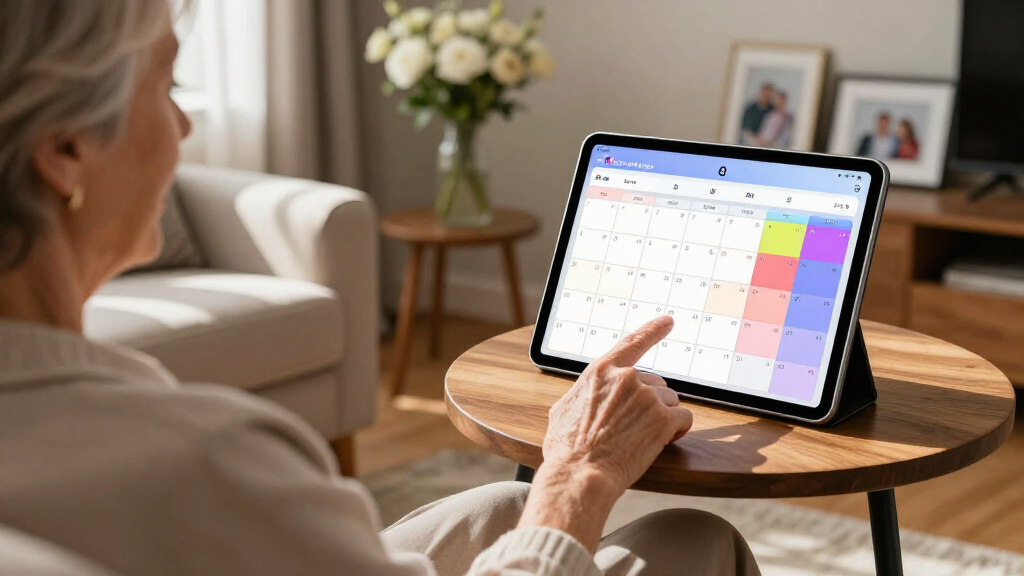

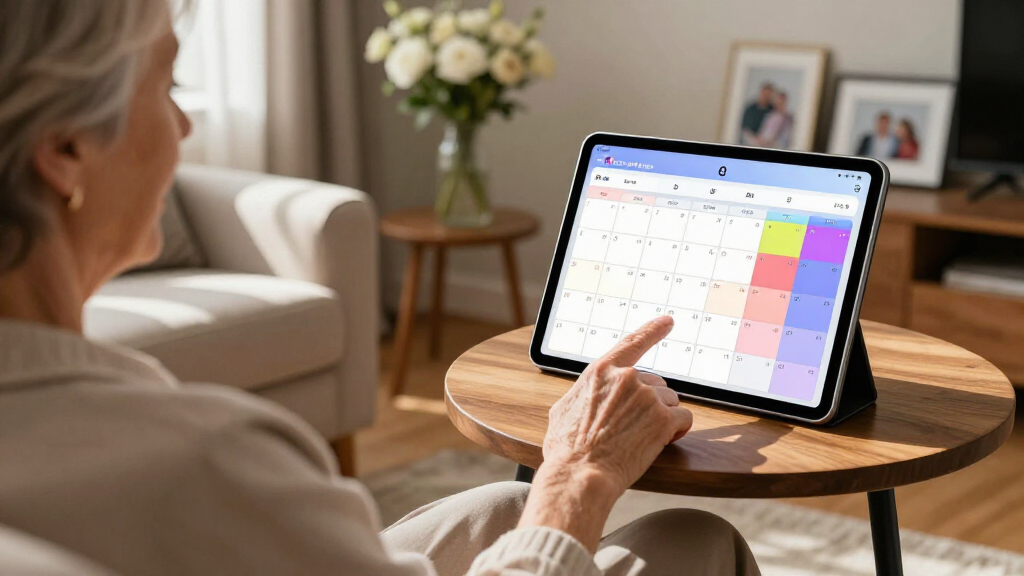
Large print digital calendars solve a real household problem: keeping everyone’s schedules visible without squinting at a phone screen or deciphering cramped paper grids. After comparing nine of the most popular options, the Cozyla Calendar Plus 2 32″ stands out as the best overall pick thanks to its huge, glare-resistant display and full Google Play access, which makes it as much a household tablet as a calendar. The Ingnok 15.6″ Smart Family Planner is the strongest mid-size value, and the 10.1-inch Smart Electronic Planner suits anyone who wants a desktop companion rather than a wall command center. The main tradeoff in this category is size versus cost and placement flexibility — a 32-inch panel transforms a kitchen wall but costs three times more than a compact model. Read on for the full breakdown, including which calendars earned their price tags and which ones you can safely skip.

Turn quiet afternoons into listening time
- Thousands of audiobooks, podcasts and originals
- Listen on your phone, tablet or Echo — also offline
- Cancel anytime
Complete the kit


Key Takeaways
- Screen size is the single biggest price driver: 32-inch models like the Cozyla Calendar Plus 2 and Plus Go cost roughly double or triple the 15.6-inch options, but they’re the only ones readable from across a large room.
- The 15.6-inch tier is the most crowded and most inconsistent — models look nearly identical in listings but differ meaningfully in touch responsiveness, mount quality, and whether photo-frame and chore-chart features are actually usable.
- Google Play access separates the Cozyla Calendar Plus 2 from every other pick: it can run third-party apps, while most competitors lock you into a single companion app with limited widget options.
- The battery-powered Cozyla Plus Go trades plug-in reliability for portability — worthwhile only if you genuinely need to move the calendar between rooms; otherwise it’s a premium without payoff.
- The 10.1-inch model is the only genuinely portable option and the easiest first purchase, but its small text means it fails the core ‘large print’ test for anyone with low vision.
- App quality mattered more than hardware in the mid-tier: two similar 15.6-inch calendars ranked several spots apart almost entirely because of sync reliability and setup friction.


| large print digital calendar | Screen Size | Connectivity | Warranty | Features |
|---|---|---|---|---|
| 15.6" Family Digital Touchscre | 15.6 inches | WiFi | Not specified | Color-coded reminders, calendar sync, photo frame mode, auto-brightness, weather display |
| Cozyla Calendar Plus 2 32" Sma | 32 inches | Google, Apple, Outlook, Yahoo | 1 year | Customizable widgets, chore/reward system, meal planning, voice commands |
| Ingnok Digital Calendar 15.6" | 15.6 inches | Wi-Fi | 1 year | — |
| Pronext Digital Calendar | 15.6 inches | WiFi | Not specified | — |
| Cozyla Calendar Plus Go 32" Mo | 32 inches | Wi-Fi, Google Play Store | 1 year | Customizable widgets, chore charts, meal planning, voice commands, smart home integration |
| 15.6" Digital Calendar Wall To | 15.6 inches | — | 2 years | — |
| 15.6 Inch Digital Wall Calenda | 15.6 inches | — | — | Whiteboard, reminders, chore chart, meal planner, photo frame |
| Apolosign 27-inch Digital Cale | — | Wi-Fi | — | — |
| Digital Calendar 10.1 Inch Sma | 10.1 inches | — | — | Chore tracker, meal plan, photo display, GIF support, slideshow |
More Details on Our Top Picks
15.6″ Family Digital Touchscreen Calendar for Chore & Meal Planning
BIGASUO’s 15.6-inch model earns my top spot because it nails the balance most buyers actually need: a genuinely readable FHD touchscreen, color-coded reminders that older eyes can parse from across the kitchen, and no subscription fees ever. Compared with the Ingnok 15.6″ planner, the BIGASUO pulls ahead with auto-brightness, which keeps text legible in both morning glare and evening dimness — a small feature that matters a lot for low-vision households. The built-in chores and rewards system is more polished than most rivals, and the photo frame mode keeps the screen useful between events. The tradeoff is dependency: without stable WiFi, sync and reminders stall, and at 5 pounds with a 15.6-inch footprint, wall placement takes some planning. For most families, though, this is the strongest all-around package in the lineup.
Pros:- Large, sharp FHD touchscreen readable from across a room
- Auto-brightness keeps the display legible day and night
- Built-in chore and reward system that motivates kids
- Doubles as a digital photo frame with no subscription fees
Cons:- Syncing and updates stop working without a WiFi connection
- 5-pound weight and 15.6-inch size limit placement flexibility
Best for: Busy families with kids or aging parents who need one shared, glanceable hub for schedules, chores, and reminders without monthly fees
Not ideal for: Households with unreliable WiFi — the calendar’s syncing and reminder features depend on a steady connection
- Brand:BIGASUO
- Screen Size:15.6 inches
- Display:FHD touchscreen
- Connectivity:WiFi
- Features:Color-coded reminders, calendar sync, photo frame mode, auto-brightness, weather display
- Subscription:None required
- Item Weight:5 pounds
- Warranty:Not specified
Our verdict“If you want one do-everything family calendar that balances readability, features, and cost, this is the pick I’d point most buyers toward.”
Cozyla Calendar Plus 2 32″ Smart Digital Calendar with Google Play Store
When a 15.6-inch screen like the BIGASUO still forces squinting, the Cozyla Calendar Plus 2 goes big with a 32-inch touchscreen that turns a wall into the family’s mission control. The real differentiator is access to the Google Play Store, so you’re not locked into the manufacturer’s app choices — something no other product in this batch offers. Meal planning goes deeper here too, with recipe uploads and shopping lists rather than the basic planners on the Pronext. The costs are real, though: it’s the priciest tier of wall calendars, setup can take longer than the plug-and-play smaller models, and hardware specs beyond screen size are thin on paper. This pick makes the most sense for large households or low-vision users who need maximum text size and a fully customizable dashboard.
Pros:- 32-inch display makes schedule text readable from anywhere in a room
- Google Play Store access expands beyond the built-in app set
- Deep meal planning with recipes and shopping lists
- Syncs with Google, Apple, Outlook, and Yahoo in real time
Cons:- Setup is more involved than smaller plug-and-play competitors
- Sparse published hardware specifications make comparisons harder
- Higher price tier than 15.6-inch alternatives
Best for: Large or multigenerational households, and anyone with vision challenges who needs maximum screen real estate and app flexibility
Not ideal for: Budget-conscious buyers or small apartments — the size and price dwarf what a 15.6-inch model delivers for less
- Screen Size:32 inches
- Display:Digital touchscreen
- App Support:Google Play Store
- Connectivity:Google, Apple, Outlook, Yahoo
- Features:Customizable widgets, chore/reward system, meal planning, voice commands
- Warranty:1 year
- Customer Service:24/7 support
Our verdict“This is the wall-mounted command center for households that treat organization seriously and need the biggest, most customizable view available.”
Ingnok Digital Calendar 15.6″ Smart Family Planner
The Ingnok keeps things simple and affordable while covering the essentials that matter for a large-print calendar: a 1920 x 1080 touchscreen, one-view merging of work, personal, and family schedules, and no subscription fee. Compared with the BIGASUO, it lacks auto-brightness and its chore system is less kid-focused, but it matches the same 1080p resolution and the same Google, Outlook, and iCloud sync for typically less money. It also handles tasks, meal planning, and photo display, so you’re not sacrificing much functionality for the savings. The drawbacks mirror the category’s weak spots — everything grinds to a halt without WiFi, and there’s no battery, so it needs a permanent power outlet. This model is better suited to buyers who want a dependable workhorse rather than the flashiest family hub on the wall.
Pros:- Full 1920 x 1080 resolution at a budget-friendly price point
- Combines work, personal, and family calendars in one view
- Task management and meal planning included with no subscription
- Also works as a digital picture frame
Cons:- Requires WiFi for all app synchronization
- Lacks premium touches like auto-brightness or battery power
Best for: First-time digital calendar buyers who want core scheduling, readable 1080p text, and multi-service sync at the lowest sensible price
Not ideal for: Parents who want a motivational chore-and-reward system for kids — the BIGASUO and Cozyla models do that noticeably better
- Screen Size:15.6 inches
- Resolution:1920 x 1080
- Display:Touchscreen
- Connectivity:Wi-Fi
- Compatibility:Google Calendar, Outlook, iCloud
- Subscription:None required
- Warranty:1 year
Our verdict“A smart pick if you want readable, synced family scheduling without paying for features you won’t use.”
Pronext Digital Calendar, 15.6″ Wall Planner & Chore Chart
The Pronext’s standout trick is its internal battery — up to 8 hours unplugged — which no other fixed wall model in this roundup can claim. That means you can pass it around the dinner table, prop it on a counter away from outlets, or mount it where wiring is awkward. Its calendar compatibility is the widest in the batch too, adding Cozi and Yahoo to the usual Google, Outlook, and iCloud lineup, which matters if your family already lives in Cozi. Compared with the Ingnok, you gain portability and broader sync; you give up some simplicity, since battery life won’t cover a full day and the price runs above basic models. The chore chart and meal planner are solid, and photo plus video sharing is a nice extra. Just plan around charging if you want it always-on.
Pros:- Rechargeable battery allows cordless, flexible placement
- Widest calendar compatibility including Cozi and Yahoo
- Photo and video sharing beyond static images
- Built-in chore chart and meal planner
Cons:- 8-hour battery falls short for all-day unplugged use
- Priced higher than comparable wired 15.6-inch models
- Full functionality still requires WiFi
Best for: Families who want to move their calendar between rooms or away from outlets, especially Cozi or Yahoo Calendar users
Not ideal for: Anyone wanting an always-displayed wall calendar — 8 hours of battery means it still lives near a charger most of the time
- Screen Size:15.6 inches
- Display Resolution:1080P touchscreen
- Battery Life:Up to 8 hours
- Connectivity:WiFi
- Compatibility:Google, Outlook, iCloud, Yahoo, Cozi
- Extra Features:Chore chart, meal planner, photo frame, video sharing
- Warranty:Not specified
Our verdict“Pick this if outlet-free flexibility and Cozi support matter more to you than a permanently powered wall display.”
Cozyla Calendar Plus Go 32″ Mobile Smart Digital Calendar Family Dashboard
The Calendar Plus Go takes everything good about the Cozyla Calendar Plus 2 — 32 inches of readable screen, Google Play apps, multi-service sync — and puts it on wheels. An adjustable height stand and a 90-degree rotating screen let you flip between a portrait weekly view and a landscape month view, while a high-capacity battery means it moves between the kitchen, office, and living room without hunting for outlets. Compared with the Pronext, the only other battery-powered option here, the Cozyla offers vastly more screen and runtime — at a premium price and with a bulkier footprint to store. The URL and photo scanning for quick event entry is a genuinely useful touch that saves typing. Expect a learning curve before the dashboard feels natural, though. This pick makes the most sense for households that want big-screen organization wherever the day happens.
Pros:- 32-inch screen with adjustable height and 90° rotation
- High-capacity battery for true room-to-room portability
- Google Play Store and customizable widget dashboard
- Voice commands plus URL and photo scanning for fast event entry
Cons:- Steeper learning curve than plug-and-play 15.6-inch models
- Premium pricing and a bulky footprint to accommodate
Best for: Tech-comfortable households that want a huge, movable dashboard they can reposition by room and rotate for different calendar views
Not ideal for: Small homes or minimalists — a battery-powered 32-inch panel demands storage space and patience during setup
- Screen Size:32 inches
- Adjustable Height:Yes
- Rotating Screen:Yes, 90°
- Battery:High-capacity internal battery
- Connectivity:Wi-Fi, Google Play Store
- Compatibility:Google, Apple, Outlook, Yahoo
- Features:Customizable widgets, chore charts, meal planning, voice commands, smart home integration
- Warranty:1 year
Our verdict“If your family wants maximum flexibility and screen size without being bolted to one wall, this mobile dashboard justifies its premium — as long as you have the space.”
15.6″ Digital Calendar Wall Touch Screen, Chore Chart, Photo Frame
What separates this option from similar 15.6-inch units like the Ingnok 15.6″ Smart Family Planner is its focus on making participation fun. The motivational chore system rewards kids for completing tasks, which turns the calendar from a passive schedule into an active household tool. Real-time sync across Google, Outlook, and iCloud means parents aren’t stuck manually entering events, and the AI-enhanced photo frame keeps the screen appealing between glances at the schedule. Compared with the Apolosign 27-inch, the smaller display trades visual impact for a friendlier price and easier placement in a kitchen or hallway. The tradeoffs are real: setup can frustrate less technical households, and 32GB of storage fills quickly if photo slideshows become the main attraction. This pick makes the most sense for families who want kids actually engaged with the calendar rather than ignoring it.
Pros:- Combines calendar, chores, and photo display in a single device
- Real-time sync with Google, Outlook, and iCloud keeps schedules current automatically
- Motivational chore system works for kids and multi-generational households
- Glare-free HD touchscreen stays readable in bright kitchens
Cons:- Setup can be complex for users unfamiliar with smart home devices
- Requires a nearby power outlet — no battery operation
- 32GB storage fills fast if you load large photo libraries without expanding
Best for: Parents of school-age kids who want chore tracking and family scheduling in one motivating, kid-friendly device
Not ideal for: Solo users or couples without children — the chore and reward features add setup complexity they’ll never use
- Screen Size:15.6 inches
- Storage:32GB (expandable)
- Touchscreen:HD glare-free
- Mounting:Wall-mounted or desk
- Sync Platforms:Google, Outlook, iCloud
- Warranty:2 years
Our verdict“Choose this if getting kids engaged with chores and shared schedules is the whole point of buying a wall calendar.”
15.6 Inch Digital Wall Calendar Touch Screen Smart Electronic Calendar
This model earns the value slot by refusing to gate features behind a subscription — something buyers of competing smart displays often discover too late. Every tool here, from the whiteboard and meal planner to reminders and the photo frame, is included in the one-time purchase. Compared with the 15.6″ Chore & Meal Planning Family Calendar, it offers a sharper 1920×1080 panel and a dual-mode interface, letting households switch between a full calendar view and a widget layout. Against the Apolosign 27-inch, you give up screen real estate and smart home integration but keep the core scheduling experience at a noticeably lower price. The drawbacks mirror its class: it needs wall mounting or dedicated counter space, and the sheer number of modes can overwhelm first-time smart calendar owners. For budget-conscious families, though, no recurring fees is the differentiator that matters most.
Pros:- No subscription fees for any feature, including reminders and whiteboard
- Full HD 1920×1080 touchscreen is sharper than most 15.6-inch rivals
- Dual-mode display switches between calendar view and widget layouts
- Instant sync with Google, iCloud, Outlook, and Cozi
Cons:- Requires wall mounting or cleared counter space for installation
- Feature-dense interface can confuse users new to smart calendars
- Display tops out at 15.6 inches — small for large, busy households
Best for: Budget-minded families who want full features — whiteboard, chores, meal planning — with zero subscription costs
Not ideal for: Tech-hesitant buyers who want a plug-and-play device, since the multi-mode interface takes time to learn
- Screen Size:15.6 inches
- Resolution:1920×1080
- Touchscreen:Yes
- Platform Compatibility:Google, iCloud, Outlook, Cozi
- Features:Whiteboard, reminders, chore chart, meal planner, photo frame
- Subscription:None — one-time purchase
Our verdict“The strongest price-to-feature ratio in this roundup for families who refuse to pay monthly fees for a wall calendar.”
Apolosign 27-inch Digital Calendar & Smart Family Wall Planner
Size is the argument here, and it’s a legitimate one. A 27-inch touchscreen fits far more of a family week at readable scale than any 15.6-inch option — including the Cozyla Calendar Plus 2 is the only comparable rival in this lineup at 32 inches, and that extra 5 inches comes at a premium. The Apolosign splits the difference with customizable widgets, AI voice control, and smart home integration that none of the 15.6-inch models offer. The faux wood frame also blends into living spaces better than the plastic bezels on the Pronext or Ingnok units. The tradeoffs: app support is confined largely to Google Play, Wi-Fi setup and account syncing are mandatory, and less tech-savvy household members may lean on one person to manage everything. For households with room to mount it, this option stands out as the most capable command center here short of the 32-inch Cozyla.
Pros:- 27-inch HD touchscreen shows a full family week without scrolling
- Smart home integration and AI voice control go beyond calendar basics
- Customizable widgets let each household tailor the dashboard
- Faux wood frame suits living room or kitchen decor better than plastic
Cons:- Third-party app support is limited outside the Google Play store
- Wi-Fi setup and app synchronization required before first use
- Premium price — more than double smaller 15.6-inch alternatives
Best for: Busy, tech-forward households with wall space who want a big smart-home-connected family dashboard
Not ideal for: Non-tech-savvy users or homes without reliable Wi-Fi — setup and app syncing are required, not optional
- Display Size:27 inches
- Touchscreen:Yes
- Connectivity:Wi-Fi
- Supported Apps:Google Play
- Frame Material:Faux wood
- Mounting:Wall mount included
- Supported Regions:U.S., Canada, U.K.
Our verdict“The pick for households that want their calendar to double as a full smart home hub and can justify the price and setup effort.”
Digital Calendar 10.1 Inch Smart Electronic Planner with Touch Screen and Calendar Sync
Not everyone has a kitchen wall to dedicate to scheduling, and this 10.1-inch model answers that constraint directly. Where the Apolosign 27-inch demands commitment in both space and cost, this unit slips into an entryway, small apartment wall, or office nook. Its standout trick is drag-and-drop event editing — no app gymnastics required — plus color-coded zones that make overlapping schedules readable despite the smaller panel. The sunlight-readable IPS display outperforms larger screens placed near windows, a real advantage over glossy 15.6-inch competitors. Syncing with Google, Outlook, and iCloud keeps it current, and the maker estimates battery savings of 50+ units yearly versus disposable-battery organizers. The compromises: 32GB caps media-heavy slideshows, there are no speakers for multimedia, and a single week view gets cramped with five-plus schedules. Compared with the Cozyla Calendar Plus Go, it’s far less capable — but also far less expensive and far less demanding of your wall.
Pros:- Drag-and-drop editing requires zero technical skill
- Sunlight-readable IPS display works near windows and in bright rooms
- Color-coded zones keep multiple schedules visually organized
- Compact size fits small walls, entryways, and desks
Cons:- Requires wall mounting and has no battery-powered portability
- 32GB storage limits large photo or GIF slideshow libraries
- No built-in speakers or broader multimedia features
Best for: Apartment dwellers, small households, or anyone wanting a no-fuss digital calendar in a compact space
Not ideal for: Large families with five or more overlapping schedules — the 10.1-inch screen can’t show a full week legibly
- Screen Size:10.1 inches
- Display:IPS Touch Screen (sunlight-readable)
- Storage:32GB
- Calendar Sync:Google, Outlook, iCloud
- Features:Chore tracker, meal plan, photo display, GIF support, slideshow
- Mounting:Wall-mounted
- Subscription:None — ad-free
Our verdict“The right choice when wall space and budget are both tight but you still want a synced, editable digital calendar.”
How We Picked
My ranking starts with the promise in the category name: large print. I weighted display size, text legibility at typical viewing distances, and anti-glare performance more heavily than any smart features, because a calendar nobody can read from the kitchen counter has failed at its one job. From there, I compared sync reliability (how dependingly Google, Apple, and Outlook calendars flow through), setup difficulty, touch-screen responsiveness, mount and stand flexibility, and the quality of extras like chore charts, meal planning boards, and photo-frame modes.
Value was the final filter. The 15.6-inch tier is crowded with near-identical listings, so I separated them by real-world usability rather than spec sheets — an app that drops sync or a touchscreen that lags drops a product down the list regardless of price. Premium picks had to justify their cost with capabilities the mid-tier genuinely can’t match, which is why the larger Cozyla models rank high despite their price, and why the compact 10.1-inch unit lands lower for this specific use case even though it’s a fine little device.
| large print digital calendar | Connectivity | Features |
|---|---|---|
| 15.6" Family Digital Touchscre | WiFi | Color-coded reminders, calendar sync, photo frame mode, auto-brightness, weather display |
| Cozyla Calendar Plus 2 32" Sma | Google, Apple, Outlook, Yahoo | Customizable widgets, chore/reward system, meal planning, voice commands |
| Ingnok Digital Calendar 15.6" | Wi-Fi | — |
| Pronext Digital Calendar | WiFi | — |
| Cozyla Calendar Plus Go 32" Mo | Wi-Fi, Google Play Store | Customizable widgets, chore charts, meal planning, voice commands, smart home integration |
| 15.6" Digital Calendar Wall To | — | — |
| 15.6 Inch Digital Wall Calenda | — | Whiteboard, reminders, chore chart, meal planner, photo frame |
| Apolosign 27-inch Digital Cale | Wi-Fi | — |
| Digital Calendar 10.1 Inch Sma | — | Chore tracker, meal plan, photo display, GIF support, slideshow |
Factors to Consider When Choosing Large Print Digital Calendars
Before settling on a specific model, it helps to understand what actually drives satisfaction with large print digital calendars — and where buyers most often go wrong. These are the factors I’d weigh before spending anything in this category.
Viewing Distance Should Dictate Screen Size
The most common mistake is buying a screen size based on price rather than where the calendar will hang. A 15.6-inch display is comfortable to read from about six to eight feet — fine for a hallway, small kitchen, or desk-adjacent wall. A 32-inch panel is what you need if the calendar lives in a great room, an open-plan kitchen, or anywhere family members will glance at it from the couch. A quick trick: print a sheet of paper with a sample month at typical calendar text size, tape it where the screen will go, and step back to your normal viewing spot. If you can’t read it comfortably, no 15-inch screen will fix that. Overshooting on size is expensive, but undershooting is the mistake that leads to returns.
App Ecosystem and Sync Reliability Matter More Than Hardware
Almost every digital calendar in this price range has decent hardware; the companion app is where the experience lives or dies. Some models lock you into a proprietary app with clunky interfaces, limited recurring-event support, and no third-party integrations. Others — notably those with Google Play access — let you install whatever calendar, chore, or meal-planning apps your family already uses. Check whether the device supports the calendar service your household actually runs on, because a household split between Google Calendar and Apple Calendar will feel every sync limitation. Also look at how the device handles multiple user accounts; family calendars fail fast when only one person’s schedule flows through. Reviews that mention sync delays or dropped events are red flags worth taking seriously.
Touchscreens Are Convenient but Not Always Necessary
Touch adds roughly 20 to 40 percent to the price of an equivalent non-touch model, and it’s worth asking whether your household will actually use it. Touch shines for interactive chore charts, on-the-spot event creation, and photo browsing — households with kids tend to get real value from it. But many families end up managing the calendar entirely from their phones, treating the wall unit as a read-only display, in which case a cheaper non-touch model delivers the same outcome. One genuine advantage of touch: it eliminates the need to pull out a phone every time you want to flip to next week. The tradeoff to know about is responsiveness — budget touch panels can lag badly enough that you’ll abandon the feature, so a laggy touchscreen is worse value than no touchscreen at all.
Power, Mounting, and Placement Constraints
Nearly all of these calendars are plug-in devices, which means you’re running power to a wall — factor in cord concealment, outlet location, and whether the included mount actually fits your wall type. Battery-powered mobile models exist and sound appealing, but they trade brightness and always-on convenience for portability, and most households discover the calendar stays in one spot anyway. Wall-mount versus included stand is a real decision: stands give flexibility for desks and shelves but eat surface space, while mounts look cleaner but make relocation a chore. Measure your intended wall space before ordering, especially for 32-inch units, which are far bulkier than their listing photos suggest and may overwhelm a small kitchen nook.
Extras: Useful Features or Paying for Filler
Photo-frame modes, weather widgets, meal planners, and chore charts appear on nearly every listing, but execution varies enormously. A photo-frame mode that requires manual USB uploads is filler; one that pulls from a shared cloud album is genuinely used daily. Chore chart features range from full gamified systems with kid logins to static checklists that a sticky note could replace. My advice: treat extras as tiebreakers between two otherwise equal models, never as the primary reason to buy. The calendar function is what you’ll look at a dozen times a day; the extras are what you’ll show guests once. Paying a premium for features your family won’t sustain after week two is the quietest way to overspend here.
Who Benefits from Paying Premium Prices
The jump from roughly $200 to $500-plus buys you size, app openness, and build quality — but not everyone needs all three. Pay up if your household has more than four active schedules, if low vision makes readability the whole point, or if you want the device to double as a household hub for recipes, photos, and video calls. Skip the premium tier if you’re a single person or couple who mainly wants today’s agenda visible at a glance; a mid-size model covers that completely. There’s also a case for starting cheap: if you’ve never lived with a wall calendar screen, a lower-cost 15-inch model tells you whether the habit sticks before you commit to a 32-inch centerpiece. The worst outcome isn’t buying the wrong model — it’s buying an expensive one that’s dark and unused within a month.
Frequently Asked Questions
Is a 15.6-inch digital calendar big enough for a family with low-vision members?
It depends on viewing distance, and this is where honest measurement saves disappointment. A 15.6-inch display works well when the reader is within about six feet, which covers most kitchens and hallways. For anyone with genuine low vision, the safer choice is a 27- or 32-inch model like the Cozyla Calendar Plus 2 or the Apolosign 27-inch, because larger panels render the same schedule in proportionally bigger text rather than just stretching a smaller layout. Another factor worth checking is font scaling in the app itself — some companion apps let you enlarge text independently of screen size, which can rescue a smaller display. If low vision is the primary reason for the purchase, I’d treat screen size as non-negotiable and budget accordingly rather than hoping a smaller screen’s settings will compensate.
Do these calendars work with both Google Calendar and Apple Calendar at the same time?
Mixed households are common, and compatibility varies more than listings admit. Most of these devices sync through a shared cloud link, which generally handles multiple Google accounts well and Apple Calendar with some friction, since Apple’s calendar sharing is more restrictive by design. Models with Google Play access, like the Cozyla Calendar Plus 2, sidestep the problem entirely because you can install any calendar app that supports both ecosystems natively. The practical approach for proprietary-app devices is to have the Apple user share their calendar to a Google account, which the wall unit then displays. Before buying, check whether the companion app lists Apple Calendar as supported or only via workaround — that single detail predicts most mixed-household frustration.
Why would I pay double for a 32-inch model over a 15.6-inch one?
You’re paying for legibility at distance and, in some cases, app openness — not for a better calendar, just a more visible one. A 32-inch panel is readable from across an open-plan living space, which changes how the household actually uses it: people check it in passing rather than walking over to it. The Cozyla Calendar Plus 2 also adds Google Play access, effectively making it a wall-mounted Android tablet that can handle recipes, video calls, and photos beyond the calendar itself. If your calendar will hang in a small kitchen and be viewed from a few feet away, the 15.6-inch tier delivers 90 percent of the experience for half the cost. The premium only makes sense when room size or multi-use ambitions genuinely demand it.
Do any of these calendars work without a subscription?
All nine models reviewed here function without a recurring subscription — the core calendar sync, photo frame, and display features are covered by the purchase price. That said, a few companion apps push optional premium tiers for extras like extended photo storage, additional widget layouts, or advanced chore-chart features, and the upsell screens can feel aggressive on some models. Worth knowing: some brands have started gating certain widget themes behind paid tiers after purchase, so it’s smart to check recent user reviews for subscription complaints on the specific model you’re considering. If you want zero risk of future paywalls, devices with Google Play access let you switch to a free third-party calendar app entirely, which is a form of insurance the locked-down models can’t offer.
Can these wall calendars replace a paper chore chart for kids?
Partially, and the gap depends heavily on the model. The better implementations — notably the dedicated chore-chart models in this lineup — let kids tap tasks directly on the screen to check them off, which is the interaction that actually builds the habit; a chart a parent updates remotely loses that payoff almost immediately. Where digital chore charts still lag paper is durability and always-there visibility: a paper chart on the fridge works during power outages, doesn’t need waking from sleep mode, and never requires a firmware update. My honest read is that these work best for families where the chore chart lives alongside the family calendar and the kids are old enough to interact with a touchscreen deliberately. For younger children, a hybrid — digital calendar for the adults, paper chart at kid height — often outperforms either alone.
Conclusion
After comparing all nine, my recommendations break down cleanly by buyer type. For best overall, the Cozyla Calendar Plus 2 32″ earns the top spot: it pairs a genuinely room-filling display with Google Play access, making it the only pick that grows beyond a calendar into a full household hub. For best value, the Ingnok 15.6″ Smart Family Planner delivers the core experience — reliable sync, readable text, workable chore features — at a price that leaves room in the budget. Best premium goes to the Cozyla Plus Go, whose battery-powered portability justifies its cost only for households that will actually move it between rooms.
For beginners, the 10.1-inch Smart Electronic Planner is the lowest-commitment way to test whether a digital wall calendar fits your routine, though its small text makes it a poor choice if readability is the whole point. The Apolosign 27-inch splits the difference for buyers who find 32 inches excessive but 15.6 inches insufficient, and the remaining 15.6-inch models — the Pronext, the touchscreen wall planner with refills, the chore and meal planner, and the standard 15-inch touch unit — suit specific needs like chore-first households or budget-limited buyers who catch them on sale. Whichever direction you take, measure your wall, confirm your calendar service is supported, and buy the screen size your room demands rather than the price point that tempts you.
Halloween Picks
halloween
As an affiliate, we earn on qualifying purchases.