
Senior care monitoring devices are essential tools for ensuring safety and independence for elderly loved ones. The best options balance reliable alert systems, ease of use, and affordability. The NOMO Smart Care Medical Alert System stands out as the overall top pick thanks to its comprehensive fall detection and virtual caregiver features. For those seeking budget-friendly solutions, the PILSAMAS WiFi Caregiver Call Button offers no monthly fees and simple operation. Meanwhile, the COCO Emergency Alert Smartwatch provides a wearable option for active seniors. As choices vary widely in features and complexity, understanding the tradeoffs can help you find the ideal device. Continue reading for a detailed breakdown of the top options and what to consider before buying.

Turn quiet afternoons into listening time
- Thousands of audiobooks, podcasts and originals
- Listen on your phone, tablet or Echo — also offline
- Cancel anytime
Key Takeaways
- The top devices combine fall detection with easy communication features, prioritizing safety and quick response.
- Wearable options like smartwatches are better for active seniors who want mobility alongside monitoring.
- Devices with no monthly fees tend to have simpler features but can still offer reliable emergency alerts.
- Monitoring systems with cameras and two-way talk add a layer of oversight, but privacy concerns may arise.
- Ease of setup and intuitive operation are critical for adoption by seniors and caregivers alike.


More Details on Our Top Picks
NOMO Smart Care Medical Alert System, Fall Detection for Seniors, WiFi in Home Monitoring Safety System, Emergency Call Button, Custom Fall Alert, Virtual Caregiver, 60-Day Trial, Monthly Subscription
This system stands out for its comprehensive in-home monitoring with a modern, privacy-focused approach, avoiding cameras and landlines. Compared with the CallToU 2-Way Talk Baby Monitor, it offers a more integrated fall detection and emergency response package tailored for seniors, but the setup relies on a stable WiFi connection rather than cellular backup. The inclusion of motion and sound sensing Satellites and customizable tags enhances safety, especially for those with mobility issues. Its plug-and-play installation makes it accessible for most families, though the $19.99 monthly fee after the 60-day trial adds ongoing costs. The two-way voice communication provides reassurance during emergencies, unlike simpler alert buttons. This pick is ideal for caregivers seeking a robust, privacy-conscious monitoring solution with remote caregiver support, but those with unreliable WiFi may find it less effective.
Pros:- Complete in-home safety with motion, sound sensing, and fall detection
- Privacy-focused, camera-free system with no video recording
- Two-way voice communication for immediate emergency interaction
- Quick, DIY setup without technical assistance
Cons:- Requires reliable WiFi; no cellular fallback option
- Monthly subscription fee after trial can add up over time
- Limited to WiFi in-home environment, not suitable for outdoor use
Best for: Families needing a comprehensive, WiFi-based monitoring system for seniors who value privacy and integrated fall detection.
Not ideal for: Households with unstable WiFi or those preferring cellular backup; users seeking a camera-based system for visual monitoring.
- Power Source:AC Power with battery backup
- Compatible Devices:Smartphone, Tablet
- Connectivity Technology:Wireless WiFi
- Alert Type:Fall detection, emergency call
- Control Method:App
- Smart Home Compatibility:Smart Home Compatible
- Item Dimensions:10.6 x 4.75 x 7.1 inches
- Item Weight:1.24 Kilograms
Bottom line: This system suits families wanting a privacy-first, reliable in-home monitoring solution with comprehensive emergency features.
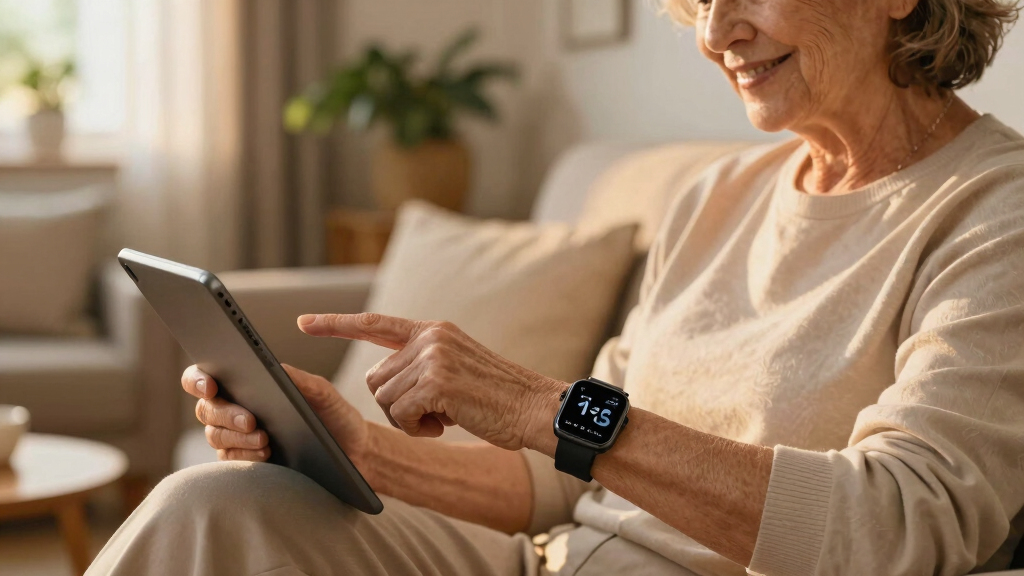
COCO Emergency Alert Smartwatch for Seniors with Fall Detection and SOS Call (Silver)
This smartwatch excels at providing automatic fall detection and real-time health monitoring directly on the wrist, making it ideal for seniors who are active or prefer wearable tech. Unlike the PILSAMAS WiFi Caregiver Call Button, which requires an app and WiFi, the COCO watch offers built-in health sensors and a dedicated SOS button for immediate emergency alerts to caregivers or emergency services. Its large HD display and simple interface make it accessible for users with visual or cognitive impairments. However, it depends on pairing with a smartphone, which can be a barrier for less tech-savvy seniors, and the battery life isn’t specified, potentially limiting long-term use without frequent charging. This device is suited for caregivers wanting continuous health tracking and quick emergency response on the go, but it’s less ideal for seniors unfamiliar with smartwatches or without smartphone access.
Pros:- Automatic fall detection with immediate emergency alert
- Real-time health monitoring including heart rate, SpO2, sleep
- Large HD display with user-friendly interface
- Caregiver app for remote management and alerts
Cons:- Requires pairing with a compatible smartphone
- Battery life not specified, may need frequent charging
- Limited standalone functionality without paired device
Best for: Active seniors comfortable with wearable tech needing automatic fall detection and health monitoring, plus caregivers seeking remote oversight.
Not ideal for: Seniors without smartphone access or those preferring simple, non-wearable alert systems; users concerned about frequent charging or tech setup complexity.
- Fall Detection:Automatic with 20-second countdown
- SOS Call:Dedicated button + automatic alert
- Health Monitoring:Heart Rate, SpO2, Sleep, Stress
- Display Size:1.85” HD
- Connectivity:Bluetooth
- Additional Features:Medication reminders, location tracking
Bottom line: This smartwatch is ideal for active seniors and tech-savvy families seeking integrated health and fall monitoring on the wrist.
PILSAMAS WiFi Caregiver Call Button for Elderly at Home w App Notification, Elderly Monitoring, Caregiver Pager, Medical Alert Device for Seniors No Monthly Fee, Alert Button for Seniors at Home
This call button system offers a straightforward, WiFi-connected alert solution, ideal for families seeking an easy-to-use emergency device without ongoing fees. Compared with the COCO Smartwatch, it focuses solely on alerting caregivers via app notifications, making it more affordable but less comprehensive in health tracking. Its plug-and-play design, with double-sided tape and lanyard, simplifies placement for seniors, whether at home or in care facilities. The main tradeoff is its reliance on a stable WiFi connection within 15 meters of the router, and it does not include fall detection or health metrics. The free app notifications are a plus for those avoiding monthly fees, but SMS or email alerts cost extra. Best suited for families who want a simple, reliable call button, but not for those needing detailed health monitoring or outdoor coverage.
Pros:- Simple, plug-and-play WiFi connection
- No monthly fee for app notifications
- Includes mounting options for wall or wear
- Suitable for various care settings
Cons:- Dependent on stable WiFi signal within 15 meters
- Limited to emergency alerts, no health or fall detection
- Requires smartphone for caregiver notifications
Best for: Families seeking a low-cost, easy-to-install emergency alert system for in-home use without ongoing fees.
Not ideal for: Households with inconsistent WiFi or those requiring health monitoring or outdoor alerting capabilities.
- Connectivity Technology:WiFi
- Range:Up to 15 meters (50 feet)
- Alert Type:Emergency call via app
- No Monthly Fee:Yes
- Mounting Options:Double-sided tape, lanyard
- App Features:Real-time notifications
Bottom line: This call button is perfect for families wanting an affordable, easy emergency alert device for home use without ongoing costs.
CallToU 2-Way Talk Baby Monitor for Elderly with SOS Button and Night Vision Camera
This Wi-Fi-free system offers a secure, real-time audio and video connection, making it suitable for caregivers who prefer a dedicated, offline monitoring solution. Compared to the CallToU Wi-Fi Wireless Caregiver Pager, it provides live video alongside two-way audio, ideal for visual reassurance and emergency communication. The night vision and 720P camera deliver clear visuals, though the resolution may seem modest compared to modern smart cameras. The SOS button makes immediate emergency calls straightforward, but the setup involves batteries (not included) and some technical familiarity. Its portability adds flexibility for caregivers on the move, but the reliance on batteries and potential setup complexity could be drawbacks for less tech-savvy users. This product is suited for caregivers prioritizing secure, offline audio/video monitoring with visual confirmation, but not for those needing long-term, wireless internet-based solutions.
Pros:- Offline, FCC-certified secure connection
- Real-time night vision with 720P video
- Two-way audio for clear communication
- Portable for on-the-go monitoring
Cons:- Batteries not included, requiring recharging
- 720P resolution may lack sharpness for detailed visuals
- Setup may be complex for non-technical users
Best for: Caregivers seeking a secure, offline audio/video monitoring device with emergency call capability for elderly family members.
Not ideal for: Users preferring WiFi-connected cameras or those uncomfortable with battery-operated devices requiring regular charging.
- Connectivity Technology:2.4GHz FHSS (no Wi-Fi)
- Power Source:Corded Electric with Rechargeable Batteries
- Screen Size:2.8″ Receiver + 720P Camera
- Warranty:Amazon 30-Day Return Guarantee
- Night Vision:Yes
- Two-Way Talk:Yes
Bottom line: This monitor suits caregivers wanting a reliable, offline audio/video system with emergency features in a portable form factor.
CallToU Wi-Fi Wireless Caregiver Pager Call Button for Elderly at Home, APP Emergency Alert Fall Help System for Seniors, Patients/Disabled Monitoring at Home
This wireless caregiver pager system combines long-range 433MHz technology with Wi-Fi connectivity for remote alerts, making it suitable for larger homes or multi-floor setups. Compared with the PILSAMAS WiFi Call Button, it emphasizes longer-range communication (up to 328ft/100m) and the ability to share alerts with multiple family members via the app. Its 20 ringtones and customizable button names enhance user clarity during emergencies. The system’s reliance on 2.4G Wi-Fi for app notifications offers cost savings but limits use to Wi-Fi-enabled environments, and the need for a subscription for SMS or phone alerts could be a drawback. Its lifetime warranty adds peace of mind, though the tech setup might challenge some users. This pick is ideal for families with larger homes or those who want shared, long-distance emergency notifications but not suited for homes with poor Wi-Fi coverage.
Pros:- Long-range wireless communication (up to 328ft/100m)
- Supports sharing alerts with multiple family members
- Customizable ringtones and button names
- Lifetime warranty for peace of mind
Cons:- Requires stable 2.4G Wi-Fi; not compatible with 5G networks
- Subscription fee for SMS or phone notifications
- Setup may be complex for less experienced users
Best for: Families with larger or multi-story homes seeking a long-range, shared alert system for elderly or disabled loved ones.
Not ideal for: Homes with weak Wi-Fi signals or families preferring purely cellular or non-Wi-Fi solutions; those unwilling to pay subscription fees for alerts.
- Range:Up to 328ft / 100m
- Connectivity:433MHz + Wi-Fi
- Alert Sharing:Yes, multiple users
- Ringtones:20
- App Notification:Yes, free
- Subscription Fees:Optional for SMS/Calls
Bottom line: This system is best for larger homes needing extended-range, multi-user emergency alerts without ongoing fees for basic notifications.
This system stands out for its versatile coverage, combining a Wi-Fi hub with long-range 433MHz waterproof call buttons, making it ideal for larger homes or facilities. Unlike the simpler CallToU pager, it offers real-time app alerts with location details, reducing guesswork during emergencies. The waterproof design allows installation in wet zones, potentially preventing falls in bathrooms—crucial for high-risk seniors. However, reliance on Wi-Fi means it may face connectivity issues if the network drops, and setup can be more complex than plug-and-play models. This pick is perfect for families or care facilities seeking comprehensive, water-resistant alerting with flexible device placement. It trades off some simplicity for advanced customization and water resistance, suitable for varied senior environments.
Pros:- Long 328ft range through walls for versatile placement
- Waterproof IP65 rated wristband and buttons for wet zones
- Customizable alert tones and volume with app sharing options
Cons:- Requires stable Wi-Fi connection, which may be problematic in some homes
- Setup may be more complicated compared to plug-and-play models
Best for: Families or care facilities needing a waterproof, long-range alert system with detailed notifications.
Not ideal for: Small apartments or tech-averse seniors who prefer straightforward, minimal devices without app dependence.
- Wi-Fi Compatibility:2.4G Wi-Fi
- Range:328ft (433MHz technology)
- Waterproof Rating:IP65
- Device Types:Call buttons, wristband
- Alert Customization:18 tones, 4 volumes
- App Features:Caller ID, alert history, share alerts
Bottom line: This system is best for families or care providers seeking a waterproof, flexible, and detailed senior alert solution.
Life Alert Systems for Seniors No Monthly Fee App-Controlled, Medical Alert Systems for Seniors with 1Waterproof Wrist 2 Call Button 1 Receiver and1-6 LED Number Display (Only Supports 2.4GHz Wi-Fi)
Compared with the PILSAMAS system, this option emphasizes affordability and simplicity by relying solely on a 2.4GHz Wi-Fi connection and basic LED display. Its waterproof wrist remote allows seniors to call for help during activities like showering, a key safety feature. While it offers reliable communication within 300 feet and supports multiple call buttons, it lacks extensive app integrations or detailed location tracking, making it less suited for large or complex environments. The system is ideal for small homes where straightforward assistance suffices, but it may fall short for users needing detailed notifications or water zones beyond the wrist device. The tradeoff is a more accessible, budget-friendly system that sacrifices some customization and advanced features.
Pros:- Waterproof wrist remote for shower safety
- No monthly fees, easy to operate
- Supports multiple call buttons with LED display
Cons:- Limited to 2.4GHz Wi-Fi, less robust connectivity
- Basic notification features without detailed app alerts
Best for: Small households or seniors who need a simple, waterproof call button setup without monthly fees.
Not ideal for: Care environments requiring detailed tracking, app sharing, or extensive customization, like nursing homes or multi-room homes.
- Connectivity:2.4GHz Wi-Fi
- Range:Up to 300ft
- Waterproof:Yes
- Display:LED number display
- Support:1 wrist remote, 1-6 call buttons
- App Control:Limited, no detailed tracking
Bottom line: This system caters well to small homes needing simple, waterproof emergency calls without ongoing costs.
Elderly Monitors with Camera and Audio, Two-Way Talk Room Monitors for Elderly, Med Reminder Camera for Elderly Monitoring, Baby Monitors for Elderly Care and Caregivers, Video Monitor for Elderly
This video monitor excels in offering real-time visual and audio monitoring, with a 5-inch screen and 1080p camera, making it ideal for comprehensive oversight in quieter environments. Its built-in alerts for fall, toilet, and water intake, along with medication reminders, surpass basic call systems like CallToU, especially for seniors with dementia. The infrared night vision and long 1000ft range provide visibility at night and across rooms. However, its reliance on Wi-Fi and the large size of the monitor may be less convenient for mobile caregivers or small spaces. It favors caregivers who prioritize visual confirmation and medication management over instant call alerts. The tradeoff is a rich feature set that requires a stable Wi-Fi connection and space for the monitor, but it offers peace of mind through video and audio monitoring combined with alerts.
Pros:- High-resolution 1080p camera with night vision
- Multiple alerts including fall, toilet, and water reminders
- Auto-on screen with VOX sound detection for quiet nights
Cons:- Requires stable Wi-Fi connection for full functionality
- Larger device size may be less discreet
Best for: Caregivers who want visual oversight, medication reminders, and night visibility in a stable home environment.
Not ideal for: Families seeking a compact, purely alert-based system or those with unreliable Wi-Fi connections.
- Camera Resolution:1080p
- Range:1000ft
- Night Vision:Infrared
- Alerts:Fall, toilet, water, SOS
- Screen Size:5 inches
- Battery:3500mAh
Bottom line: This monitor is ideal for caregivers needing detailed visual and medication oversight in a steady Wi-Fi environment.
This pick offers a straightforward, durable call button system with 58 ringtones and adjustable volume, making it suitable for users who prefer minimal tech. Its IP55 waterproof and dustproof design ensures reliable operation in various environments, including bathrooms. Compared to more feature-rich systems like PILSAMAS or Elderly Monitors, it lacks app connectivity or detailed notifications but excels in dependability, ease of use, and physical robustness. Ideal for households or care settings where simplicity and durability outweigh the need for visual alerts or app sharing. However, it doesn’t provide location tracking or multiple device customization, which may limit its use in larger or more complex environments. Its main strength is reliability in basic emergency situations without complexity.
Pros:- Rugged, IP55 waterproof and dustproof design
- Numerous ringtone options and volume control
- Simple, one-button emergency operation
Cons:- Lacks app connectivity and detailed notifications
- Limited to basic emergency alert functions
Best for: Senior users or caregivers seeking a simple, rugged, emergency call button system with no tech fuss.
Not ideal for: Those wanting detailed alerts, app notifications, or multi-device management for large homes or care facilities.
- Connectivity:Wireless
- Waterproof Rating:IP55
- Ringtones:58
- Volume Control:5 levels
- Range:Indoor, unspecified
- Support:1 SOS button + 1 receiver
Bottom line: This system is best for users prioritizing durability and simplicity over detailed tracking or app features.
CallToU Elderly Monitoring Call Button Wireless Caregiver Pager Smart Senior System with Light Personal Buzzer Alarm 2 Portable Transmitters 1 Plugin Receiver
Compared to the more comprehensive Elderly Monitors, this system emphasizes portability with two wireless transmitters and a plug-in receiver, making it suitable for active seniors or multi-room setups. Its 500+ ft working range is impressive, allowing caregivers to stay connected across large homes or outdoor spaces. The 55 ringtone options and adjustable volume cater to individual preferences, while its waterproof, dustproof design ensures durability. However, the system lacks visual alerts or app integration, limiting its use for seniors with cognitive impairments or those requiring visual confirmation. It’s ideal for tech-savvy families who want a flexible, portable call system without complex setup, trading some visual or app-based features for long-range mobility.
Pros:- Long 500+ ft wireless range for large or outdoor areas
- Waterproof call buttons with portable design
- Multiple ringtones and adjustable volume
Cons:- No visual or app-based notifications
- Requires power outlet for receiver
Best for: Active seniors or caregivers needing portable, long-range call alerts in large or outdoor spaces.
Not ideal for: Care environments requiring visual confirmation, detailed notifications, or app integration for high-risk seniors.
- Range:Over 500ft
- Waterproof:Yes
- Transmitters:2 portable
- Receiver:Plug-in
- Ringtones:55
- Volume:5 levels
Bottom line: This system suits active seniors and large properties needing flexible, long-range call alerts without visual or app features.
Smart Caregiver Video Monitor for Elderly Care and Caregivers, Portable, Rechargeable, Infrared Night Vision, Secure Connection, No WiFi
This monitor stands out for providing a secure, interference-free connection without Wi-Fi, making it ideal for caregivers concerned about privacy breaches. Compared with Wi-Fi-based options like the Elderly Monitor with Camera and Call Button, this device offers enhanced security but sacrifices some advanced features like remote app access. Its compact 2.8-inch screen and rechargeable battery make it highly portable and user-friendly, especially for in-room monitoring. The infrared night vision and two-way audio facilitate effective communication and safety checks at night. However, it requires additional Smart Caregiver products for automatic alerts, which can add to the cost and setup complexity. This pick makes the most sense for families prioritizing privacy and simple in-house monitoring over remote access capabilities.
Pros:- Secure, interference-free, no WiFi connection for enhanced privacy
- Portable with rechargeable battery and belt clip for easy mobility
- Infrared night vision and two-way audio for effective 24/7 monitoring
Cons:- Requires additional Smart Caregiver products for automatic alerts
- Limited to local in-house use, no remote app access for caregivers
Best for: Caregivers seeking a private, interference-free in-room monitor for elderly loved ones who don’t need remote Wi-Fi access.
Not ideal for: Families wanting remote monitoring via smartphone apps or those requiring broader connectivity features.
- Screen Size:2.8 inches
- Night Vision:Infrared, 15 Feet Range
- Connectivity:No WiFi, Secure RF Connection
- Power Source:Rechargeable USB-C Battery
- Audio:Two-Way Microphone
- Dimensions:3.2 x 0.75 x 4.5 inches
Bottom line: This monitor is best suited for caregivers prioritizing security and simplicity within the home environment.
Upgraded Version Bed Sensor Alarm and Fall Prevention for Elderly/Dementia and More, Caregiver Pager Motion Sensor Alert with 5 Volume Level, Bed Alarm for Elderly Adults Wireless
This device excels at monitoring patient movement discreetly, placing motion sensors under the bed or at room exits, avoiding the startling effects of traditional bed pads. It transmits signals over a vast 918-foot range in open areas, making it suitable for larger homes or care facilities. Unlike Wi-Fi-based systems, it avoids network vulnerabilities, focusing on simplicity and reliability. The dual alert system with LED and sound provides clear, customizable notifications for caregivers. However, it does not offer real-time video or audio communication, limiting direct oversight. Its ease of placement on the floor and avoidance of false alarms from incontinence or displacement make it a practical choice for fall prevention. This product makes sense for caregivers who need reliable, non-intrusive movement alerts without requiring video monitoring.
Pros:- Discreet placement under the bed, avoiding false alarms
- Long-range wireless transmission (918 ft in open area)
- Dual alert system (LED and sound) for clear caregiver notifications
Cons:- No video or two-way communication features
- Requires manual testing and placement for optimal sensing
Best for: Family caregivers or staff in care facilities seeking a non-disruptive, reliable fall and exit alert system for elderly or dementia patients.
Not ideal for: Those needing visual or audio live monitoring, or integration with smart home systems.
- Range:918 feet in open area
- Alert Type:LED light and sound
- Power:Batteries (AA and AAA), USB included
- Placement:Under bed or at door
- Volume Levels:5 adjustable
- Dimensions:Includes sensors and remote
Bottom line: This fall prevention device is ideal for caregivers who want reliable motion alerts without disturbing the patient’s sleep or privacy.
Elderly Monitor with Camera and Call Button, 2-Way Talk Room Monitor for Seniors
This monitor offers a 5-inch PTZ camera with 355° pan and 90° tilt, providing comprehensive coverage of the room, making it suitable for caregivers needing detailed visual oversight. Its 1,000-foot range via 2.4GHz FHSS technology grants mobility within the house without Wi-Fi vulnerabilities, unlike the Elderly Monitor with Camera and Call Button that relies on local Wi-Fi. The inclusion of medication reminders, temperature monitoring, and white noise makes it a well-rounded daily care device. Its main limitations are the restricted 1,000-ft range and the need for physical proximity to adjust the PTZ camera, which can be inconvenient in larger homes. This pick is best for caregivers who require detailed visual and audio communication over considerable distances inside the home.
Pros:- Long 1,000-foot range with no Wi-Fi required
- Pan and tilt camera for comprehensive room coverage
- Medication reminders and temperature alerts for daily health management
Cons:- Limited to in-home use, no mobile app connectivity
- Setup requires physical proximity for PTZ adjustments
Best for: Caregivers needing a long-range, private in-home monitoring system with integrated medication and environment alerts.
Not ideal for: Users who want remote access via smartphone or require outdoor monitoring capabilities.
- Screen Size:5-inch
- Camera:PTZ, 355° Pan, 90° Tilt
- Range:1000 feet
- Battery:3500mAh
- Night Vision:Infrared
- Connectivity:2.4GHz FHSS, no WiFi needed
Bottom line: This monitor is best suited for families needing secure, long-range visual monitoring with health prompts inside the home.
Elderly Monitor with Camera and Audio, Two-Way Talk Baby Monitors for Elderly Care, Call Button, Med Reminder Camera for Elderly Monitoring, for Seniors, Dementia Patients (No WiFi)
This device offers an impressive array of features, including a 5-inch PTZ camera with 355° pan and 90° tilt, along with a tactile emergency remote, medication alerts, and temperature monitoring. Its Wi-Fi free design ensures privacy, while the voice activation (VOX) conserves power and enhances user experience. The dedicated call buttons and ergonomic remote make it suitable for users with visual or mobility impairments, and the 27-hour battery life reduces charging concerns. The auto night vision and white noise functions promote better sleep, while the comprehensive alerts ensure timely interventions. Compared with other Wi-Fi-dependent monitors, this model prioritizes security and simplicity, though setup can be complex for non-tech-savvy caregivers. It’s ideal for those prioritizing privacy, stability, and a multi-functional approach in senior care.
Pros:- Complete privacy with no Wi-Fi, using FHSS technology
- Multiple emergency buttons, medication, and temperature alerts
- Long-lasting 27-hour battery with auto night vision and VOX
Cons:- Setup and configuration may be complex for some users
- Limited to indoor use, no mobile app remote access
Best for: Caregivers who need a secure, feature-rich, offline monitoring system with comprehensive alerts and ease of use for dementia or elderly patients.
Not ideal for: Families seeking remote monitoring or app-based controls, or outdoor surveillance.
- Screen Size:5-inch
- Camera:PTZ, 355° Pan, 90° Tilt
- Battery:3500mAh, 27 hours
- Night Vision:Infrared
- Alerts:SOS, medication, temperature
- Connectivity:2.4GHz FHSS, no WiFi
Bottom line: This all-in-one offline monitor is best for caregivers requiring a secure, multi-alert system with long battery life inside the home.
How We Picked
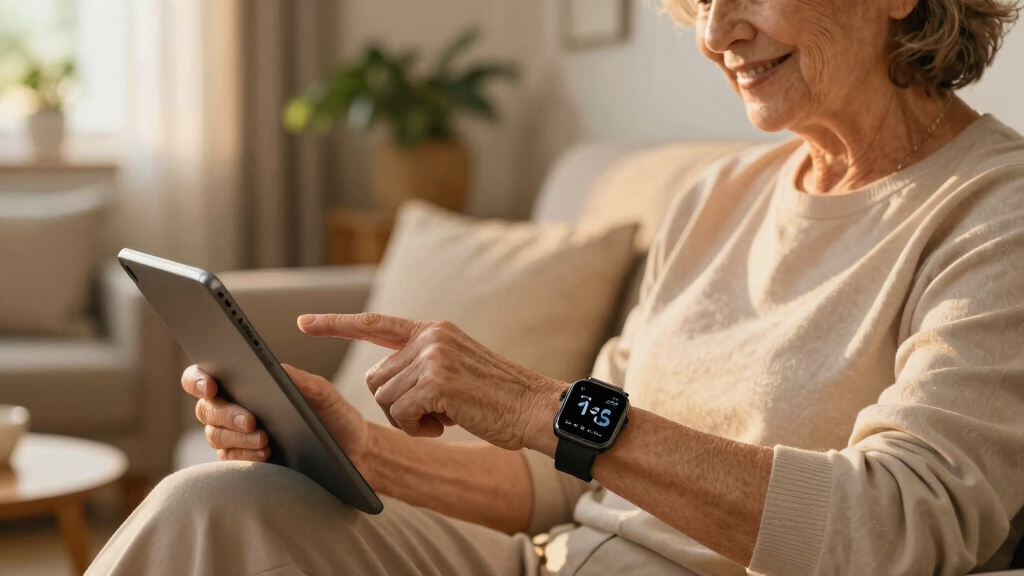
To select these senior care monitoring devices, I evaluated each product based on performance reliability, ease of use, build quality, and value. Devices had to demonstrate consistent alert accuracy, straightforward setup, and user-friendly interfaces suitable for seniors and their caregivers. I also considered long-term costs, such as subscription fees, and the versatility of features like fall detection, two-way communication, and remote monitoring. The ranking reflects a balance between comprehensive safety functions and practical usability, aiming to help different types of users—from tech-savvy caregivers to seniors seeking simple solutions—find the best fit.Factors to Consider When Choosing Senior Care Monitoring Devices
Choosing the right senior care monitoring device involves weighing several important factors. Beyond basic features, you need to consider how the device integrates into daily routines, its reliability, and long-term costs. A well-chosen system can provide peace of mind for family members while supporting independence for seniors. Here are key considerations to help guide your decision-making process.Ease of Use and Setup
Devices should be simple for seniors to operate without frequent assistance. Look for systems with intuitive interfaces, clear instructions, and minimal setup steps. Devices that require complex configurations or frequent troubleshooting may discourage consistent use, reducing their effectiveness. Consider whether the device supports remote setup or caregiver assistance to streamline installation and ongoing management.
Types of Alerts and Communication
Evaluate whether the device offers fall detection, GPS tracking, or emergency call buttons. The best systems provide instant alerts to caregivers or emergency services. Two-way audio or video communication enhances responsiveness, especially in urgent situations. Keep in mind that more advanced alert features may come with higher costs or increased complexity, so match the system to the senior’s activity level and independence.
Cost and Subscription Fees
Some devices require monthly subscriptions for monitoring or cloud storage, while others operate with one-time payments. No-fee options might lack some features but reduce ongoing expenses, making them attractive for budget-conscious families. Conversely, devices with subscriptions often provide more comprehensive monitoring and support, which can justify the added cost if safety is a priority. Always compare long-term costs before making a decision.
Privacy and Data Security
Monitoring devices with cameras and recording features raise privacy concerns. Ensure the device has robust security measures, such as encrypted data transmission and customizable privacy settings. It’s important to balance the need for oversight with respecting the senior’s comfort and autonomy. Clear communication about data use and permissions can foster trust and acceptance of the system.
Compatibility and Integration
Check whether the device integrates with existing home systems, smartphones, or medical alerts. Compatibility ensures seamless operation and reduces setup hassle. For tech-savvy users, compatibility with voice assistants or smart home platforms can enhance functionality. For less experienced users, straightforward standalone devices may be more appropriate, even if they offer fewer integrations.
Battery Life and Maintenance
Long battery life minimizes the need for frequent charging, which is especially important for seniors who may forget or struggle with device maintenance. Look for systems with alerts for low batteries and easy recharging options. Devices with rechargeable batteries offer convenience, but consider whether backup options are available in case of power outages.
Frequently Asked Questions
Can these devices work without Wi-Fi or internet connection?
Some senior monitoring devices can operate without internet by relying on cellular connections or local alerts. Devices that do not depend solely on Wi-Fi might be more reliable in areas with poor internet access, but they often come with higher costs or require SIM cards. It’s essential to verify whether the device’s core functions—like emergency alerts or fall detection—are fully operational offline, especially if internet outages are common in your area.
Are these devices suitable for seniors with cognitive decline or dementia?
Devices designed for seniors with cognitive challenges should prioritize simplicity, with minimal buttons and clear indicators. Fall detection and emergency call features are particularly valuable, but interfaces should avoid complexity to prevent confusion. Devices with automated alerts and voice prompts can assist caregivers in ensuring safety while reducing the risk of misuse or frustration.
How long do the batteries last on typical senior monitoring devices?
Battery life varies widely among devices, with some lasting several days to weeks on a single charge. Devices with longer battery life reduce the frequency of recharging, which is especially helpful for seniors or caregivers managing multiple devices. Always check whether the device provides low-battery alerts and how easy it is to recharge or replace batteries, as these factors impact ongoing usability.
What should I do if a device falsely alarms or fails to alert during an emergency?
False alarms can occur due to device sensitivity or user error, so selecting systems with adjustable sensitivity settings is advantageous. Regular testing and maintenance help ensure reliability. If a device fails to alert during an emergency, it’s critical to contact the manufacturer for support and consider backup systems or manual emergency plans. Multiple layers of safety, including caregiver check-ins, can mitigate risks from false or missed alerts.
Is it better to choose a wearable device or a stationary monitoring system?
The choice depends on the senior’s activity level and independence. Wearables like smartwatches are ideal for active seniors who value mobility, offering continuous location tracking and quick access to emergency calls. Stationary systems are more suitable for seniors who spend most of their time at home and prefer a set-it-and-forget-it approach. Combining both types can provide comprehensive coverage, but consider ease of use and comfort for the user.
Conclusion
For families seeking a comprehensive safety net, the NOMO Smart Care Medical Alert System offers the best overall balance of features and usability, especially for seniors with mobility concerns. Those on a budget will find the PILSAMAS WiFi Caregiver Call Button to be a reliable, no-cost option for basic monitoring. If ease of use and minimal setup are key, the COCO Emergency Alert Smartwatch is an excellent choice for active seniors. For caregivers who prioritize video oversight and remote interaction, the Smart Caregiver Video Monitor provides clear benefits. Ultimately, the best device depends on your loved one’s activity level, health needs, and your budget.
Fall Picks
fall essentials
As an affiliate, we earn on qualifying purchases.