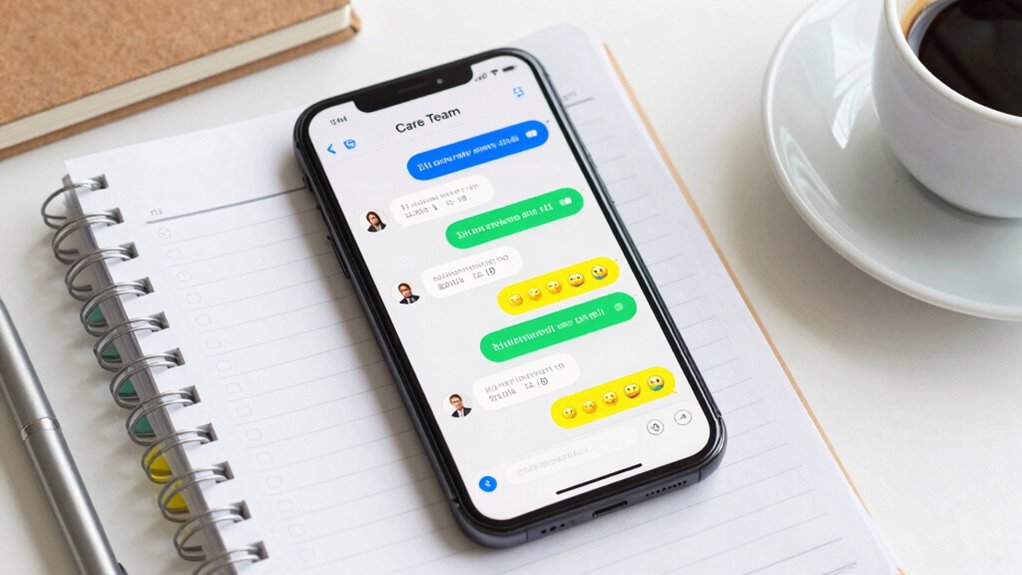

To prevent chaos in your care team group chat, set clear ground rules for respectful, concise communication and establish protocols for urgent versus routine updates. Choose a user-friendly platform with features like labels, pinned messages, and real-time notifications, guaranteeing privacy and accessibility. Assign roles, schedule regular check-ins, and organize messages with categories. By creating structure and boundaries, you’ll keep conversations productive and focused—more tips ahead to ensure your chat stays efficient and respectful.

Turn quiet afternoons into listening time
- Thousands of audiobooks, podcasts and originals
- Listen on your phone, tablet or Echo — also offline
- Cancel anytime
Key Takeaways
- Define clear roles, responsibilities, and communication protocols to ensure everyone understands their part and response expectations.
- Limit participants to essential members and assign specific roles to avoid overcrowding and information overload.
- Use organized features like labels, threads, and pinned messages to categorize and highlight important updates effectively.
- Schedule regular meetings and check-ins to promote consistent communication and review upcoming appointments and protocols.
- Establish respectful communication guidelines, prioritize privacy, and utilize platform features to foster trust and reduce chaos.
care team communication platform
As an affiliate, we earn on qualifying purchases.
As an affiliate, we earn on qualifying purchases.
Why Clear Care Team Communication Prevents Confusion

Clear communication within a care team is essential because it guarantees everyone stays on the same page, reducing the chances of mistakes and misunderstandings. When you communicate clearly, you protect patient privacy by sharing only necessary information and maintaining confidentiality. Consistent message tone helps prevent confusion, ensuring that instructions are understood uniformly. If your tone is respectful and professional, team members are more likely to respond promptly and accurately. Miscommunication can lead to errors in treatment or overlooked details, which jeopardize patient safety. By keeping your messages clear, concise, and mindful of privacy, you foster trust and efficiency. Additionally, understanding the importance of color accuracy in visual displays can help team members interpret information more effectively, especially when reviewing images or data. Ensuring effective communication also involves choosing the right tools and platforms to facilitate seamless information sharing. Utilizing communication platforms with secure messaging features minimizes risks of data breaches and ensures sensitive information remains protected. Incorporating standardized protocols can further reduce variability and enhance clarity across team members, leading to better coordinated care. This approach minimizes misunderstandings, helps your team work smoothly, and ultimately provides better care for the patient.
team messaging app with labels and pinned messages
As an affiliate, we earn on qualifying purchases.
As an affiliate, we earn on qualifying purchases.
Understanding Your Care Team’s Communication Needs

To make your care team chat effective, you need to clarify your communication goals first. Then, identify who should be included to guarantee everyone stays informed and engaged. By focusing on these points, you’ll create a streamlined way for your team to stay connected. Incorporating smart home safety tips can also help ensure that your home environment remains secure and responsive to your family’s needs. Additionally, understanding the importance of digital communication best practices can help prevent misunderstandings and promote clear, respectful interactions within your team.
Clarify Communication Goals
Have you ever considered what you need most from your care team’s communication? Clarifying your communication goals helps guarantee everyone stays aligned. When you define what information is essential, you promote communication clarity and reduce misunderstandings. Be specific about the types of updates or questions that matter most. This focus helps the team deliver consistent messages, avoiding conflicting information or unnecessary details that can cause confusion. Clear goals also guide your team on how quickly responses are needed and what channels to use for different purposes. Establishing communication protocols early on ensures that everyone understands how to handle urgent versus routine updates. Additionally, understanding water management techniques can help your team better coordinate responses related to health or environmental concerns. Recognizing the importance of structured communication methods can also help maintain focus and ensure all team members are aware of their responsibilities and deadlines. Incorporating multi-channel communication strategies allows your team to adapt to different situations and preferences, further enhancing coordination.
Identify Key Participants
Knowing who should be involved in your care team chat is the next step to guarantee communication hits the mark. Identifying key participants ensures that the right people, with the right participant roles, are included to support effective team dynamics. Think about healthcare providers, family members, or caregivers essential to decision-making and support. Include those who need real-time updates and can contribute valuable insights. Avoid overloading the chat with unnecessary members to prevent chaos. Use this table to help decide who should be involved:
| Participant Role | Purpose | Example |
|---|---|---|
| Medical Provider | Share clinical updates and guidance | Doctor, Nurse |
| Family Member | Provide emotional support and info | Spouse, Adult Child |
| Caregiver | Coordinate daily tasks and needs | Home aide, Personal assistant |
Additionally, understanding the 16PF personality traits of team members can improve communication and collaboration within the group chat. Recognizing these traits can help tailor interactions, fostering a more harmonious and effective care team environment. Acknowledging personality differences can further enhance team cohesion and efficiency.
secure group chat for healthcare teams
As an affiliate, we earn on qualifying purchases.
As an affiliate, we earn on qualifying purchases.
How to Choose the Best Platform for Your Care Team Chat

When selecting a platform for your care team chat, you need to consider its features and whether it works well with your existing tools. Make sure it’s easy for everyone to use and accessible on their devices. Balancing these factors helps ensure smooth communication and coordination. Incorporating safety tips can also help prevent potential issues and keep the conversation productive.
Platform Features and Compatibility
Selecting the appropriate platform for your care team chat is crucial to guarantee seamless communication and collaboration. Focus on platform features that support your team’s needs, especially voice integration and cross-platform compatibility. These features ensure everyone stays connected regardless of device or location. Consider these points:
- Supports voice integration for quick, hands-free communication.
- Offers cross-platform compatibility to work smoothly on smartphones, tablets, and desktops.
- Provides real-time notifications to keep everyone updated.
- Includes security features to protect sensitive patient information.
- Look for smart home integration capabilities that can enhance communication and automation within your care environment, leveraging existing privacy and security practices.
- Ensure that the platform’s brewing science capabilities are straightforward to understand and implement, facilitating efficient team coordination and training. Additionally, assess whether the platform offers user-friendly interfaces to minimize training time and reduce frustration among team members. Incorporating easy onboarding options can further streamline setup and adoption processes.
User Experience and Accessibility
Selecting a platform that offers a user-friendly experience and easy accessibility can substantially improve your care team’s communication. Look for interfaces that are intuitive, so everyone can quickly navigate and contribute without frustration. Accessibility features like screen readers, language options, or adjustable text sizes help guarantee all team members, regardless of abilities, can participate fully. Prioritizing platforms that support emotional support by enabling private messages or quick sharing of encouragement can boost team morale. Additionally, cultural sensitivity features—such as multilingual support or respectful communication tools—help foster an inclusive environment. When your platform accommodates these needs, it not only streamlines communication but also promotes digital safety and trust within your care team. This awareness can foster a more compassionate, effective support network for everyone involved.
project management tools for care teams
As an affiliate, we earn on qualifying purchases.
As an affiliate, we earn on qualifying purchases.
Set Ground Rules for Respectful and Effective Communication

Establishing clear ground rules is essential to guarantee respectful and effective communication within your care team group chat. To do this, focus on boundaries setting and emotional support. First, agree on respectful language to foster a supportive environment. Second, define boundaries around message timing and response expectations to prevent burnout. Third, encourage active listening and validate each other’s concerns to promote emotional support. Fourth, establish guidelines for sharing sensitive information, ensuring privacy and trust. These rules help prevent misunderstandings, keep conversations productive, and maintain mutual respect. Additionally, understanding the importance of gelato flavors can create a lighter, more friendly atmosphere that encourages positivity. By setting these expectations early, your care team can communicate efficiently without chaos, ensuring everyone feels heard, supported, and respected.
How to Keep Messages Clear and Organized

To keep messages clear and organized, it’s important to use concise language and structured formats. Clear message clarity helps prevent misunderstandings and keeps everyone on the same page. Use bullet points or numbered lists to highlight key information, making it easier to scan and comprehend quickly. Organizational tools like chat threads or pinned messages can help categorize discussions and prioritize important updates. Avoid long-winded explanations or unrelated side conversations that clutter the chat. Instead, stick to relevant details and specify action items when necessary. Regularly review and clean up the chat to remove outdated messages. By maintaining clarity and leveraging organizational tools, you ensure the care team stays informed and efficient without chaos.
Assign Roles and Responsibilities to Streamline Care

Assigning clear roles and responsibilities is essential for streamlining care and ensuring every team member knows their specific tasks. When roles are well-defined, team dynamics improve, and role clarity reduces confusion. To achieve this, consider:
- Assigning a team leader to coordinate communication and decisions.
- Designating specific roles like caregiver, advocate, or admin for each member.
- Clarifying who handles updates, questions, or emergencies.
- Regularly reviewing responsibilities as needs evolve.
Using Labels and Features to Organize Tasks and Updates

Using labels and features effectively can considerably enhance how your care team organizes tasks and updates. By applying labels, you can categorize messages based on priority, type, or assigned person, making it easier to filter and locate important information quickly. Incorporate emoji usage to visually signal message tone—like a ✅ for completed tasks or ⚠ for urgent updates—so team members instantly grasp the message’s urgency or mood. Features like pinned messages or reminders help keep critical updates front and center, reducing missed information. Consistent use of labels and thoughtful message tone ensures clarity and minimizes confusion, keeping everyone on the same page. This organized approach transforms your group chat into a streamlined, efficient communication hub.
Schedule Regular Check-Ins to Keep Everyone Informed

Scheduling regular check-ins guarantees your care team stays aligned and informed. These meetings help everyone stay updated on important details like appointment reminders and emergency protocols. To make the most of these check-ins, consider:
- Setting a consistent schedule, such as weekly or biweekly, so everyone can plan ahead.
- Using calendar reminders to ensure no one misses important meetings.
- Reviewing upcoming appointments and any changes to emergency protocols.
- Encouraging team members to share updates or concerns beforehand for efficient discussions.
Regular check-ins prevent miscommunication and ensure everyone remains on the same page. They also provide a dedicated space to clarify roles and responsibilities, reducing chaos. Consistency and clear communication are key to maintaining an effective, informed care team.
Troubleshooting Common Care Team Chat Challenges

Even with the best intentions, care team chats can encounter common challenges like miscommunication, overlooked messages, or conflicting schedules. Privacy concerns often arise when sensitive information is shared without clear boundaries, so set guidelines on what’s appropriate to discuss in group chats. Message overload can quickly become overwhelming, making it hard to find important updates or respond promptly. To prevent this, establish clear protocols for prioritizing messages and encourage team members to use specific channels for urgent issues. Regularly review chat activity to identify and address misunderstandings. Keep conversations organized with summaries or pinned messages, and remind everyone to respect privacy boundaries. By proactively managing these challenges, you’ll create a more effective and less chaotic care team chat.
Frequently Asked Questions
How Do I Handle Sensitive or Confidential Information Securely in the Chat?
You handle sensitive information by following confidentiality protocols and ensuring secure communication. Always use encrypted messaging platforms that offer end-to-end encryption to protect data. Limit sharing confidential details to necessary team members only, and remind everyone to avoid discussing sensitive info outside the chat. Regularly update security settings and educate your team on best practices for data privacy. This keeps your care team chat secure and maintains trust.
What Are Effective Strategies for Resolving Conflicts Within the Care Team Chat?
Did you know 85% of conflicts can be resolved through effective communication? To resolve conflicts in your care team chat, use mediation techniques like active listening and neutral language. Focus on conflict prevention by setting clear guidelines and encouraging respectful dialogue. When disagreements arise, address them promptly and privately if needed, ensuring everyone feels heard. This approach keeps your chat productive and minimizes misunderstandings, fostering a collaborative environment.
How Can I Encourage Participation From All Team Members Consistently?
To encourage participation from all team members consistently, you should actively motivate engagement by asking for input and feedback regularly. Recognize contributions openly and sincerely, which boosts morale and motivates others to participate. Create a welcoming environment where everyone feels valued. Set clear expectations for communication, and celebrate successes publicly. When team members see their input is appreciated, they’re more likely to stay engaged and contribute consistently.
What Should I Do if a Team Member Consistently Misses Updates?
Missing updates can undermine team accountability, but you can address this by setting clear expectations and sending message reminders. Reach out privately to understand why they’re missing messages and emphasize the importance of consistent communication. Encourage punctuality through gentle follow-ups, and consider implementing automated reminders. This approach fosters responsibility while maintaining a supportive environment, helping team members stay engaged and informed without feeling overwhelmed.
How Do I Transition to a New Platform Without Losing Important Information?
When planning a platform migration, you should back up all essential data to guarantee data preservation. Then, carefully transfer files and chat histories to the new platform, verifying that nothing’s lost. Inform your team about the changeover, provide clear instructions, and test the new system beforehand. This way, you minimize disruptions, protect important information, and make the switch seamless for everyone involved.
Conclusion
Creating a well-organized care team chat keeps everyone on the same page and prevents chaos. For example, imagine coordinating medication updates and appointment reminders effortlessly with clear roles and scheduled check-ins. When you set ground rules and use labels, the flow stays smooth, even during busy times. By applying these tips, you’ll foster respectful, efficient communication—making care coordination less stressful and more effective for everyone involved.
Fall Picks
fall essentials
As an affiliate, we earn on qualifying purchases.