TL;DR

Turn quiet afternoons into listening time
- Thousands of audiobooks, podcasts and originals
- Listen on your phone, tablet or Echo — also offline
- Cancel anytime
Medical alert systems are vital tools that can shorten emergency response times for seniors living alone. This article covers types, features, costs, and how to pick the right one based on real-world needs.
Imagine your elderly parent alone at home, suddenly unable to reach the phone after a fall. Would help arrive quickly enough? That’s where medical alert systems come in. They’re designed to bridge the gap between emergencies and immediate assistance.
But with so many options—wearables, home units, smartwatches—how do you choose the right one? This guide breaks down what to look for, how they work, and what recent innovations make them more effective and user-friendly.
Match the system type to the senior’s lifestyle—homebound or active outdoors.
Prioritize ease of use, comfort, and water resistance to ensure consistent wear.
Understand the costs, contract terms, and privacy policies before signing up.
Recent devices combine GPS, fall detection, and caregiver alerts, but aren’t perfect—test reliability first.
Regularly review and update the system to keep pace with new features and technology.
How Do Medical Alert Systems Keep Seniors Safe?
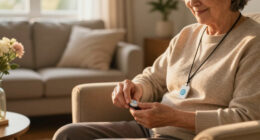
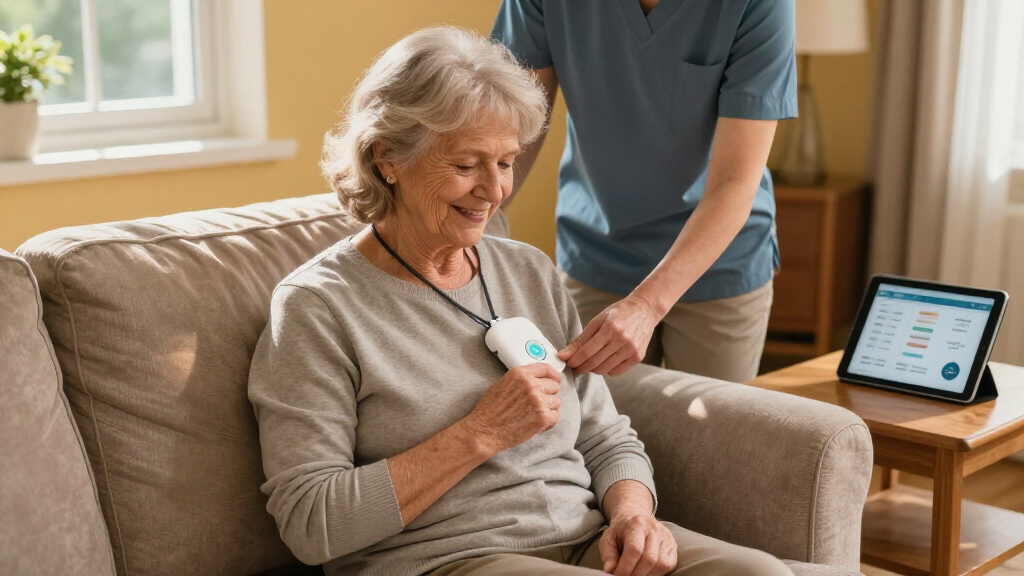
Medical alert systems are devices that let seniors call for help with a simple press of a button. They can be worn as pendants, bracelets, or integrated into smartwatches. These devices connect to a monitoring center or loved ones, ensuring help arrives fast.
For example, Sarah, 78, wears a pendant with a big red button. One day, she slips in the bathroom and can’t get up. She presses the button, and a trained operator connects her to emergency services within seconds. That quick response can prevent serious injuries or complications.
Some systems automatically detect falls using sensors. When a fall is detected, they trigger an alert without the user pressing anything. While not perfect, this feature can be a lifesaver when someone is unconscious or unable to reach their device.
Understanding how these systems keep seniors safe highlights the importance of reliability and quick response times. Fall detection, for example, can catch emergencies that the individual might not recognize or be able to activate, but it can also lead to false alarms—causing unnecessary stress or costs. Therefore, evaluating the accuracy and responsiveness of fall detection features is crucial when choosing a system, as it directly impacts trust and effectiveness in emergencies.
As an affiliate, we earn on qualifying purchases.
The Main Types of Senior Medical Alert Systems — Which One Fits Your Needs?
There are four primary categories:
- At-home systems: Usually connect to a landline or cellular base station inside the home. They rely on a wearable button, typically a pendant or wristband. Think of these as the classic “home emergency call” setup.
- Mobile systems: Use cellular networks and GPS to let seniors call for help anywhere in coverage areas. They are perfect for active seniors who go shopping, visiting friends, or walking outdoors.
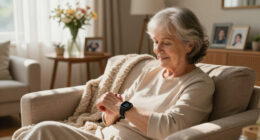
- Smartwatch-style devices: Combine emergency buttons with health tracking, GPS, and notifications. They’re sleek, like a regular watch—ideal for tech-savvy seniors.
- Fall detection options: Can be added to any of the above. These sensors infer a fall based on sudden movements or impacts and trigger alerts automatically.
Choosing among these depends heavily on the senior’s lifestyle and mobility. For instance, an active senior who spends a lot of time outdoors might benefit most from a mobile system with GPS, ensuring help can be summoned regardless of location. Conversely, a senior mostly homebound might find an at-home system more reliable and less intrusive. Additionally, considering whether the senior is comfortable using technology like smartwatches can influence the choice, as user-friendliness impacts adherence and safety. Balancing these factors can mean the difference between a system that’s effective in emergencies and one that’s ignored or forgotten.
As an affiliate, we earn on qualifying purchases.
How to Choose the Perfect Medical Alert System — 7 Must-Know Tips
Picking the right device isn’t just about price. It’s about matching features to your loved one’s lifestyle and health needs. Here’s a step-by-step approach:
- Decide where they spend most of their time: Inside, outside, or both? Understanding their routine helps determine if they need a device with GPS or fall detection, or if a simple at-home system suffices.
- Check coverage areas: Will the system work where they go—home, errands, outdoor walks? Limited coverage can leave gaps in safety, especially for active seniors.
- Prioritize ease of use: Is the device comfortable, water-resistant, and simple to operate? A complex device may be ignored, reducing safety.
- Consider fall detection: Is this feature reliable enough for their activity level? Does it cost extra? Fall detection can be life-saving but also prone to false alarms, which can cause unnecessary anxiety or emergency dispatches.
- Review costs and contracts: Are equipment, monthly fees, and cancellation policies clear and affordable? Hidden fees or long-term contracts can complicate decision-making and impact ongoing affordability.
- Evaluate privacy concerns: Does the system share location or health data? Who can access it? Privacy considerations are vital, especially with GPS and health monitoring features, to ensure trust and compliance with regulations.
- Test the system: Can you simulate alerts? How quickly do caregivers respond? Testing ensures the system works as expected, and response times meet safety needs, minimizing the risk of delayed assistance during real emergencies.
For example, if your father is forgetful, a system with automatic fall detection and remote caregiver testing might give extra peace of mind, but understanding potential false alarms helps weigh the benefits against possible frustrations or unnecessary responses.
As an affiliate, we earn on qualifying purchases.
Latest Trends Making Medical Alert Systems Smarter and More Flexible
Recent innovations have pushed these devices beyond simple emergency calls. Today’s systems often combine GPS, fall detection, and caregiver notifications into sleek, wearable designs. For example, some smartwatches now include health monitoring, activity tracking, and even medication reminders.
However, these upgrades come with tradeoffs. Devices need regular charging, and GPS tracking raises privacy questions. Plus, fall detection isn’t foolproof—false alarms or missed events still happen. Staying updated on what’s available helps you pick a system that balances functionality with reliability.
Imagine a senior wearing a stylish smartwatch that automatically calls for help if they fall or if their heart rate becomes irregular. These integrated features can greatly enhance safety, but they also require the user to consistently keep the device charged and updated. The tradeoff is that more advanced systems can be more intrusive or complex, potentially overwhelming less tech-savvy seniors. Therefore, assessing whether the added features improve safety without sacrificing ease of use is key to selecting a system that truly serves its purpose.
As an affiliate, we earn on qualifying purchases.
What Do People Usually Want to Know About Medical Alert Systems?
Many caregivers ask: “How do these systems work?” or “Will it call family instead of emergency services?” The answer varies by device. Most connect to a staffed monitoring center, which contacts emergency services or designated contacts when activated. Others can be programmed to alert family members directly.
Questions about costs, contracts, and privacy are common. The typical price ranges from $20 to $50 per month, plus equipment fees. Understanding these costs upfront helps avoid surprises and enables better budgeting. It’s also important to consider how flexible the contract terms are; long-term commitments may limit options if needs change.
Worried about waterproofing? Many devices are water-resistant, letting seniors wear them in the shower—an accident waiting to happen if they aren’t. This feature is critical because accidental water exposure can disable the device, leaving the senior vulnerable during vulnerable moments.
Battery life varies from 24 hours to several days. Regular charging is essential, especially for mobile units, as a dead battery renders the device useless. Some models offer longer battery life, but they may be bulkier or more expensive. Understanding the tradeoffs between battery life, device size, and convenience helps in selecting a system that fits daily routines and safety needs.
Frequently Asked Questions
How do I know which medical alert system is best for my parent?
Assess their daily routines, mobility, and comfort with technology. Consider where they spend most time—inside or outside—and choose a device that fits those needs, with features like fall detection or GPS if necessary.Will Medicare or insurance cover a medical alert system?
Coverage varies widely. Some Medicare Advantage plans include discounts or partial coverage, but most traditional Medicare does not pay for these devices. Check your specific plan and explore available assistance programs.Can I test the system without bothering emergency services?
Yes. Most providers allow caregivers or family members to run test calls or activate alarms without dispatching emergency responders. Always do this during setup to ensure everything works as expected.What should I do if my loved one refuses to wear the device?
Try to involve them in the choice—pick a comfortable, discreet device they’re more likely to wear. Explain how it keeps them safe and make it part of their daily routine. Sometimes, a little patience and education go a long way.Conclusion
A medical alert system is a safety net, not a magic fix. Choosing the right one depends on understanding your loved one’s routines, needs, and comfort with technology. Think of it as a small step towards giving them independence while providing peace of mind.
In the end, it’s about striking a balance—trusting technology but also staying involved. A well-chosen system can be a lifeline, turning uncertainty into confidence and quiet assurance into real safety. Isn’t that worth a little effort?
Fall Picks
fall essentials
As an affiliate, we earn on qualifying purchases.