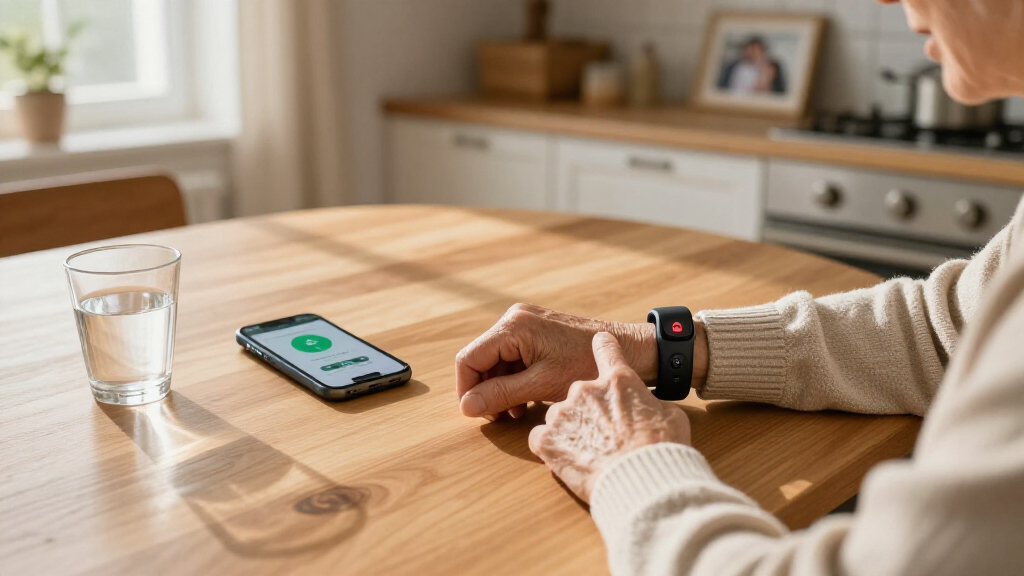

The best senior care emergency alert systems match the way help will actually arrive, whether that means alerting a nearby caregiver or reaching family from outside the home. My best overall pick is the WiFi Caregiver Pager Life Alert System because its receiver, app control, waterproof call button, and watch button support both local and remote caregiving. The Wireless Caregiver Pager with 2 Call Buttons and Receiver is the better value for a simple home setup, while the SecuLife Medical Alert Pendant is the stronger premium choice for GPS tracking and fall detection. The main tradeoffs are local versus mobile coverage, manual buttons versus automatic detection, and upfront cost versus possible service fees. Continue reading for the full breakdown of which system fits each care arrangement.

Turn quiet afternoons into listening time
- Thousands of audiobooks, podcasts and originals
- Listen on your phone, tablet or Echo — also offline
- Cancel anytime
Complete the kit


Key Takeaways
- App alerts plus a physical receiver produced the most flexible setup in this lineup, giving the WiFi Caregiver Pager Life Alert System an advantage for families sharing care duties.
- Two-button receiver kits offered the clearest value for in-home care, but they are weaker choices for seniors who spend time alone beyond the receiver’s range.
- SecuLife stood apart as the premium mobile option because GPS tracking and fall detection address risks that basic household pagers cannot cover.
- Nomo is better aligned with seniors who may not press a wearable button, while manual-button systems are simpler and may produce fewer automatic false alerts.
- Freedom Alert remains a distinct landline-based choice for two-way communication, although its fixed connection is less adaptable than app-connected or GPS-enabled systems.
| WiFi Caregiver Pager Life Alert System |  | Best No-Fee Wi-Fi Alert System | Connectivity: 2.4GHz Wi-Fi | Maximum stated range: 656 feet (200 meters) | Call-button protection: Waterproof | VIEW LATEST PRICE | See Our Full Breakdown |
| Wireless Caregiver Pager with 2 Call Buttons and Receiver |  | Best for Long-Range Local Alerts | Maximum stated range: 1,500 feet | Call buttons: 2 | Button battery life: Up to 3 years | VIEW LATEST PRICE | See Our Full Breakdown |
| Nomo Medical Alert System with Fall Detection |  | Best Overall for Aging in Place | Main components: Smart Hub, 2 Satellite extenders, and wearable Tags | Connectivity: Wi-Fi; no landline required | Fall detection: Yes | VIEW LATEST PRICE | See Our Full Breakdown |
| Freedom Alert Landline Personal Emergency Device |  | Best for Landline Households | Connectivity: Landline telephone service | Communication: Two-way voice | Calling targets: Family, emergency services, and dispatchers | VIEW LATEST PRICE | See Our Full Breakdown |
| CallToU Wi-Fi Wireless Caregiver Pager |  | Best for Shared Family Notifications | Maximum stated range: 328 feet | Local wireless technology: 433MHz | Wi-Fi compatibility: 2.4GHz only | VIEW LATEST PRICE | See Our Full Breakdown |
| Daytech Caregiver Pager Call Button |  | Best for Small Homes | Power source: Battery powered | Battery type: Alkaline | Batteries required: 4 | VIEW LATEST PRICE | See Our Full Breakdown |
| SecuLife Medical Alert Pendant |  | Best for Active Seniors | Water resistance: IP67 | Battery life: Up to 6 days | Fall detection: Automatic | VIEW LATEST PRICE | See Our Full Breakdown |
| PILSAMAS Rechargeable Caregiver Pager |  | Best Rechargeable Long-Range Pick | Maximum range: 1,640 ft | Typical indoor range: 150-800 ft | Standby battery life: 30-60 days | VIEW LATEST PRICE | See Our Full Breakdown |
| CallToU Caregiver Pager with 2 Wireless Call Buttons |  | Best Two-Button Value | Call buttons: 2 | Maximum range: 500+ ft | Receiver power: Plug-in electrical outlet | VIEW LATEST PRICE | See Our Full Breakdown |
| Wireless Caregiver Pager with Call Button and Receiver |  | Best Expandable System | Maximum range: 1,500 ft | Maximum call buttons: Up to 30 | Receiver support: Multiple receivers | VIEW LATEST PRICE | See Our Full Breakdown |
| Caregiver Pager with 2 Wireless Call Buttons for Home Care |  | Best Simple In-Home Pager | Call Buttons: 2 | Portable Pagers: 1 | Stated Range: Up to 500 feet | VIEW LATEST PRICE | See Our Full Breakdown |
| FullHouse Caregiver Pager Wireless Call Button Emergency Wristband |  | Best for Long-Range Local Alerts | Stated Range: Up to 1,000 feet in open air | Maximum Sound Level: 110 dB | Melodies: 52 | VIEW LATEST PRICE | See Our Full Breakdown |
| CallToU Wi-Fi Caregiver Call Button Emergency Alert System for Seniors |  | Best for Remote Family Alerts | Stated Range: 328 feet / 100 meters | Wireless Technology: 433 MHz | Wi-Fi Support: 2.4 GHz only | VIEW LATEST PRICE | See Our Full Breakdown |
| Life Alert Systems for Seniors No Monthly Fee App-Controlled with Call Buttons and LED Display |  | Best Overall No-Fee Connected System | Call Buttons: 2 | Receivers: 1 | LED Number Display: Zones 1-6 | VIEW LATEST PRICE | See Our Full Breakdown |
More Details on Our Top Picks
WiFi Caregiver Pager Life Alert System
I rank the WiFi Caregiver Pager Life Alert System highly for households that want both local alarms and app notifications without paying for standard alerts each month. Its 656-foot stated range is twice that of the CallToU Wi-Fi Wireless Caregiver Pager, giving caregivers more flexibility in larger or multi-story homes. The waterproof call button and wearable watch button also provide two ways to request help. Unlike the Nomo Medical Alert System, however, this is primarily a caregiver notification setup rather than a monitored emergency service with fall detection and two-way voice support. It also depends on 2.4GHz Wi-Fi, and SMS or telephone alerts require a subscription. I see it as a strong middle ground between a basic household pager and a fully monitored medical alert system.
Pros:- 656-foot stated range accommodates larger and multi-story homes
- Includes both a waterproof call button and a wearable watch button
- Supports receiver alarms, app notifications, and family alerts
- Standard alerts do not carry a monthly fee
Cons:- Requires a compatible 2.4GHz Wi-Fi network for connected features
- SMS and telephone alerts require a paid subscription
- Does not provide listed fall detection or two-way emergency communication
Best for: Families managing care in a larger home who want receiver alarms and remote app notifications without a standard monthly monitoring bill
Not ideal for: Seniors living alone who need automatic fall detection, two-way voice contact, or direct access to a staffed emergency center
- Connectivity:2.4GHz Wi-Fi
- Maximum stated range:656 feet (200 meters)
- Call-button protection:Waterproof
- Included controls:Call button and watch button
- Included alert device:Receiver
- Remote notifications:App and family alerts
- Receiver settings:Multiple ringtones and four volume levels
- Optional paid alerts:SMS and telephone calls
Our verdict“I recommend this system for families wanting broad in-home coverage and app alerts, provided caregiver response can replace professional monitoring.”
Wireless Caregiver Pager with 2 Call Buttons and Receiver
The Wireless Caregiver Pager with 2 Call Buttons earns its place through a stated 1,500-foot range, the longest coverage among these five picks. I would choose it over the WiFi Caregiver Pager Life Alert System for a detached garage, large property, or care facility where local signal reach matters more than smartphone notifications. Its 58 ringtones and volume settings reaching 120 dB help households distinguish calls and accommodate caregivers with reduced hearing. The two IP55 buttons also offer better placement flexibility than a single-button kit. That reach comes with narrower capabilities: there is no listed app connection, fall detection, or monitoring service. The CR2032-powered buttons also add battery maintenance, even with the stated life of up to three years. This is a capable pager, but not a substitute for Nomo’s monitored response.
Pros:- 1,500-foot stated wireless range leads this five-product group
- Two call buttons support separate rooms or users
- Volume adjusts from silent to 120 dB across five levels
- IP55 construction resists dust and water exposure
Cons:- No listed app notifications or off-site caregiver alerts
- No fall detection, two-way voice, or monitored response
- CR2032 button batteries require eventual replacement
Best for: Caregivers covering large homes, care facilities, yards, or outbuildings who need a loud local alert from two fixed locations
Not ideal for: Seniors who live alone or families who need off-site smartphone alerts, automatic fall detection, or professional emergency response
- Maximum stated range:1,500 feet
- Call buttons:2
- Button battery life:Up to 3 years
- Button battery type:CR2032
- Ringtones:58 built-in
- Volume:5 levels, 0 to 120 dB
- Ingress rating:IP55 waterproof and dustproof
- Operating temperature:-4°F to 140°F
- Warranty:18 months
Our verdict“I favor this pager for maximum local coverage, but buyers needing outside-home escalation should choose a connected or monitored system.”
Nomo Medical Alert System with Fall Detection
I place the Nomo Medical Alert System first for seniors aging in place because it addresses emergencies that a simple push-button pager can miss. Its wearable tags add fall detection, while the hub supports two-way voice communication and caregiver notifications. Compared with the Wireless Caregiver Pager with 2 Call Buttons, Nomo can escalate an incident through optional 24/7 monitoring rather than relying solely on a nearby caregiver hearing a receiver. Two satellite extenders also make it better suited to whole-home coverage than a single receiver setup. The tradeoff is ongoing cost after the included 30-day RapidSOS trial, and the supplied data does not state battery life or exact range. It also needs Wi-Fi, whereas Freedom Alert works through a landline. For higher-risk seniors living independently, I think automatic detection and monitored response justify its top position.
Pros:- Fall detection can raise an alert when the wearer cannot press a button
- Two-way voice communication supports direct emergency conversations
- Optional 24/7 monitoring extends protection beyond nearby caregivers
- Two satellite extenders support broader in-home coverage
Cons:- Continued professional monitoring requires a subscription after the trial
- Exact wireless range and wearable battery life are not stated
- Wi-Fi dependence may be unsuitable for homes with unreliable internet
Best for: Seniors aging at home who face fall risk and need automatic detection, two-way voice contact, and an option for staffed 24/7 response
Not ideal for: Budget-focused households that only need a nearby caregiver pager or homes without dependable Wi-Fi
- Main components:Smart Hub, 2 Satellite extenders, and wearable Tags
- Connectivity:Wi-Fi; no landline required
- Fall detection:Yes
- Voice communication:Two-way
- Caregiver notifications:Supported
- Professional monitoring:Optional 24/7 service
- Included service trial:30 days of RapidSOS
- Installation:Plug-and-play with no wiring
Our verdict“I would choose Nomo for an independent senior with meaningful fall risk who benefits enough from monitored escalation to accept a recurring fee.”
Freedom Alert Landline Personal Emergency Device
The Freedom Alert Landline Personal Emergency Device fills a role the Wi-Fi systems cannot: direct two-way calling through an existing home telephone line with no monthly service charge. I see it as a better fit than Nomo for seniors who resist subscriptions, lack dependable internet, or want to speak with family and emergency services from the wearable device. Its 24-hour backup battery provides useful continuity during a power interruption, and the device can be worn or mounted for easier access. Yet the landline requirement is also its biggest constraint. Unlike the Nomo Medical Alert System, Freedom Alert has no listed automatic fall detection or optional monitoring center, and it cannot protect someone away from home. Compared with app-connected pagers, it also offers less off-site caregiver visibility. I rank it as the strongest legacy-phone option, not the most versatile system.
Pros:- Supports two-way conversations with family and emergency contacts
- No monthly service fee is required
- Rechargeable design includes 24 hours of backup power
- Wearable or mounted placement accommodates different mobility needs
Cons:- Requires active landline telephone service
- Protection is limited to the home and its local operating area
- No listed automatic fall detection or professional monitoring
Best for: Landline-equipped households seeking two-way emergency calling and freedom from monthly monitoring charges
Not ideal for: Active seniors who need protection outside the home or anyone wanting fall detection, GPS tracking, app alerts, or staffed monitoring
- Connectivity:Landline telephone service
- Communication:Two-way voice
- Calling targets:Family, emergency services, and dispatchers
- Power design:Rechargeable
- Backup battery:24 hours
- Monthly fee:None
- Placement:Wearable or mounted
- Use area:At home
Our verdict“I recommend Freedom Alert to landline users who want direct voice contact without a subscription and do not need mobile or automatic protection.”
CallToU Wi-Fi Wireless Caregiver Pager
I would pick the CallToU Wi-Fi Wireless Caregiver Pager for families who want several people to receive app notifications while retaining a loud receiver inside the home. The sharing function gives it an advantage over the purely local Wireless Caregiver Pager with 2 Call Buttons when relatives or caregivers rotate coverage. Its call button and watch button also let a senior choose between fixed and wearable access. At 328 feet, however, its stated range is only half that of the WiFi Caregiver Pager Life Alert System, so the latter is a better choice for a large or multi-story property. CallToU also requires 2.4GHz Wi-Fi, uses AAA batteries, and places some added notification features behind a subscription. With no listed fall detection or two-way voice channel, I view it as a shared caregiver alert tool rather than a full medical monitoring service.
Pros:- Shared app notifications can reach multiple family members or caregivers
- Includes both a call button and wearable watch button
- Local receiver provides a loud alarm without relying only on a phone
- Customizable ringtones help identify incoming assistance calls
Cons:- 328-foot stated range trails several competing pager systems
- Requires 2.4GHz Wi-Fi and does not connect through a 5GHz-only network
- Some added notification features require a subscription
Best for: Families with rotating caregivers who want shared app notifications plus an audible receiver in a small or medium-size home
Not ideal for: Seniors living alone, large-property households, or buyers who require fall detection and direct communication with emergency operators
- Maximum stated range:328 feet
- Local wireless technology:433MHz
- Wi-Fi compatibility:2.4GHz only
- Included alert controls:Call button and watch button
- Included local alert:Receiver
- Power source:2 AAA batteries included
- Dimensions:2.3 x 0.5 x 2.36 inches
- Color:White
Our verdict“I see this CallToU system as a practical choice for shared family caregiving in a modest-size home, not as a replacement for monitored medical response.”
Daytech Caregiver Pager Call Button
I rank the Daytech Caregiver Pager Call Button as the small-home pick because its straightforward button and wearable pager keep help requests simple for seniors with limited dexterity or technical confidence. The 30-meter range suits apartments, bedrooms, and compact care settings, but it falls well short of the 500-foot coverage from the CallToU Caregiver Pager and the 1,640-foot claim from PILSAMAS. Its splash-resistant button and neck strap offer flexible everyday placement, while the included batteries make setup quick. The main compromise is limited coverage and no remote monitoring: this is a direct caregiver pager, not a system that contacts emergency services or tracks someone outside the home. I would also remove both components before bathing because they are not fully waterproof.
Pros:- Simple push-button operation is accessible for users with limited technical confidence
- Wearable pager and neck strap keep the system close to the user and caregiver
- Splash-resistant call button handles minor spills and damp hands
- Included batteries allow immediate setup
Cons:- 30-meter maximum range is restrictive in larger or multi-story properties
- Pager and call button must be removed for bathing
- No GPS, fall detection, two-way calling, or emergency-service connection
Best for: Seniors in apartments or compact homes who live with a caregiver and need a very simple wearable help button
Not ideal for: People living alone or in large properties who need professional monitoring, outdoor coverage, GPS tracking, or a bathing-safe device
- Power source:Battery powered
- Battery type:Alkaline
- Batteries required:4
- Batteries included:Yes
- Maximum range:30 meters
- Alert volume:55 dB
- Mounting type:Wall mount
Our verdict“I recommend this for caregiver-supported seniors in compact homes, but not for anyone needing protection beyond the caregiver’s immediate reach.”
SecuLife Medical Alert Pendant
The SecuLife Medical Alert Pendant earns my active-senior role because it keeps working beyond the house through GPS tracking, two-way calling, safe-zone alerts, and automatic fall detection. That makes it more independent than the PILSAMAS or CallToU caregiver pagers, which only signal a nearby receiver. Its IP67 water resistance also supports continuous wear during showers, where falls are a serious concern, and the battery can last up to six days between charges. Those broader protections bring the lineup’s clearest ongoing cost: a $20 monthly subscription. Fall detection can also produce false alarms or miss certain falls, so it should supplement the large SOS button rather than replace it. Mixed customer feedback adds uncertainty for buyers who prize a firmly established reliability record.
Pros:- GPS tracking and safe zones support seniors who travel outside the home
- Automatic fall detection can request attention when the wearer cannot press the button
- Two-way calling allows direct communication through the pendant
- IP67 water resistance and up to six days of battery life support near-continuous wear
Cons:- Requires a $20 monthly subscription
- Automatic fall detection cannot identify every type of fall and may trigger false alerts
- Mixed customer ratings create added uncertainty around long-term satisfaction
Best for: Independent seniors who regularly leave home and whose families want location updates, safe-zone alerts, and two-way emergency communication
Not ideal for: Budget-focused households that want a fee-free local pager or caregivers uncomfortable relying on GPS and automatic fall detection
- Water resistance:IP67
- Battery life:Up to 6 days
- Fall detection:Automatic
- Location services:Real-time GPS tracking
- Safe zones:Customizable
- Calling:Two-way voice calling
- Emergency control:Large SOS button
- Included connectivity hardware:SIM card
Our verdict“I would choose SecuLife for an active senior who needs mobile protection and can justify a recurring service fee.”
PILSAMAS Rechargeable Caregiver Pager
I place the PILSAMAS Rechargeable Caregiver Pager highest for large-property coverage without disposable button batteries. Its claimed 1,640-foot open-area range reaches farther than the CallToU Caregiver Pager’s 500-plus feet, while the digital ID display helps a caregiver identify which paired button needs attention. That difference matters in homes serving more than one patient. The 30-to-60-day standby period, rechargeable controls, 38 melodies, and four volume levels also reduce routine upkeep. Coverage will shrink through walls and dense building materials, though, so I would perform a room-by-room walk test before depending on it. The IP65 panic button can handle splashes, but it is not presented as a submerged-use device. Like the other local pagers, it cannot provide GPS tracking, two-way speech, or direct emergency dispatch.
Pros:- 1,640-foot stated open-area range suits larger properties
- Rechargeable help buttons avoid recurring disposable-battery purchases
- Digital ID display identifies the source of each alert
- Multiple alert modes, 38 melodies, and four volume levels support different care environments
Cons:- Walls and construction materials can reduce the stated range
- A full-property walk test is needed before relying on coverage
- No professional monitoring, GPS tracking, or two-way voice communication
Best for: Caregivers covering large homes, yards, or multi-room care settings who want rechargeable buttons and clear caller identification
Not ideal for: Seniors living without an on-site caregiver or households needing GPS, voice contact, or automatic calls to outside responders
- Maximum range:1,640 ft
- Typical indoor range:150-800 ft
- Standby battery life:30-60 days
- Button power:Rechargeable
- Water-resistance rating:IP65
- Melodies:38
- Volume levels:4
- Connectivity:Wireless
Our verdict“I favor PILSAMAS for an on-site caregiver who needs broad coverage, rechargeable controls, and fast identification of the caller.”
CallToU Caregiver Pager with 2 Wireless Call Buttons
The CallToU Caregiver Pager with 2 Wireless Call Buttons is my value choice for two rooms or two people because the package includes both buttons without moving immediately to a larger expandable system. Its 500-plus-foot range is much more flexible than Daytech’s 30-meter limit, and the portable receiver lets a caregiver carry alerts between rooms. A 110 dB maximum volume helps in noisy homes or for caregivers with reduced hearing, while adjustable ringtones can distinguish the alert from common household sounds. Compared with the rechargeable PILSAMAS, however, CallToU needs replacement button batteries and offers less stated range. The receiver also depends on an electrical outlet, which limits where it can follow the caregiver. Although the buttons are described as waterproof and dustproof, this remains a local calling system without fall detection, GPS, or outside monitoring.
Pros:- Two included call buttons cover multiple rooms or users at a lower setup burden
- 500-plus-foot stated range supports movement across a typical home
- Portable receiver, adjustable volume, and multiple ringtones make alerts easier to notice
- Waterproof and dustproof buttons suit kitchens, bathrooms, and sheltered outdoor areas
Cons:- Receiver requires access to an electrical outlet
- Button batteries require periodic replacement
- No fall detection, GPS, two-way calling, or professional monitoring
Best for: Budget-conscious households monitoring two bedrooms, two seniors, or one senior from two fixed locations
Not ideal for: Caregivers who need a fully battery-powered receiver, very large-property coverage, or alerts sent beyond the home
- Call buttons:2
- Maximum range:500+ ft
- Receiver power:Plug-in electrical outlet
- Button batteries:2 x 12V alkaline, included
- Maximum alert volume:110 dB
- Receiver placement:Portable tabletop
- Sensor technology:Contact sensor
- Button protection:Waterproof and dustproof
Our verdict“I recommend this CallToU set for households that need two durable call points and a loud local alert without a subscription.”
Wireless Caregiver Pager with Call Button and Receiver
I assign the Wireless Caregiver Pager with Call Button and Receiver the expandable-system role because it can support up to 30 call buttons and multiple receivers. That flexibility suits multi-story homes or small care facilities better than the fixed two-button CallToU package. The 1,500-foot stated range is also close to the PILSAMAS system’s 1,640-foot claim, while 58 ringtones and five volume settings allow loud alerts, silent operation, or recognizable tones for different locations. Its IP55 protection handles dust and water jets, although it is weaker against water exposure than SecuLife’s IP67 pendant. Expansion creates extra setup work, and real indoor range will depend on walls and interference. Most importantly, the system only summons an on-site caregiver; it has no app connection, location tracking, fall detection, voice channel, or direct link to emergency responders.
Pros:- Supports up to 30 call buttons and multiple receivers
- 1,500-foot stated range offers broad property coverage
- Five volume settings up to 120 dB include options for noisy or quiet settings
- IP55 housing and a broad operating-temperature range suit varied placements
Cons:- Basic local alerts cannot reach remote relatives or emergency services
- Adding many buttons and receivers increases setup and identification complexity
- No smartphone integration, GPS, fall detection, or two-way communication
Best for: Large households and small care facilities that expect to add call buttons or receivers across several rooms
Not ideal for: Seniors living alone who need automatic fall alerts, remote family notifications, GPS tracking, or professional response
- Maximum range:1,500 ft
- Maximum call buttons:Up to 30
- Receiver support:Multiple receivers
- Ringtones:58
- Volume levels:5
- Volume range:0-120 dB
- Water and dust protection:IP55
- Operating temperature:-4°F to 140°F
- Warranty:18 months
Our verdict“I would pick this system for scalable on-site care across many rooms, provided someone is always close enough to answer the alert.”
Caregiver Pager with 2 Wireless Call Buttons for Home Care
I rank the Caregiver Pager with 2 Wireless Call Buttons as the strongest choice for households that want a straightforward local alert without apps or Wi-Fi setup. Its two call buttons and 500-foot stated range let one senior request help from multiple rooms while the caregiver carries the pager. Compared with the CallToU Wi-Fi Caregiver Call Button, this system is easier to operate and avoids network compatibility issues. It also provides twice the listed call buttons, making it better suited to a bedroom-and-bathroom arrangement. That simplicity limits what it can do: there are no remote phone notifications or two-way conversations, and the lack of a stated water-resistance rating makes bathroom placement less reassuring. I place it below connected systems for remote supervision but above them for uncomplicated local care.
Pros:- Two call buttons can cover separate high-risk locations
- Stated 500-foot range supports movement around a typical home
- Simple controls reduce the learning burden for seniors
- Wall and belt mounting provide flexible placement
Cons:- No smartphone notifications or remote monitoring
- Basic alerts do not support two-way voice communication
- No stated water or weather resistance
Best for: Households with a live-in caregiver who needs two fixed help points and a portable local pager without app setup
Not ideal for: Families monitoring a senior from another property, since the system provides no app alerts or remote communication
- Call Buttons:2
- Portable Pagers:1
- Stated Range:Up to 500 feet
- Alert Sounds:Customizable
- Mounting Options:Wall or belt
- Battery Life:Ultra-long lasting
- Support Period:12 months
Our verdict“I recommend this system for uncomplicated caregiver alerts inside one home, provided remote monitoring and water resistance are not required.”
FullHouse Caregiver Pager Wireless Call Button Emergency Wristband
The FullHouse Caregiver Pager earns my long-range role because its advertised 1,000-foot open-air reach is double that of the simpler two-button Caregiver Pager and more than triple the Life Alert Systems model’s stated range. That extra headroom can help in a large house, care facility, or property with an attached outdoor area, although walls will reduce real indoor coverage. A loud 110 dB ceiling, LED flash, adjustable volume, and 52 melodies give caregivers more ways to notice a call. The wearable and wall-mount options also adapt better to different mobility needs. Its main compromise is that it remains a local pager rather than a remote monitoring service. The button is splash resistant, not immersion-safe, and ongoing C-battery replacement adds maintenance that rechargeable alternatives may avoid.
Pros:- Advertised 1,000-foot open-air range leads this four-product group
- 110 dB maximum sound and LED flash support different alert needs
- 52 melodies and adjustable volume allow clear alert identification
- Wristband, necklace, and wall-placement options suit varied mobility needs
Cons:- Indoor walls and obstructions may reduce the quoted range
- Call button cannot be immersed in water
- No app alerts, GPS tracking, or professional monitoring
Best for: Caregivers in large homes or small care facilities who need a loud, adaptable local alert with generous open-air range
Not ideal for: Remote family caregivers or seniors who need a shower-safe button, GPS tracking, or calls to an emergency center
- Stated Range:Up to 1,000 feet in open air
- Maximum Sound Level:110 dB
- Melodies:52
- Alert Indicators:Sound and LED flash
- Water Resistance:Splash resistant; not submersible
- Power Source:Battery powered
- Required Batteries:2 C batteries, included
- Weight:8.1 ounces
- Package Dimensions:6.06 x 4.57 x 2.91 inches
Our verdict“I favor this pager for larger local-care settings where range and noticeable alerts matter more than smartphone connectivity.”
CallToU Wi-Fi Caregiver Call Button Emergency Alert System for Seniors
I place the CallToU Wi-Fi Caregiver Call Button ahead of local-only pagers for families who need to receive a senior’s call while away from the house. Its defining advantage is app-based emergency notification sharing, which the FullHouse Caregiver Pager cannot provide despite that model’s much longer local range. The included receiver still supplies an audible alert nearby, while 20 ringtones and five volume levels help distinguish calls within a shared home. Its 328-foot wireless reach is adequate for many houses but trails both the 500-foot basic pager and the FullHouse system’s 1,000-foot open-air claim. Setup also depends on 2.4 GHz Wi-Fi, and some extra notification functions require a subscription. I rank it below the no-monthly-fee Life Alert Systems package for multi-button value, but above basic pagers for off-site awareness.
Pros:- App notifications extend alerts beyond the receiver’s local range
- Alerts can be shared among family members
- 20 ringtones and five volume levels support recognizable local alerts
- Included receiver provides an in-home alert even when a phone is elsewhere
Cons:- Works only with 2.4 GHz Wi-Fi
- 328-foot stated range is shorter than the two non-Wi-Fi pagers in this batch
- Additional notification options require a subscription
Best for: Adult children or shared family caregivers who want app alerts when a senior requests help from home
Not ideal for: Homes using only a 5 GHz Wi-Fi network or buyers unwilling to pay for added notification services
- Stated Range:328 feet / 100 meters
- Wireless Technology:433 MHz
- Wi-Fi Support:2.4 GHz only
- Compatible Devices:Smartphone and tablet
- Power Source:2 AAA alkaline batteries, included
- Ringtones:20
- Volume Levels:5
- Alert Features:App emergency alerts and fall-help calling
- Item Dimensions:2 x 2 x 2 inches
Our verdict“I recommend this CallToU system when shared smartphone alerts outweigh the limits of shorter local range and 2.4 GHz-only networking.”
Life Alert Systems for Seniors No Monthly Fee App-Controlled with Call Buttons and LED Display
I rank the Life Alert Systems for Seniors highest among these four for combining two call buttons, app alerts, and a numbered LED display without a required monthly charge for basic service. Compared with the CallToU Wi-Fi Caregiver Call Button, it provides an extra button and clearer room identification, so a caregiver can tell which of up to six displayed zones generated the call. Dual Wi-Fi and local wireless signaling also makes it more versatile than the basic Caregiver Pager for households sharing responsibility across nearby and remote caregivers. The tradeoff is a shorter 300-foot stated local range, plus dependence on a smartphone app for its strongest connected features. It supports only 2.4 GHz Wi-Fi, and families wanting SMS messages must pay separately. This is a capable household alert system, not a substitute for monitored emergency dispatch or two-way calling.
Pros:- Two call buttons cover more than one room or user
- Numbered LED display can identify alerts across up to six zones
- App alerts and local wireless signaling support shared caregiving
- Basic service carries no monthly fee
Cons:- 300-foot stated range is the shortest in this four-product group
- Full connected functionality depends on a smartphone app and 2.4 GHz Wi-Fi
- SMS notifications require an additional subscription
Best for: Families managing several rooms or two help points who want shared app alerts and basic service without a required monthly fee
Not ideal for: Seniors needing professional emergency dispatch, two-way voice contact, or a system that works on a 5 GHz-only network
- Call Buttons:2
- Receivers:1
- LED Number Display:Zones 1-6
- Stated Range:Up to 300 feet
- Connectivity:Wi-Fi and local wireless signals
- Wi-Fi Support:2.4 GHz only
- Monthly Fee:None for basic service; optional SMS subscription
- Shared Access:Supports multiple users
Our verdict“I would choose this for multi-room family care when two buttons, app sharing, and fee-free basic alerts matter more than maximum range or monitored response.”
How We Picked
I ranked these systems by how effectively their alert path fits a real care plan. The heaviest weight went to response reach, followed by ease of activation, caregiver notification options, wearable practicality, power management, and value. Products combining a local receiver with app alerts ranked higher for shared home care because they give users more than one route to help. GPS and fall-detection models earned stronger positions for independent seniors, but only when their added complexity matched a clear safety need.
I also separated caregiver pagers from systems designed for broader emergency communication. Button count, waterproofing, watch-style wear, two-way voice, landline support, and location tracking were judged by the buyer problem each feature solves. I placed less weight on long feature lists when the system still depended on one nearby caregiver hearing a receiver. The final order favors useful coverage and manageable upkeep over feature quantity alone.
Factors to Consider When Choosing Senior Care Emergency Alert Systems
A strong buying decision starts with identifying who receives the alert, where the senior spends time, and what happens if the first contact cannot respond. I would choose the response model before comparing button styles, display panels, or accessory counts. That approach prevents a feature-rich pager from being mistaken for a full emergency response service.
Choose the Right Response Model
A household pager and a mobile medical alert system solve different problems. A local caregiver pager sends a signal to a receiver, making it practical when a family member or aide is already on the property. An app-connected model can extend that notification to a phone, but its usefulness still depends on someone seeing and acting on the alert. A two-way calling device lets the senior explain the situation, which can reduce uncertainty after an alarm. GPS-enabled systems are better suited to errands, walks, and travel outside the home. Before buying, I would write down the full response chain: who is alerted, how quickly they can respond, and who becomes the backup.
Match Connectivity to the Home
Wi-Fi, landline, and cellular connections each create a different failure point. Wi-Fi systems can support phone notifications without adding another household receiver, but router outages or changed passwords may interrupt service. A landline device may suit a home with reliable phone service and a senior who stays nearby, though it offers little flexibility away from that location. Cellular and GPS products widen coverage but may bring activation steps, recurring charges, and areas with weak reception. Local radio-frequency pagers avoid internet dependence within the home, yet walls and building layout can shorten their practical range. I would select the connection already maintained reliably in the household and add a backup plan for power or network loss.
Decide Between Manual and Automatic Alerts
A manual call button is straightforward only when the senior can recognize trouble and press it. Automatic fall detection adds protection after a sudden fall, loss of consciousness, or confusion, but no detector catches every event. It can also generate false alarms during abrupt everyday movement. Passive home sensors, such as those associated with Nomo, may help when a senior resists wearing a pendant. Wearables remain more useful when the person moves between rooms or leaves the house. I would treat automatic detection as a backup to a response plan, not a replacement for regular check-ins or appropriate medical support.
Prioritize Wearability and Button Placement
An alert button offers little protection when it is left on a nightstand. Wrist buttons often feel familiar, while pendants may be easier to reach with either hand. Water resistance matters because bathrooms are high-risk areas and users may forget to remove a wearable before bathing. For seniors with arthritis, reduced vision, or tremors, button size and activation pressure may matter more than an app dashboard. Fixed buttons can fill gaps near a bed, toilet, or favorite chair, especially when paired with a wearable. I favor systems that make daily wear and strategic placement easy rather than relying on a single accessory.
Calculate the Full Cost of Ownership
A no-monthly-fee label does not automatically make a system the least expensive or safest choice. Local pagers usually keep ongoing costs low, but they require an available caregiver within range. GPS tracking and monitored response may involve service charges because they rely on mobile connectivity or staffed support. Replacement batteries, extra receivers, added call buttons, and compatible phones can also change the final cost. Rechargeable hardware saves disposable batteries but introduces a charging routine that someone must supervise. I would pay more when the added service closes a real coverage gap, not merely because the product includes more alerts or accessories.
Plan for Setup, Testing, and False Alarms
The best system for a household is one that caregivers can maintain without guesswork. App permissions, Wi-Fi pairing, contact lists, and charging schedules should have a named owner. Run a scheduled test from every room and outdoor area where the button may be used, then confirm that every intended recipient receives the signal. Seniors should practice pressing the button and learn what voice, chime, or light confirms activation. A written protocol can explain who responds first and when emergency services should be contacted. Regular testing also reveals weak batteries or disconnected equipment before an actual emergency, making simple upkeep more valuable than rarely used settings.
Frequently Asked Questions
Can a caregiver pager contact 911 or a monitoring center?
Most caregiver pagers only alert a nearby receiver or connected phone; they do not automatically contact 911. App notifications still rely on a family member or caregiver to read the alert and take action. A device with two-way calling or monitored service offers a more direct communication route, though the exact response process varies by provider. I would verify who receives the alarm before treating any product as a substitute for a monitored medical alert service. Seniors living alone may need a stronger escalation path than a local pager provides.
Is fall detection worth paying extra for?
Fall detection makes the most sense for someone with a fall history, balance problems, fainting risk, or difficulty pressing a button after an incident. It also adds reassurance when the senior spends long periods alone. Detection is not perfect, and rapid sitting or dropping the device may trigger an unwanted alert. Manual buttons can be more predictable for seniors who remain able and willing to use them. I would pay extra when automatic activation covers a known risk, while keeping a wearable button or voice option available as another route to help.
Should I choose Wi-Fi, landline, or cellular coverage?
Wi-Fi fits homes with stable internet and family members who want app notifications. A landline model can suit a senior who stays home and already has dependable wired phone service. Cellular or GPS coverage is better for users who shop, walk, or attend appointments independently. Each connection can fail in a different way, so the right choice follows the senior’s routine rather than the newest technology. I would also check indoor signal strength, outage backup, and whether the system becomes unusable when a subscription ends.
Is a no-monthly-fee alert system safe enough for a senior living alone?
A no-monthly-fee system can work when nearby relatives or neighbors reliably receive alerts and have a clear backup arrangement. It is less convincing when the only receiver sits inside the same empty home. App-controlled models extend reach, but missed phone notifications remain possible. Two-way calling can provide more direct help, while monitored service may offer a better fit when family availability changes from day to day. For solo living, I would focus on response reliability and escalation before trying to eliminate every recurring fee.
How many call buttons and receivers does a home need?
One wearable button may be enough for a senior who keeps it on throughout the day. Two buttons make sense when one can stay fixed in a high-risk location while the other is worn on the wrist or neck. Larger or multilevel homes may need extra receivers so an alert can be heard in bedrooms, kitchens, basements, or outdoor areas. More hardware is not automatically better because every button requires testing, battery checks, and a clear purpose. I would start with coverage of the senior and the caregiver, then add equipment only where a test reveals a gap.
Conclusion
For most shared-care households, my best overall choice is the WiFi Caregiver Pager Life Alert System because it combines app control, a physical receiver, and two wearable button styles. The Wireless Caregiver Pager with 2 Call Buttons and Receiver is my best-value pick for straightforward local coverage, while the CallToU Caregiver Pager with 2 Wireless Call Buttons is the friendliest starting point for beginners who want a simpler in-home arrangement. I would choose the SecuLife Medical Alert Pendant as the premium option for an active senior who needs GPS tracking and fall detection beyond the house. For specific needs, Nomo fits passive at-home fall awareness, and Freedom Alert fits buyers who prefer landline-based two-way communication. The right final choice depends less on the longest feature list and more on whether the alert reaches a dependable person wherever the senior spends time.