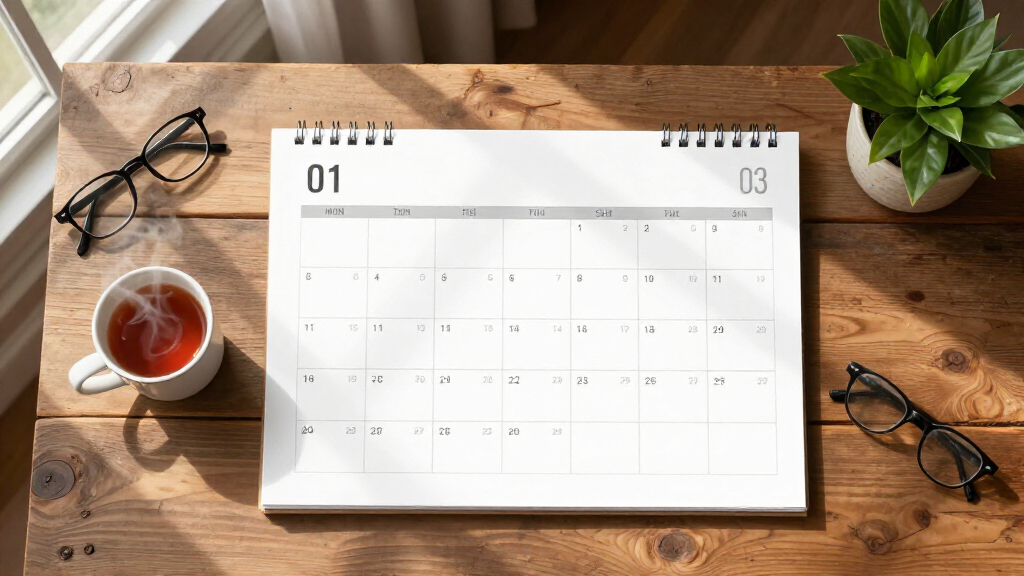
Large print digital calendars solve a specific problem: knowing the day, date, and time at a glance without squinting or fumbling with a phone. For seniors with memory loss or low vision, the right clock can reduce daily confusion and repeated questions; for busy households, a wall-mounted digital planner can replace paper chaos. My top pick is the Dragon Touch 21.5 Inch Touchscreen, which pairs a genuinely huge display with photo frame and chore chart features that make it useful for the whole family. For pure senior-focused simplicity, the SSYA Dementia Clock leads on clarity and no-nonsense operation, while the TROCOTN 10 Inch hits a sweet spot of price and readability. The main tradeoff in this category is screen size versus simplicity — the big touchscreen models do more but demand more from the user. Keep reading for the full breakdown of all nine options.
Complete the kit


Key Takeaways
- Screen size matters less than contrast and font design — the 7-inch SSYA models outperform some larger displays because their layouts prioritize one huge line of text over cramming in extra information.
- The touchscreen models (Dragon Touch and Apolosign) split into two distinct buyers: whole-family organizers versus senior care, and choosing the wrong one wastes the price premium.
- Auto-dimming was the most inconsistent feature across the lineup — several budget models stay bright at night unless manually adjusted, which matters for bedroom placement.
- Multiple alarm support (19 on the Véfaîî) is the differentiator for medication schedules, not convenience — buyers without a pill routine are paying for features they won’t use.
- Auto DST is table stakes in 2026 but two budget picks still require manual changes twice a year, a real drawback for users with memory impairment.


| large print digital calendar | Display Size | Languages | Alarms | Power |
|---|---|---|---|---|
| SSYA Dementia Clock for Senior | 11.5 inches | 8 | 12 customizable | Power cord (plug-in) |
| 7-Inch Digital Calendar Clock | 7 inches | 6 (English, French, German, Italian, Spanish, Japanese) | Up to 20 | — |
| Dragon Touch 21.5 Inch Touch S | 21.5 inches touchscreen | — | — | — |
| SSINI 7-Inch Digital Calendar | 7 inches | 8 | — | — |
| TROCOTN 10 Inch Large Display | 10 inches | 8 | — | Plug-in, no batteries |
| Véfaîî 11.5 Inch Digital Clock | 11.5 inches | — | 19 | Plug-in with internal battery backup |
| SSYA 7-Inch Digital Calendar A | 7 inches, 1024×600 HD LCD | 8 including English, Spanish, French, German | 12 modes with single, daily, weekday, weekend scheduling | AC adapter with power-outage time restore |
| Apolosign 15.6-inch Digital Ca | — | — | — | — |
| Soobest 12-Inch Digital Day | 12 inches HD | 8 | Up to 20, daily/weekly/date-specific | USB Type-C adapter; 2 AAA batteries for backup (not included) |
More Details on Our Top Picks
SSYA Dementia Clock for Seniors, Digital Clock with Date and Day of Week, Auto DST, Large Calendar, Alarm, Black
This SSYA model earns the top spot because it balances screen size and simplicity better than anything else in this lineup. At 11.5 inches with a 1280×800 HD panel, the day, date, and time remain legible from across a room — something the 7-inch options like the SSINI 7-Inch Calendar Alarm Clock simply can’t match. Where smaller clocks force a choice between showing the day of the week and showing the date, this one displays everything at once in bold text, which matters most for seniors with memory loss. The automatic DST adjustment removes a twice-yearly headache, and 12 customizable alarms cover medication schedules without overwhelming the user. The tradeoff is that it’s corded only, so placement depends on outlet access, and it’s physically bulkier than compact rivals — fine for a living room or bedroom wall, less so for a cramped nightstand.
Pros:- 11.5-inch HD display readable from across large rooms
- Full day, date, and time shown simultaneously in bold text
- Automatic daylight saving time adjustment
- 12 customizable alarms for medications and routines
Cons:- Corded power only with no battery backup
- Bulky footprint for small spaces
Best for: Seniors with dementia or memory decline who need maximum readability from across a room
Not ideal for: Small bedside tables or anyone wanting a battery-powered or portable clock
- Display Size:11.5 inches
- Resolution:1280×800 HD
- Display Modes:7 modes
- Alarms:12 customizable
- Languages:8
- Automatic DST:Yes
- Power:Power cord (plug-in)
- Time Format:12/24 hour
Our verdict“If legibility from a distance is the single biggest priority, this is the clock to buy.”
7-Inch Digital Calendar Clock with Day and Date for Seniors
This 7-inch clock is the lineup’s strongest value pick because it packs premium-level customization into a small, affordable package. With up to 20 alarms, 20 custom reminders, 12 display themes, and 10 brightness levels, it’s actually more flexible than the larger SSYA 11.5-inch clock, which stops at 12 alarms and 7 display modes. The illustrated day periods — morning, noon, evening, and so on — are a thoughtful touch for users who lose track of time of day. Its weakness mirrors its size: the 1024×600 panel is sharp up close but strains to fill a living room the way the 10-inch TROCOTN or 11.5-inch SSYA do. Also note that DST is manual here, unlike the auto-adjusting SSYA and TROCOTN, and the AA backup batteries are sold separately, so budget a few extra dollars.
Pros:- Up to 20 alarms and 20 custom reminders — the most in this lineup
- 10 brightness levels and 12 themes for fine-tuning
- Illustrated day periods help orientation
- Doubles as a digital photo frame via USB or SD
Cons:- Manual daylight saving time adjustment
- Batteries, SD card, and USB drive not included
- 7-inch screen too small for large-room viewing
Best for: Budget-conscious caregivers who want maximum reminders and settings flexibility in a bedroom or kitchen
Not ideal for: Buyers wanting room-filling readability or automatic daylight saving time
- Display Size:7 inches
- Resolution:1024 x 600 HD LCD
- Alarms:Up to 20
- Custom Reminders:Up to 20
- Brightness Levels:10
- Languages:6 (English, French, German, Italian, Spanish, Japanese)
- Daylight Saving Time:Manual adjustment
- Backup Power:2 AA batteries (not included)
Our verdict“The most configurable clock here at the friendliest price — pick it for features per dollar rather than screen size.”
Dragon Touch 21.5 Inch Touch Screen Digital Calendar with Photo Frame and Chore Chart
The Dragon Touch plays a completely different game than the senior-focused clocks in this roundup. At 21.5 inches with a touchscreen, it’s less a clock and more a household command center — closer in spirit to the Apolosign wall planner than to the SSYA or TROCOTN senior clocks. Wireless syncing with Google and Yahoo calendars means the schedule updates itself, so nobody has to press buttons on the device after setup. The interactive chore chart is genuinely useful for households with kids, and the photo-frame mode keeps it from looking like office equipment when idle. The tradeoffs are real: it requires Wi-Fi for its headline features, the initial setup is more involved than a plug-in-and-go senior clock, and at this screen size plus stand hardware, it demands dedicated wall or counter space. Skip it if you just need big letters showing the date.
Pros:- Largest screen in the roundup at 21.5 inches
- Wireless calendar syncing eliminates manual entry
- Interactive chore chart engages kids
- Flexible wall-mount or desk-stand placement
Cons:- Requires Wi-Fi for syncing features
- Setup is more complex than simple senior clocks
- Needs significant wall or counter space
Best for: Busy families who want a shared wall calendar that syncs automatically and keeps kids accountable for chores
Not ideal for: Seniors with memory loss or anyone without reliable Wi-Fi — setup complexity outweighs the benefits
- Display Size:21.5 inches touchscreen
- Connectivity:Wireless sync with Google, Yahoo, and others
- Storage:32GB
- Features:Interactive chore chart, digital photo frame
- Mounting:Wall-mountable with desk stand included
- Extras:Energy-saving sleep mode
Our verdict“Buy this for household coordination, not senior care — it’s the family organizer of the bunch.”
SSINI 7-Inch Digital Calendar Alarm Clock for Seniors, Black
What separates the SSINI from the similarly sized 7-Inch Digital Calendar Clock earlier in this list is its purpose-built medication reminders — three dedicated ones alongside 12 daily alarms — combined with a fixed auto-dimming schedule that brightens at 7 AM and dims at 7 PM. That predictable brightness rhythm means no fiddling with settings every evening, a small but meaningful win for users who shouldn’t be navigating menus. Power-outage memory is another differentiator: unlike the TROCOTN 10-inch, which has no backup at all and resets, the SSINI retains settings and restores the correct time automatically. The honest tradeoff is compactness — at 7 inches, it suits a nightstand or kitchen counter, not a large living room — and the menu system behind all those alarms and modes takes some upfront patience from a caregiver to configure.
Pros:- Three dedicated medication reminders plus 12 daily alarms
- Scheduled auto-dimming needs no user input
- Power-outage memory restores settings and correct time
- Desk or wall mounting options
Cons:- Compact display too small for large-room viewing
- Initial setup of reminders and modes takes time
Best for: Seniors managing multiple daily medications who need dedicated, repeating reminders on a nightstand or counter
Not ideal for: Anyone wanting a single clock visible from across a large room — the 7-inch screen can’t do that
- Display Size:7 inches
- Daily Alarms:12
- Medication Reminders:3
- Display Modes:5
- Languages:8
- Auto-Dimming:Brightens 7:00 AM, dims 7:00 PM
- Mounting:Desk or wall
- Extras:Digital photo frame function
Our verdict“The best choice here for pill-schedule management, as long as viewing distance is short.”
TROCOTN 10 Inch Large Display Digital Calendar Alarm Clock for Seniors with Auto DST and Multiple Display Modes
The TROCOTN occupies the smart middle ground between the 7-inch bedside clocks and the bulkier 11.5-inch SSYA. Its 10-inch colorful display with five color options is easier to read at a glance than the monochrome-feeling panels on smaller models, while staying compact enough for tighter spaces where the SSYA feels oversized. Automatic DST and auto-dimming put it ahead of the value-priced 7-Inch Digital Calendar Clock, which requires manual DST changes, and the flexible alarm modes — single, daily, weekday, weekend — suit working seniors who only want wake-ups on certain days. The compromises: there’s no battery backup whatsoever, so a power outage wipes the clock’s state, a real weakness compared with the SSINI’s outage memory. It also skips photo-frame and reminder extras, keeping it focused purely on time, date, and alarms — which, depending on the buyer, is either a flaw or the entire appeal.
Pros:- 10-inch display with five color options for better visibility
- Automatic DST adjustment
- Auto-dimming for comfortable nighttime viewing
- Flexible alarm modes including weekday and weekend
Cons:- No battery backup — power outages reset the clock
- No custom reminders or photo-frame features
Best for: Seniors who want a room-visible display without the footprint of an 11.5-inch clock
Not ideal for: Areas with frequent power outages or buyers needing medication-specific reminders
- Display Size:10 inches
- Display Colors:5 colors
- Languages:8
- Alarm Modes:Single, daily, weekdays, weekends
- Auto Dimming:Yes
- Power:Plug-in, no batteries
- Adapter Cable Length:150 cm (59 inches)
Our verdict“The best size-to-readability compromise in this lineup, ideal when 7 inches is too small and 11.5 is too big.”
Véfaîî 11.5 Inch Digital Clock with 19 Alarms, Auto DST & Dimming for Seniors and Home Use
This model stands out for its sheer reminder capacity: 19 alarms with customizable labels means a caregiver can program an entire week of medication, meals, and appointments in one sitting. Compared with the SSYA 7-Inch, the larger 1280×800 display makes time-of-day text legible from across a room rather than just across a bed. The auto DST adjustment and internal memory backup remove two common failure points for senior households. The tradeoff is complexity — with this many settings, the included remote control feels less like a bonus and more like a necessity, and family members managing multiple clocks may find the menus overwhelming. It also must stay plugged in, so placement depends on outlet location.
Pros:- 19 customizable alarms handle complex medication and routine schedules
- Sharp 1280×800 HD display readable from across a room
- Auto DST and internal memory backup prevent time drift
- Remote control simplifies operation from a distance
Cons:- Feature depth can feel overwhelming for solo senior users
- Must remain plugged into an outlet
- Remote is effectively required for convenient operation
Best for: Caregivers and family members managing detailed daily schedules for seniors or dementia patients
Not ideal for: Tech-averse seniors living alone who would struggle with the deep settings menus without the remote
- Display Size:11.5 inches
- Resolution:1280×800 HD
- Alarms:19
- Time Formats:12/24 hour
- Power:Plug-in with internal battery backup
- Key Features:Auto DST, dimming, custom reminders, calendar
Our verdict“The strongest pick when one person programs and maintains reminders for someone else’s daily care routine.”
SSYA 7-Inch Digital Calendar Alarm Clock with Auto-Dimming Display, Black
The SSYA 7-inch earns its place by doing the fundamentals cleanly: full words for day, date, and time of day with no confusing abbreviations, plus 12 labeled alarm modes covering meals, medicine, and appointments. Compared with the Soobest 12-Inch, it trades screen size for a simpler, less intimidating interface — a reasonable swap for a bedside rather than a hallway. Its five brightness levels and automatic 7 PM dimming make it bedroom-friendly, and eight languages plus dual date formats widen its appeal. The fixed dimming schedule is the main irritant: night owls and early risers will want custom times that this clock simply doesn’t offer. Like every clock here, it needs continuous AC power.
Pros:- Plain-language display with no abbreviations, ideal for memory loss
- 12 alarm modes with helpful labels like meal and medicine
- Automatic night dimming keeps bedrooms sleep-friendly
- Eight languages and flexible date/time formats
Cons:- Fixed 7 PM/7 AM dimming schedule can’t be customized
- Requires continuous AC power to run
- Smaller screen limits viewing distance compared with larger models
Best for: Budget-conscious buyers or families wanting a no-frills, clearly worded clock for a senior’s bedside or kitchen counter
Not ideal for: Anyone needing visibility from across a large room — the 7-inch screen is best at close to medium range
- Display Size:7 inches, 1024×600 HD LCD
- Brightness:5 levels with auto night dimming
- Alarms:12 modes with single, daily, weekday, weekend scheduling
- Languages:8 including English, Spanish, French, German
- Mounting:Tabletop or wall-mounted
- Power:AC adapter with power-outage time restore
Our verdict“The most sensible low-cost choice when clarity and simplicity matter more than screen size.”
Apolosign 15.6-inch Digital Calendar with Touchscreen, Smart Wall Planner, and Family Organizer
This is the outlier in the lineup — less a senior clock, more a full Android family command center. The Apolosign syncs with Google, iCloud, and Outlook calendars, displays interactive chore charts with a reward system, doubles as a smart photo frame, and responds to Google Gemini voice commands. Where the Véfaîî 11.5 excels at one job — reminders — this spreads across many: scheduling, chores, photos, and smart home control. Those capabilities come with real costs: it’s the priciest approach here, setup demands Wi-Fi and some tech comfort, and a household that just needs big text showing the day and date will be paying for features it never touches. Compared with the Dragon Touch 21.5, it’s more compact but offers similar smart-planner functionality in a tighter footprint.
Pros:- Syncs across Google, iCloud, and Outlook calendars for the whole family
- Interactive chore charts and rewards keep kids engaged
- Smart photo frame mode adds emotional value between appointments
- Voice assistant and auto-brightness reduce day-to-day friction
Cons:- Requires Wi-Fi for most features to function
- Setup is genuinely involved for non-technical users
- Overkill and overpriced if you only need day, date, and reminders
Best for: Busy households that want a shared wall planner, chore tracker, and photo display in one connected device
Not ideal for: Buyers shopping purely for a senior or dementia clock — the touchscreen interface and Wi-Fi dependency add confusion, not value
- Screen Size:15.6 inches
- Display Type:HD touchscreen
- Connectivity:Wi-Fi
- Platform:Android with Google Play apps
- Voice Assistant:Google Gemini
- Extras:Photo frame, chore charts, smart home control, auto-brightness
Our verdict“A smart pick for connected families who will actually use chore charts and calendar sync — wasted money for anyone seeking a simple large-print clock.”
Soobest 12-Inch Digital Day, Date and Alarm Clock for Seniors
With 20 customizable alarms supporting daily, weekly, or date-specific schedules, the Soobest tops even the Véfaîî’s 19 for reminder flexibility — this is the clock for complicated medication regimens that change by day or date. The 12-inch HD display with four viewable modes sits between the SSYA 7-inch’s intimacy and a hallway-scale model, striking a workable middle ground for a living room or kitchen. Auto dimming from 9:30 PM to 6:59 AM and automatic DST round out a thoughtful feature set. Two gripes hold it back: the backup batteries aren’t included, so settings vanish if the clock arrives and power fails before you supply them, and every adjustment happens through rear buttons — no remote — which gets tedious when tweaking 20 alarms.
Pros:- 20 alarms with daily, weekly, and date-specific scheduling
- Large 12-inch HD display with four selectable modes
- 10 volume and 5 brightness levels allow fine tuning
- Battery backup and auto DST keep settings intact
Cons:- Backup AAA batteries not included in the box
- No remote — all changes made via buttons on the clock
- Requires continuous outlet power to operate
Best for: Seniors or caregivers juggling complex, varying medication schedules that need date-specific reminders
Not ideal for: Anyone who expects complete readiness out of the box — the missing backup batteries and button-only controls demand patience
- Display Size:12 inches HD
- Display Modes:4
- Alarms:Up to 20, daily/weekly/date-specific
- Volume / Brightness:10 volume levels, 5 brightness levels
- Auto-Dimming:9:30 PM to 6:59 AM
- Languages:8
- Power:USB Type-C adapter; 2 AAA batteries for backup (not included)
Our verdict“The most flexible reminder engine in this batch, best for medication-heavy routines that justify fiddly button-based setup.”
How We Picked
I evaluated each calendar against the criteria that actually drive satisfaction in this category: readability at a distance (font size, contrast, and whether the display is viewable from across a room), ease of setup and daily use (could a non-technical senior or caregiver get it running without a manual), and feature relevance (alarms, auto DST, dimming, and multi-mode displays that serve real routines rather than padding spec sheets). Durability and stand or wall-mounting flexibility also factored in, since these devices typically live in one spot for years.
The ranking reflects a deliberate split in the category. Senior-focused clocks were judged primarily on clarity and simplicity, while family planner models were judged on touchscreen responsiveness and organizational software. I penalized products that buried basic time-and-date functions behind menus, and rewarded models where the core display works the moment power is connected — a genuine safety consideration for users with dementia.
| large print digital calendar | Power |
|---|---|
| SSYA Dementia Clock for Senior | Power cord (plug-in) |
| 7-Inch Digital Calendar Clock | — |
| Dragon Touch 21.5 Inch Touch S | — |
| SSINI 7-Inch Digital Calendar | — |
| TROCOTN 10 Inch Large Display | Plug-in, no batteries |
| Véfaîî 11.5 Inch Digital Clock | Plug-in with internal battery backup |
| SSYA 7-Inch Digital Calendar A | AC adapter with power-outage time restore |
| Apolosign 15.6-inch Digital Ca | — |
| Soobest 12-Inch Digital Day | USB Type-C adapter; 2 AAA batteries for backup (not included) |
Factors to Consider When Choosing Large Print Digital Calendars
Before choosing a large print digital calendar, it helps to understand what actually separates a useful one from a frustrating one. These are the factors I weighed most heavily, plus the mistakes buyers make with each.Who Is Actually Using It?
This is the question that determines everything else, and it is the one buyers most often skip. A calendar for a senior with cognitive decline needs zero-interaction design: it should display the day and date continuously and never require a button press to see critical information. A family organizer, by contrast, benefits from touchscreen input, chore charts, and photo uploads — features that would be pure confusion for a dementia patient. The mistake I see most often is adult children buying a high-tech family planner for a parent who cannot navigate menus. If the primary user cannot set a microwave clock, they cannot manage a touchscreen calendar, no matter how intuitive the marketing claims it is.
True Readability, Not Just Screen Size
Manufacturers advertise diagonal screen size, but readability depends on font height, contrast ratio, and information density. A 7-inch display showing only the day, time, and date in huge characters can be read from farther away than a 12-inch display also cramming in weather, alarms, and battery icons. Look at product photos showing actual display content, not the bezel. Also check viewing angles: some budget LCD panels wash out when viewed from the side, which matters if the clock sits on a kitchen counter viewed while standing. Buyers routinely overpay for inches and underpay for design, and the reviews above show this pattern clearly.
Nighttime Behavior and Auto-Dimming
Where the clock lives determines how much dimming matters. In a bedroom, a display that stays at full brightness all night is a dealbreaker — it disrupts sleep and can cause agitation. The best models use a light sensor to dim automatically after dark without going fully dark, preserving 24-hour orientation. In a living room or hallway, this matters far less. Check whether dimming is sensor-driven or requires a manual setting, because manual modes defeat the purpose for users who cannot remember to adjust them. This is one of the most commonly overlooked specs and a frequent source of returns.
Alarm Capacity and Medication Scheduling
If the calendar supports a medication routine, count the alarms carefully. Basic models offer one or two; medication-heavy schedules need eight or more, ideally with individual labels so the display shows what the alarm is for, not just that it is ringing. Some models let you set alarms for specific days of the week, which handles alternating-day prescriptions. Families sometimes assume any alarm clock function will work for pills, then discover the hard way that two alarms cannot cover a four-times-daily regimen. If alarms are the primary reason for buying, treat alarm capacity as a hard requirement rather than a nice-to-have.
Power, Placement, and Battery Backup
Nearly all of these calendars plug into the wall, which means a power outage wipes the displayed time on models without battery backup — and a confused user may not notice the display is frozen or blank. Check whether the model retains settings and auto-resumes after power restoration, since some budget units reset to defaults. Also decide between stand-mounted and wall-mounted placement before buying: large touchscreen planners like the 15-to-22-inch models are often wall-only, which is great for a family hub but wrong for a nightstand. Measure the intended spot, including depth for a stand.
When to Pay More — and When Not To
The price spectrum here runs roughly from budget alarm-clock territory to several hundred dollars for large touchscreen planners. Paying more makes sense when you need the large family-organizer displays with real software, or premium build for a permanent wall installation. Paying more does not make sense for senior use: the sub-$50 senior clocks in this lineup deliver the core job as well as anything, because the job is simple by design. The common mistake is assuming a higher price means better readability. It usually means more features, and more features are often the enemy of the clarity this category exists to provide.
Frequently Asked Questions
What size digital calendar is best for someone with dementia?
For dementia care, bigger is not automatically better — clarity and consistency matter more than diagonal inches. A 7-to-10-inch display showing only the day, time of day (morning/afternoon/evening), and full date in high-contrast characters usually works better than a large screen with multiple modes or touchscreen menus. The user should never need to press anything to see the information they need. Look for models with a single dedicated dementia display mode that never cycles or times out. In this roundup, the SSYA Dementia Clock and the TROCOTN 10-inch both fit this profile well, while the touchscreen planners are a poor match despite their larger screens.
Are touchscreen digital calendars suitable for seniors?
It depends entirely on the senior. For a tech-comfortable older adult who uses a smartphone, a touchscreen calendar like the Dragon Touch or Apolosign can work well and adds photo display and family-sharing features that combat isolation. For anyone with cognitive decline, tremors, or low vision, a touchscreen is usually a liability — accidental taps change settings, and menus create confusion. The safer route is a dedicated button-operated clock set up once by a caregiver. If you want photos for a tech-savvy senior, a touchscreen is a genuine plus; if the goal is orientation and routine, skip it.
How many alarms do I need for a medication schedule?
Count every medication time across a full week, including alternating-day prescriptions, then add a buffer. Once- or twice-daily regimens work with almost any model, but four-times-daily schedules need at least eight alarm slots, and complicated routines justify models with 12 or more. The Véfaîî in this roundup offers 19 alarms, which covers even complex pill schedules with room to spare. Also check whether alarms can be labeled — seeing “evening pills” on screen is far more useful than a generic chime. If the model only supports two or three alarms, you will end up using a phone alongside it, which defeats the purpose.
Will these clocks adjust for daylight saving time automatically?
Most models in the 2026 lineup do, but not all — and this detail matters more for seniors than for anyone else. Clocks without auto-DST require someone to change the time manually twice a year, and for a user with memory impairment, an hour-off clock creates real disorientation around medication timing and appointments. Check the spec sheet specifically for “auto DST” rather than assuming it is standard. In this roundup, the SSYA Dementia Clock and TROCOTN models include it, while a couple of the budget 7-inch options require manual adjustment. If you are a remote caregiver, auto-DST should be a non-negotiable feature.
Can a large digital calendar replace a family paper wall calendar?
Largely yes, if you choose one built for it. The 15-to-22-inch touchscreen planners — the Apolosign and Dragon Touch in this roundup — support shared schedules, chore charts, and recurring events, and many sync with phone calendar apps so updates happen remotely. The tradeoff is that someone in the household has to maintain the digital calendar, and there is a learning curve of a few weeks. Where paper still wins: no power dependency, anyone can write on it, and there is nothing to troubleshoot. Households with school-age kids and at least one willing admin tend to be very happy with the switch; households where no one maintains a system will end up with an expensive photo frame.
Conclusion
The right choice here depends almost entirely on who will be standing in front of the display. For best overall, the Dragon Touch 21.5 Inch Touchscreen earns the top spot for combining a genuinely large display with family-organizer software that keeps it useful for everyone in the house. For best value, the TROCOTN 10 Inch delivers senior-friendly readability, auto DST, and multiple display modes at a price that leaves little to complain about. The SSYA Dementia Clock is my best pick for beginners and dementia care — it works the moment it is plugged in and never asks anything of the user. For a premium wall-mounted family hub, the Apolosign 15.6-inch is the stronger choice if the Dragon Touch is more screen than your wall or budget allows. And for a medication-heavy routine, the Véfaîî with 19 alarms is the specific-needs pick that handles complex pill schedules the simpler clocks cannot. Whatever you choose, match the technology to the user — not the other way around.